Yes, you can volunteer either yourself or yourself and others for a task.
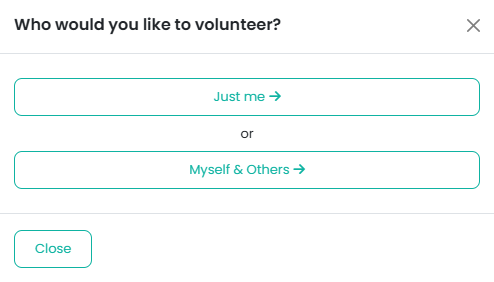
When you choose to volunteer, you’ll first be asked whether you are volunteering just yourself or yourself and others:
Volunteering: Just Me
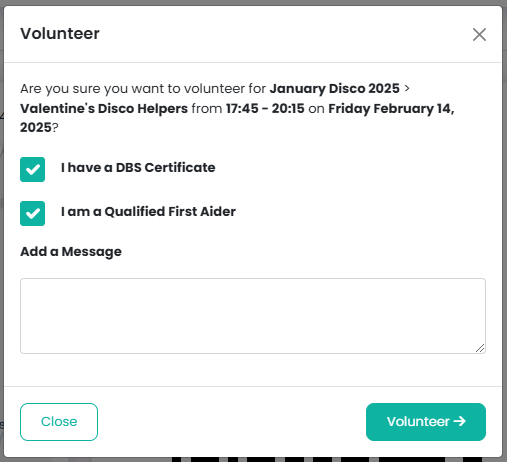
If you select Just me, a modal window will appear where you can:
Confirm whether you have DBS certification
Confirm whether you are First Aid qualified
Send an optional message to the event organiser
This information helps organisers understand your qualifications and allocate tasks appropriately.
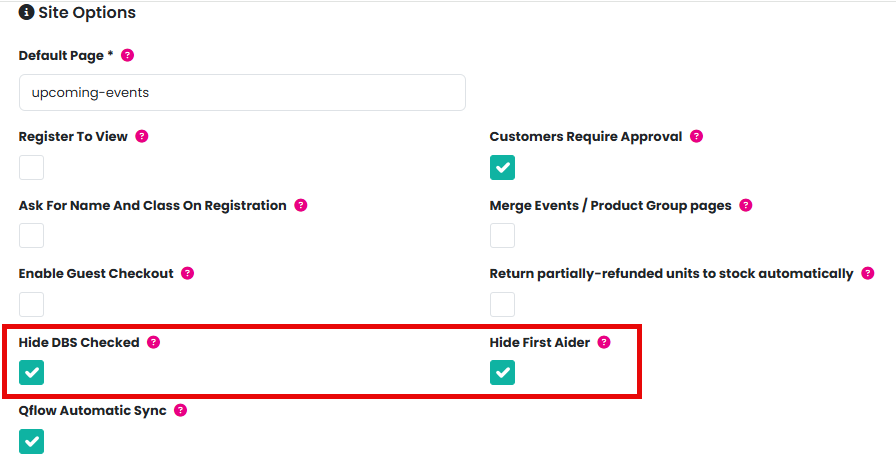
You can hide asking for DBS Checks and/or First Aider from Admin > Settings > Basic Details tab and Site Options section, if these are not required by your organisation:
Volunteering: Myself & Others
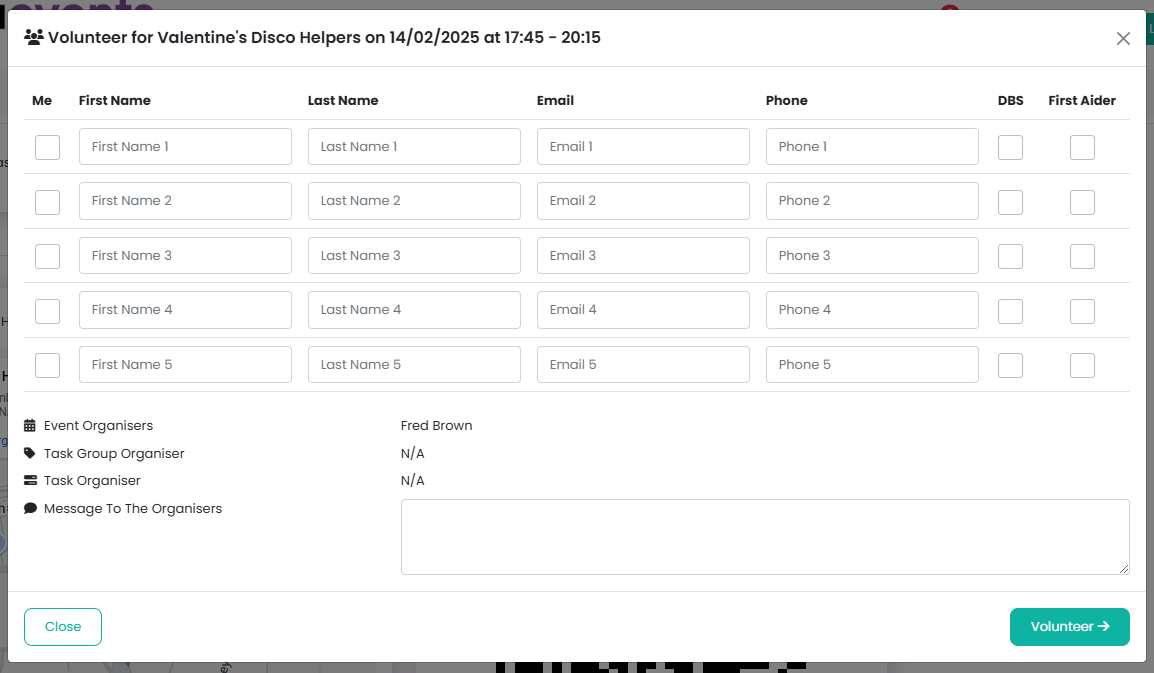
If you select Myself & Others, a modal window will appear allowing you to enter details for each volunteer, including:
First name
Last name
Email address
Telephone number
Whether they are DBS checked and/or First Aid qualified
To save time, you can tick the Me checkbox to automatically populate the form with your own details.
Selecting the DBS and/or First Aider checkboxes ensures the task organisers are aware of each volunteer’s qualifications.
Finding Volunteer Tasks
You can find available volunteer tasks in two places:
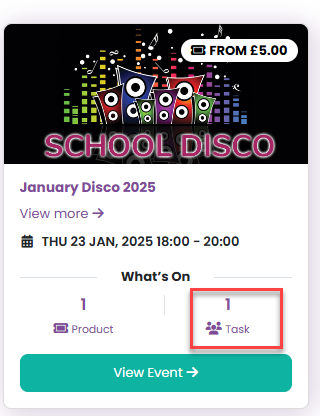
On each event card, under Tasks
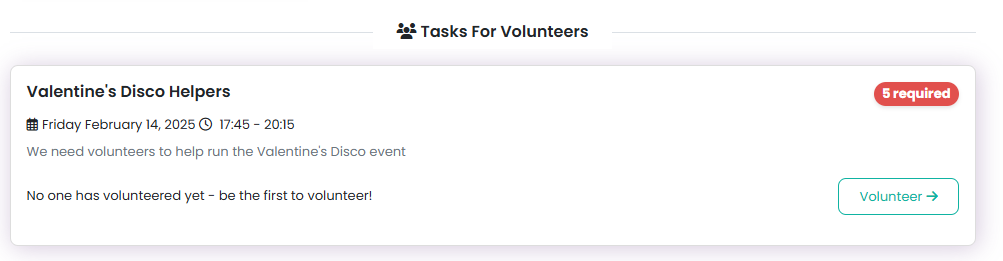
Via Your PTA > Volunteers
Viewing Your Volunteer Commitments
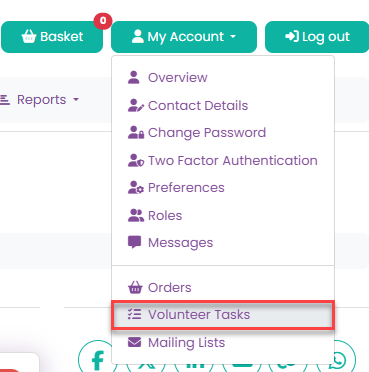
To see the tasks you’ve already volunteered for, go to:
My Account > Volunteer Tasks
Cancelling a Volunteer Commitment
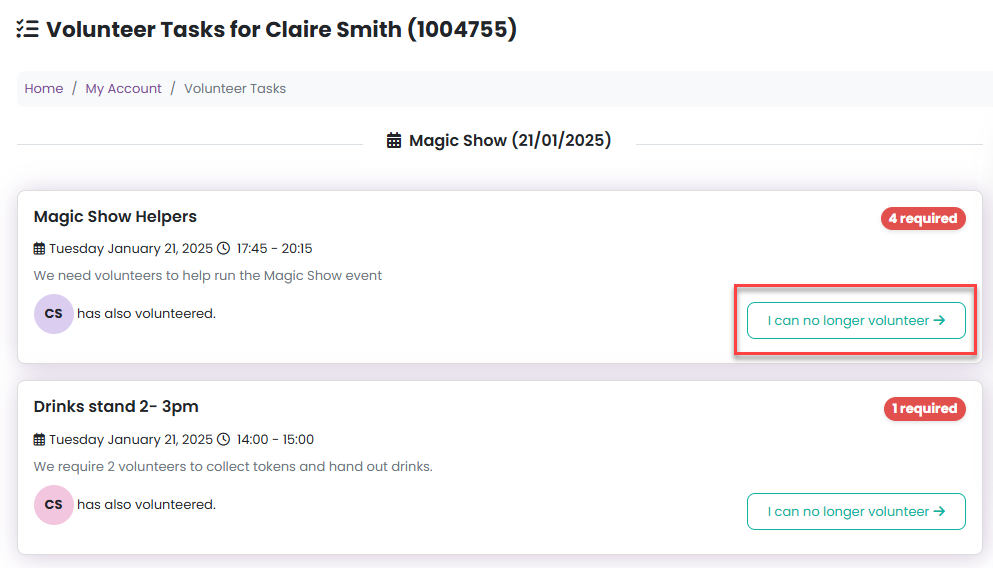
If you can no longer volunteer for a task, simply click the I can no longer volunteer button to notify the organisers.
Was this article helpful?
That’s Great!
Thank you for your feedback
Sorry! We couldn't be helpful
Thank you for your feedback
Feedback sent
We appreciate your effort and will try to fix the article