To add sponsors or advertisers to your website, you must first be on the Premium plan. Click here to find out how to upgrade.
Once you are on the Premium plan, there are two ways to add sponsors or advertisers.
Option 1: Add Sponsors Manually (Payment Taken Off Platform)
You can add sponsors yourself and arrange payment directly, outside of the platform.
How to do this:
Go to Admin > Sponsorship.
Click Add Sponsor.
A modal window will appear. Complete the sponsor’s details.
Click Add Sponsor to save.
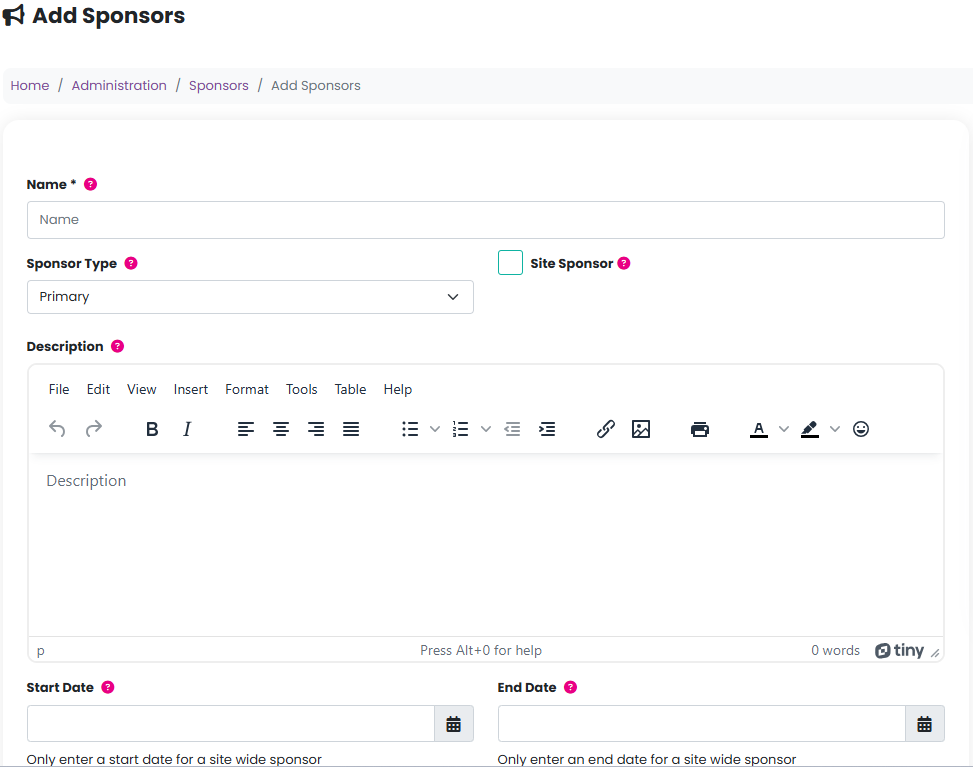
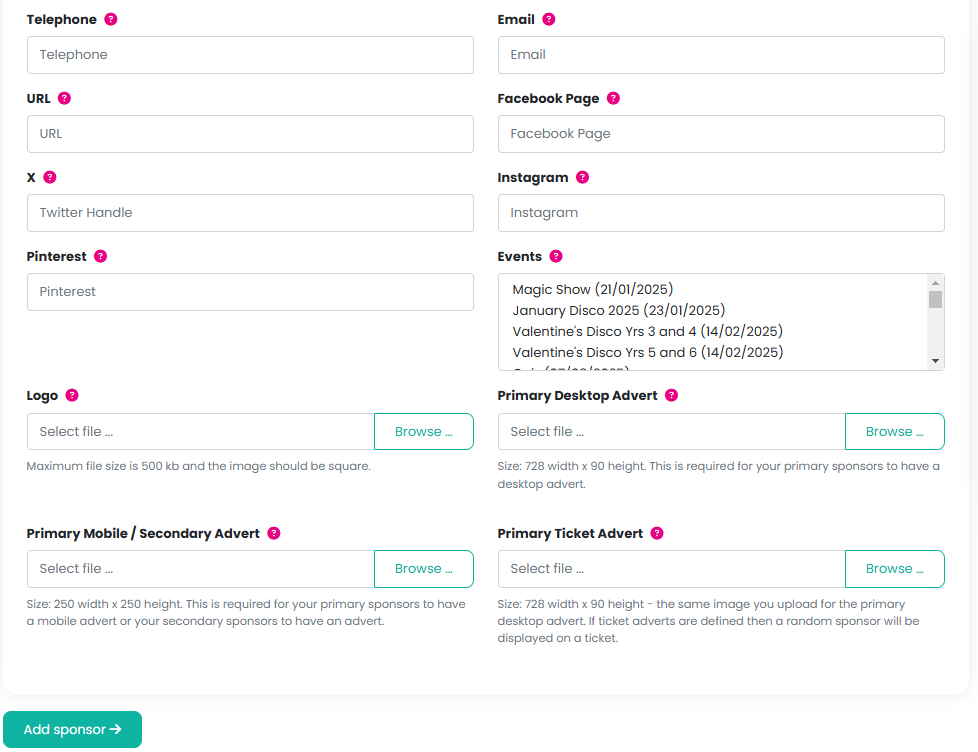
Please click here to see where these will appear on your website.
Option 2: Sell Advertising Through Your Website (Online Payments)
Alternatively, you can sell advertising directly through your website. This allows you to take payment online and raise additional funds for your organisation.
Step 1: Create an Advertising Product Group
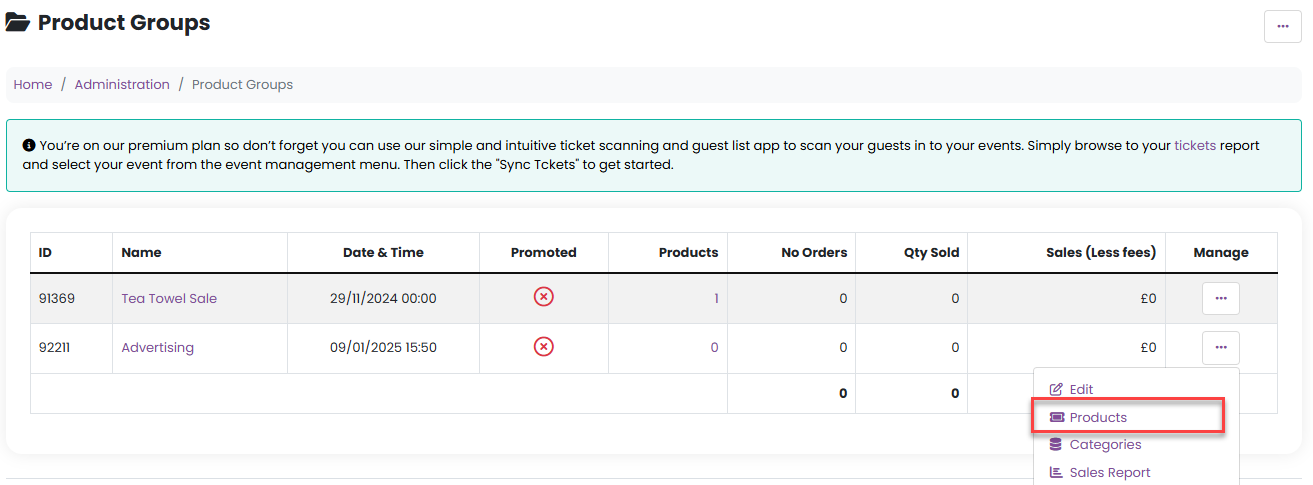
Go to Admin > Product Groups.
From the Manage menu, select Add Product Group.

3. Enter:
Name (e.g. Advertising)
Type (Advertising/Sponsorship)
Description (optional)
Organiser
Start and end dates/times for when the products will be available to purchase
(We recommend setting the end date far into the future so the products remain available in your shop.)
4. Set the fee types and click Add Product Group.
Step 2: Add Advertising Products
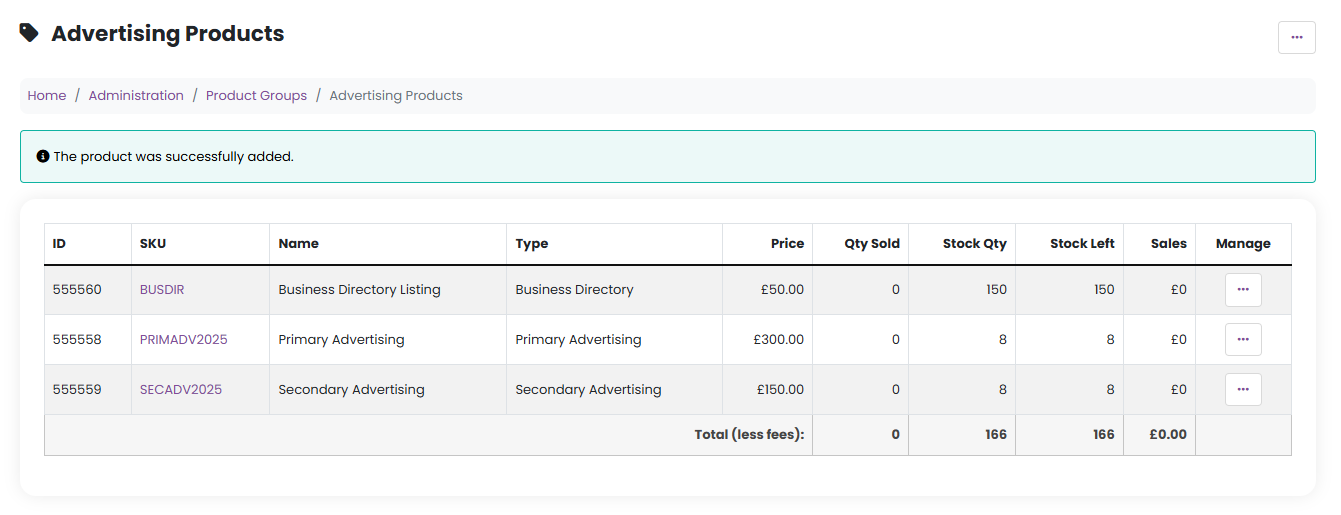
Once the product group has been created, you can add advertising products for sale, such as:
Primary Advertising
Secondary Advertising
Business Directory listings
To add products:
From the product management menu for your new Advertising product group, select Products.
Choose Add Product from the Manage dropdown.
Enter:
Name
SKU (e.g. PRIMADV or SECADV)
Type (Primary Advertising, Secondary Advertising, or Business Directory)
The start date will automatically be set at the time of purchase.
All advertising products will expire after one year, so no expiry date needs to be added.
Pricing and Stock Recommendations
You can set your own advertising prices, allowing you to raise funds well beyond the annual Premium charge. We recommend the following minimum prices:
Primary Advertising: £300 per year
Secondary Advertising: £150 per year
Business Directory listing: £50 per year
Set the stock quantity to:
A maximum of 8 for Primary and Secondary Advertising
A higher number for Business Directory listings
Customer Experience
Customers will find these advertising products in your Shop under Uniform and Merchandise.
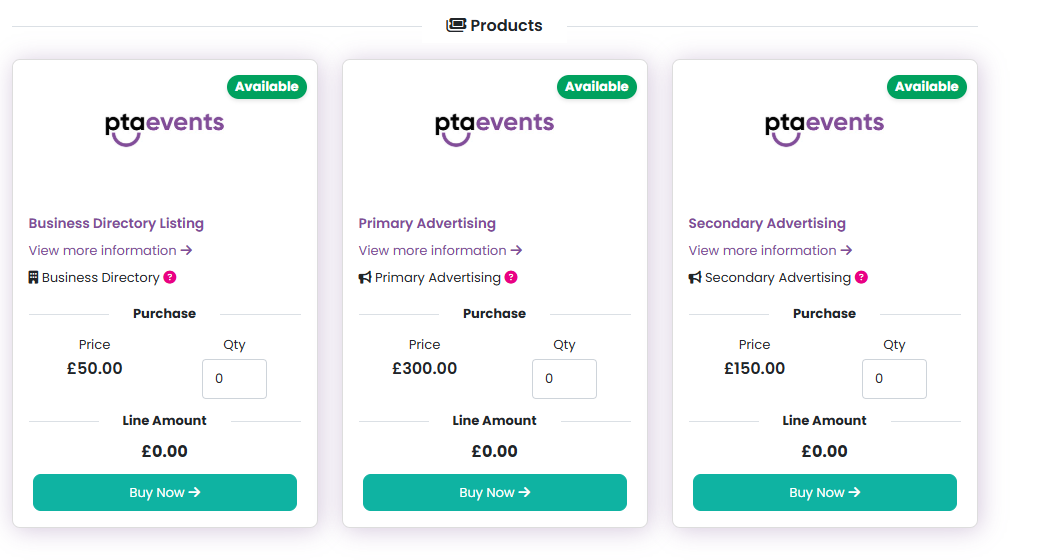
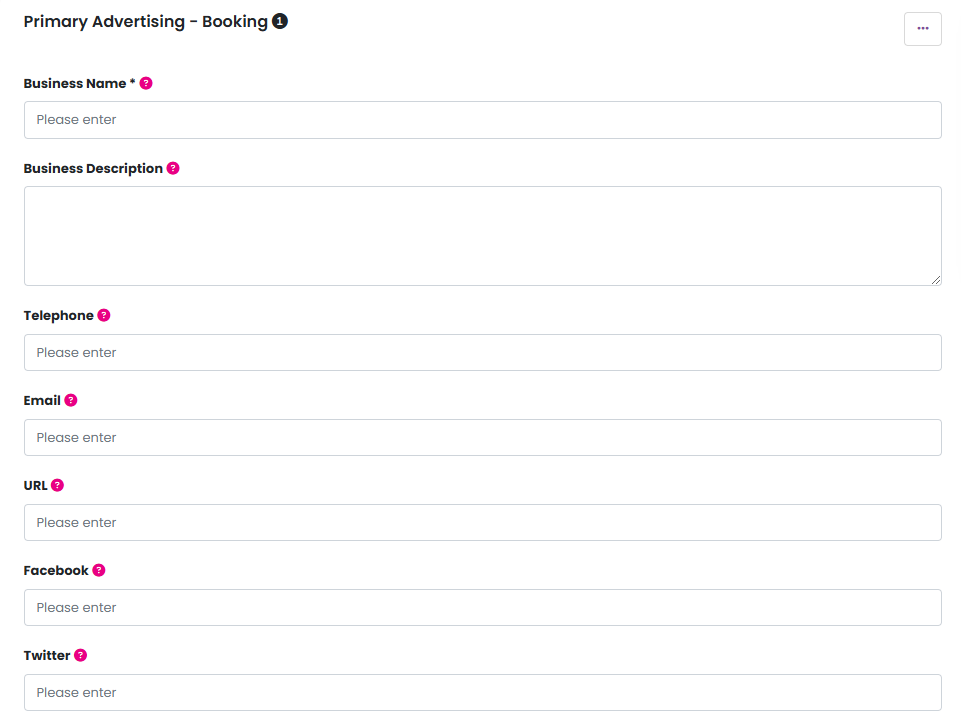
Once checkout is complete, all business information (logos, images, contact details, etc.) is collected automatically and displayed on the Sponsorship and Business Directory pages of your website.
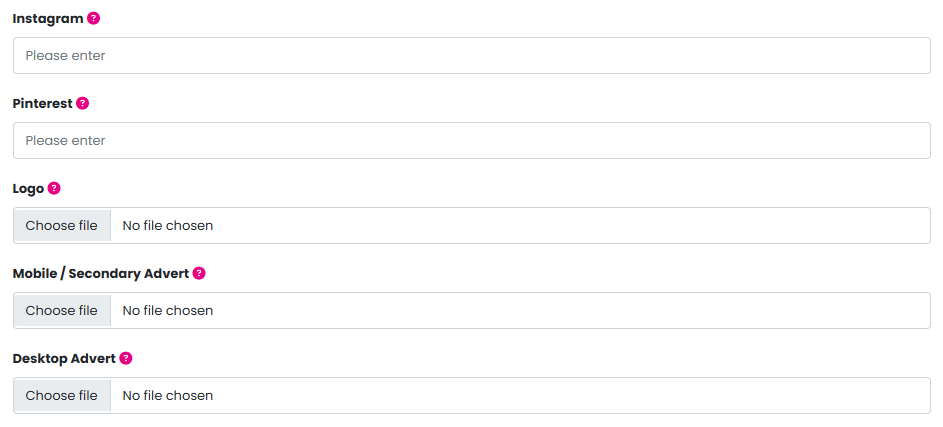
Please click here for further information on required image sizes for logo's and adverts.
Was this article helpful?
That’s Great!
Thank you for your feedback
Sorry! We couldn't be helpful
Thank you for your feedback
Feedback sent
We appreciate your effort and will try to fix the article