Yes, there are two ways to assign a registered user to a volunteer task on your website.
Option 1: Assign via the Volunteers Report
- Go to Reports > Volunteers.
- Select the relevant event from the Select Event dropdown menu.
- From the Manage menu, choose Assign Volunteer.
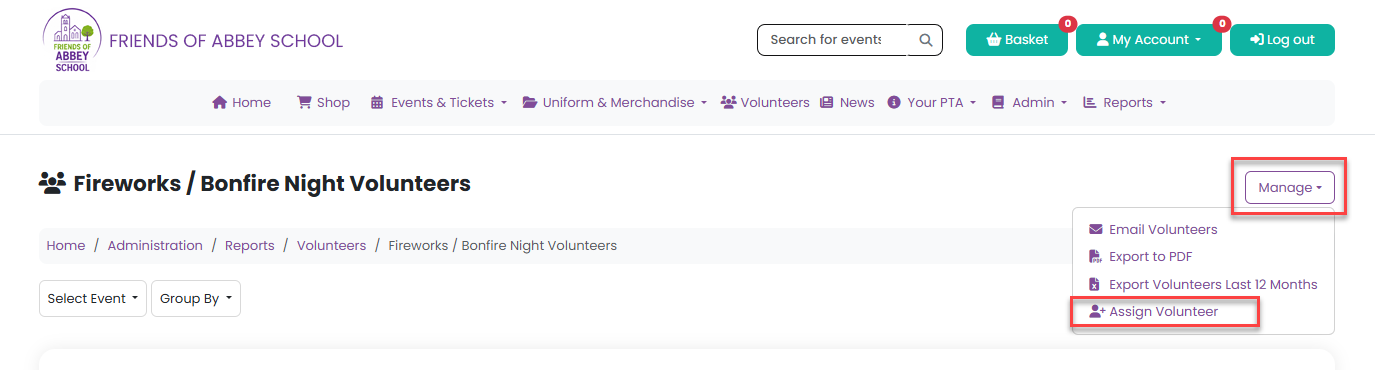
A modal window will appear where you can:
- Select the registered user you want to assign
- Choose the volunteer task for that event
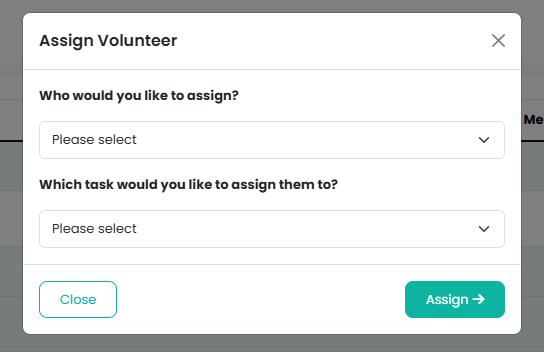
The user list includes all registered website users, and the task list displays all volunteer tasks created for the selected event.
Option 2: Assign via the Task Management Menu
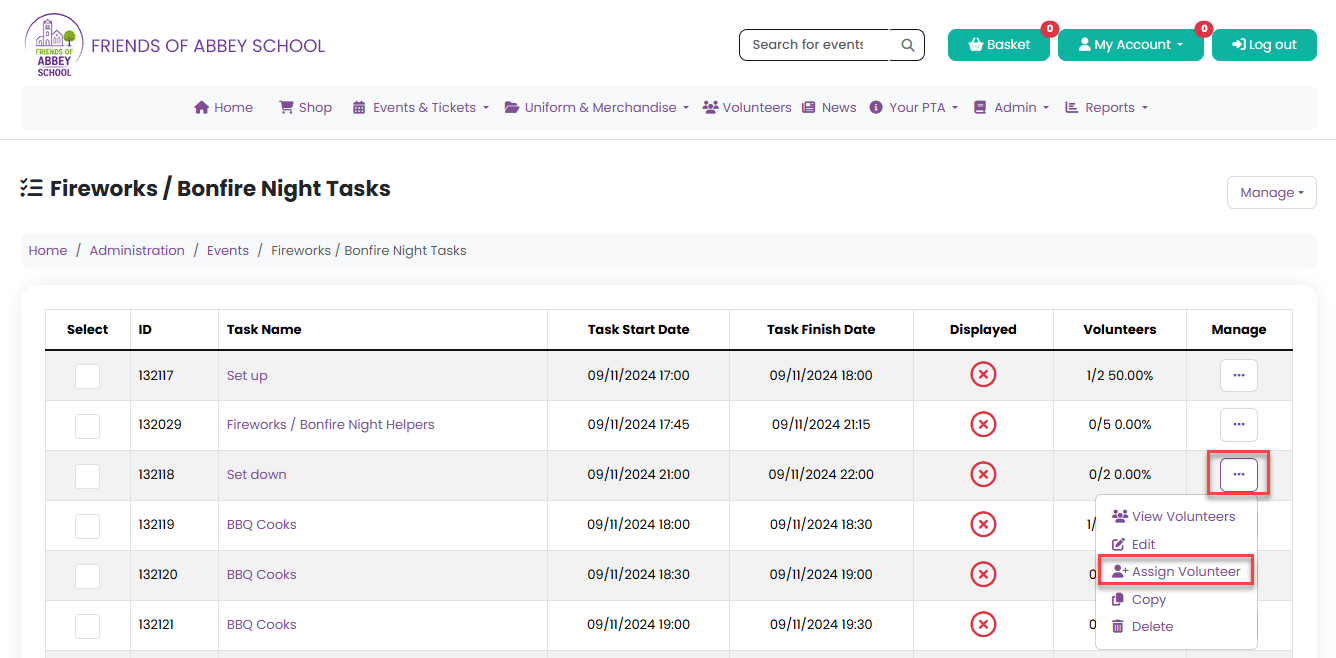
- Open the relevant event and select Tasks for Volunteers from the event management menu.
- Locate the task you want to assign.
- From the Manage menu, select Assign Volunteer.
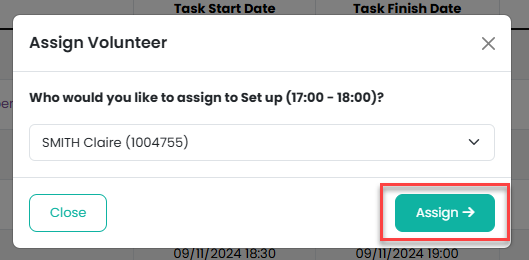
Choose the user you would like to assign, then click Assign to confirm.
A modal window will appear showing:
- The selected task
- A dropdown list of all registered website users
Choose the user you would like to assign, then click Assign to confirm.
Important Information
Only Admins and Task Organisers can assign volunteers to tasks.
Because these users are already responsible for managing volunteer assignments, no BCC notification emails are sent — even if BCC Volunteer Confirmations is enabled.
Was this article helpful?
That’s Great!
Thank you for your feedback
Sorry! We couldn't be helpful
Thank you for your feedback
Feedback sent
We appreciate your effort and will try to fix the article