Yes, you can. After you have added your event via the template, simply head to Admin > Events and select Prizes from the Manage menu of your prize draw event. Then choose Bulk Upload Prizes from the Manage menu on the prizes page.

A modal window will appear where you can choose the file from your local device. Please note the recognised columns:
- PrizeName - required
- PrizeOrder - optional, controls the order prizes are listed in
- PrizeDescription
- PrizeSponsorName
- PrizeSponsorURL
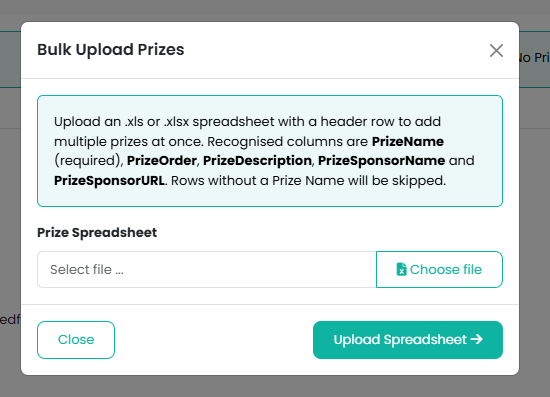
Once you have selected your file, click on the Upload Spreadsheet button and your prizes will be added:
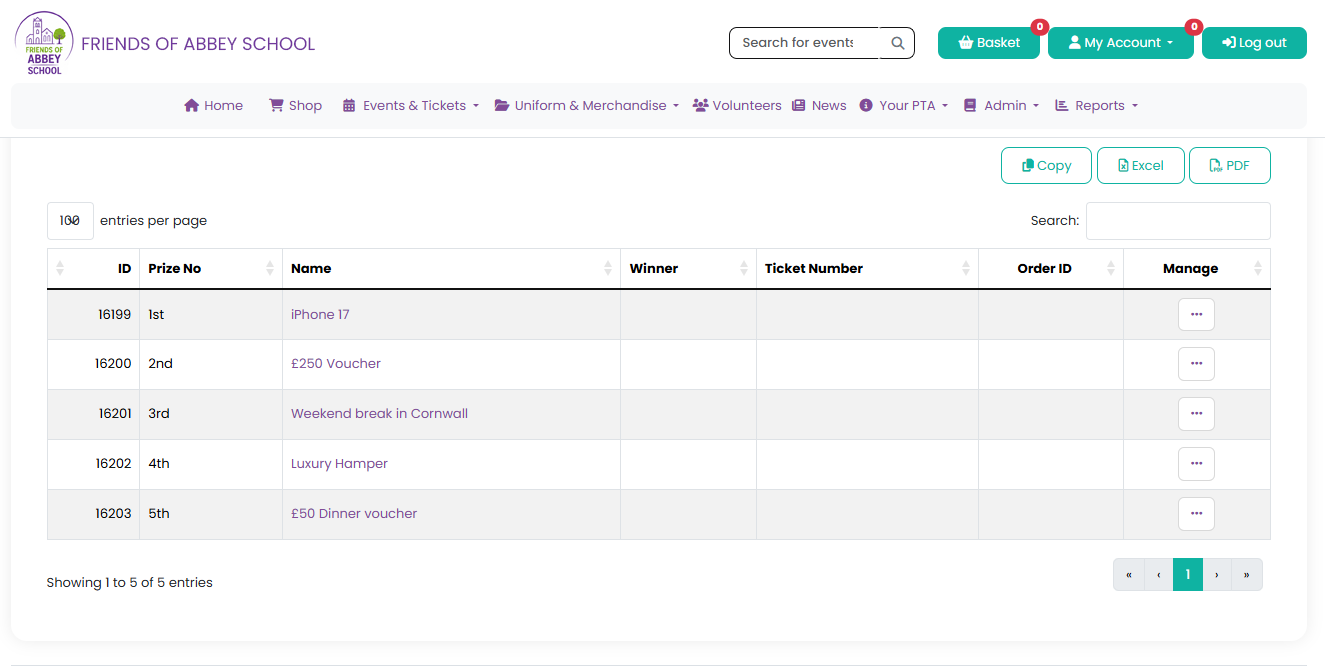
You can continue to add individual prizes right up until the time of your draw by selecting Add Prize from the Manage menu of the Prizes page:

Click here for further information on how to create a prize draw using the event template.
Was this article helpful?
That’s Great!
Thank you for your feedback
Sorry! We couldn't be helpful
Thank you for your feedback
Feedback sent
We appreciate your effort and will try to fix the article