When you’re ready to run your Prize Draw (Online Raffle), the Hold Prize Draw button will become available on the Prizes admin page for your event.
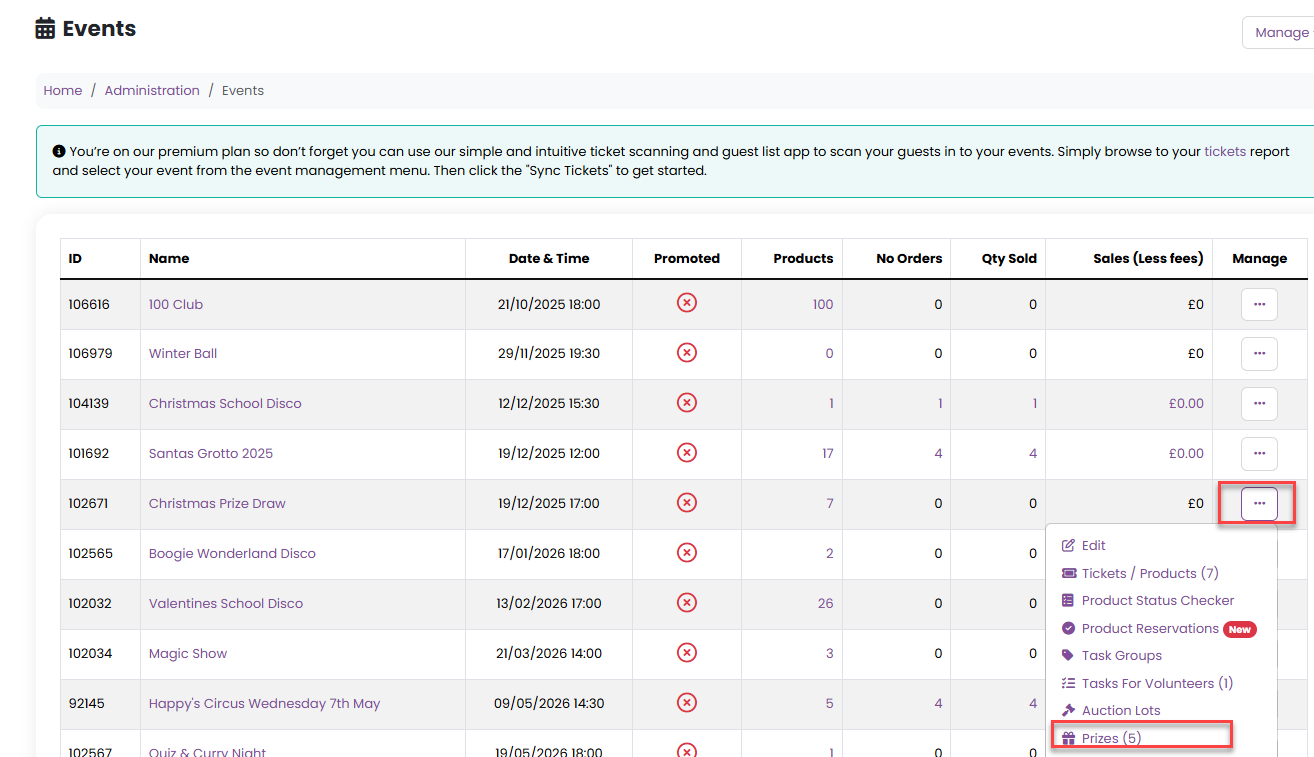
Step 1: Navigate to the Prizes admin page
Go to Admin.
Select Events.
Choose the relevant event.
From the Manage menu, select Prizes.
Step 2: Hold the Prize Draw
From the Manage menu on the Prizes page, select Hold Prize Draw.

Step 3: Enter Winner Information
After clicking Hold Prize Draw, you’ll be prompted to enter information that will be emailed to the winning ticket holders.
This can include general details applicable to all winners, such as:
How and when prizes can be collected
Any next steps winners need to take
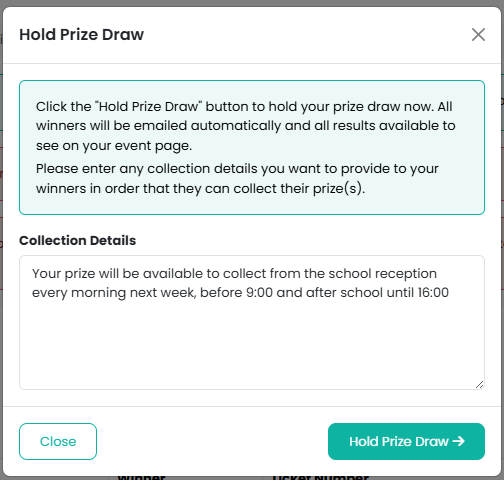
The click on the Hold Prize Draw Button.
Once completed, this information will be automatically sent to all prize winners.
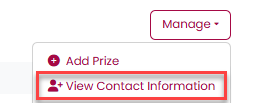
After the draw has been completed you can also view information such as name and class, if this has been requested, by clicking on Show Contact Information from the Manage menu:
Please note it is not possible to redraw via the PTA Events platform.
Was this article helpful?
That’s Great!
Thank you for your feedback
Sorry! We couldn't be helpful
Thank you for your feedback
Feedback sent
We appreciate your effort and will try to fix the article