The Hold Prize Draw option becomes available on your event’s Prizes page within the Manage menu once all of the following criteria have been met:
The Prize Draw (Online Raffle) date and time have passed.
Total sales exceed £40 / €40 / $40.
Due to the costs associated with running a fully randomised and independently audited draw process, prize draws cannot be completed if total sales are below this threshold.The number of entrants exceeds the number of prizes available.
Running the Prize Draw
Once all criteria are met, select Hold Prize Draw from the Manage menu.

You will then be prompted to enter generic information for prize winners, such as instructions on how to collect their prize. This information will be included in the winner notification emails.
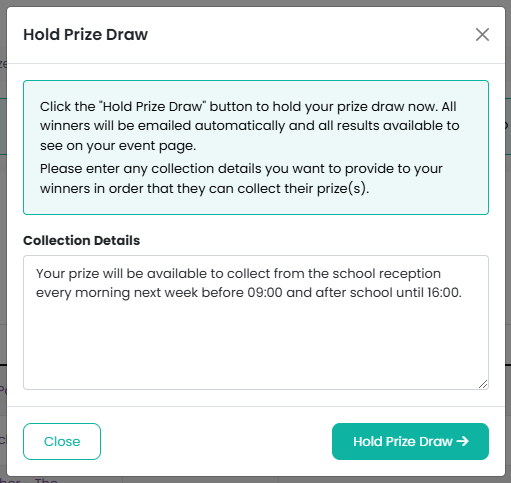
When ready, click the Hold Prize Draw button to complete the final draw process.
After the Draw Is Complete
Once the draw has successfully run:
You will see a confirmation message.
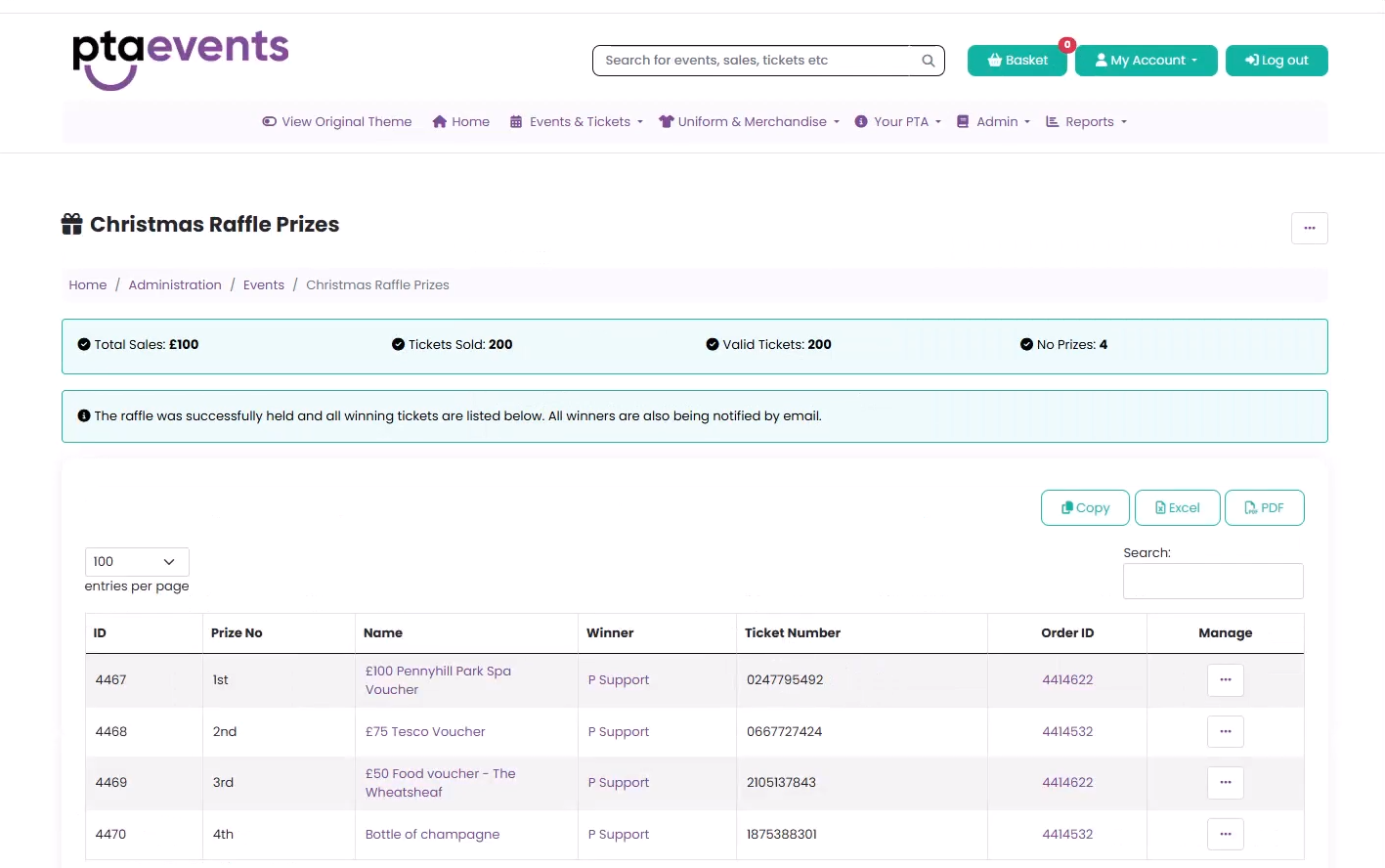
The Prizes page will display:
All winning ticket holders
Winning ticket numbers
Associated order IDs
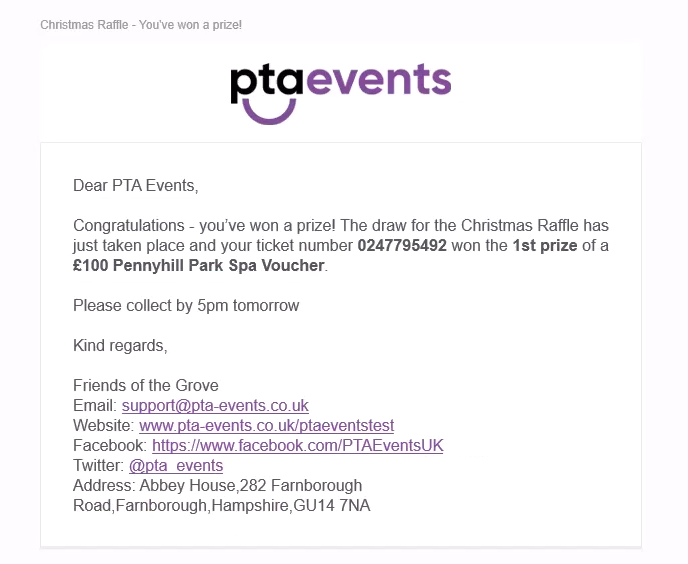
All winning ticket holders will automatically receive an email notification confirming their win, which will also include any generic prize collection information you provided.
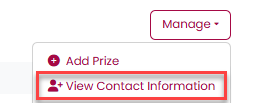
After the draw has been completed you can also view information such as name and class, if this has been requested, by clicking on "Show Contact Information" from the "Manage" menu:
Was this article helpful?
That’s Great!
Thank you for your feedback
Sorry! We couldn't be helpful
Thank you for your feedback
Feedback sent
We appreciate your effort and will try to fix the article