Desktop View:
Mobile View:
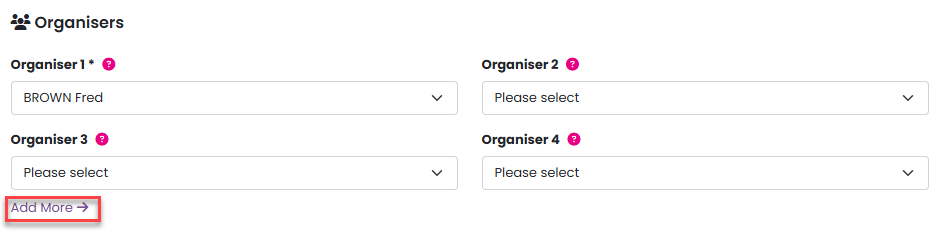
You can add event organisers by navigating to Admin > Events, then clicking on the event name or selecting Edit from the Manage menu. From there, choose an organiser from the dropdown list.
You can add up to eight event organisers by clicking the Add More option. Please note that organisers must be registered on your site to appear in the dropdown list and be assigned to an event.
To resync tickets, go to Reports > Tickets and select the relevant event from the Event dropdown list. Then, choose Sync to Qflow from the Manage menu.

Was this article helpful?
That’s Great!
Thank you for your feedback
Sorry! We couldn't be helpful
Thank you for your feedback
Feedback sent
We appreciate your effort and will try to fix the article