We’ve recently updated the Treasurer by Event Report to help you access accurate financial data for your events.
The report provides a detailed breakdown of all payments made through your website by event:
Actual fees paid
Net amount paid out to your bank account
Order ID
Stripe Transaction ID
Payment Types
How to access the report
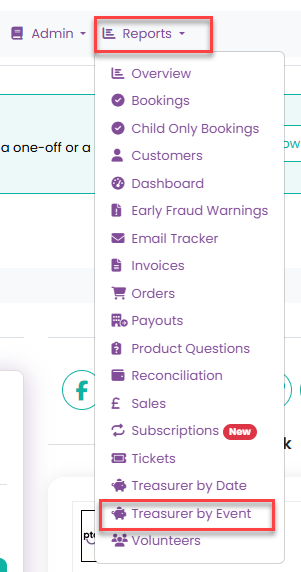
From the main navigation, go to Reports > Treasurer by Event
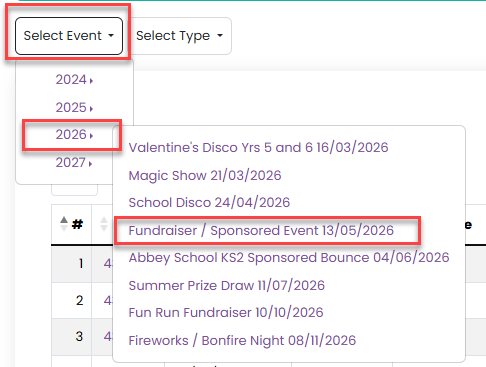
Use the Select Event dropdown list to chose the year and then the event:
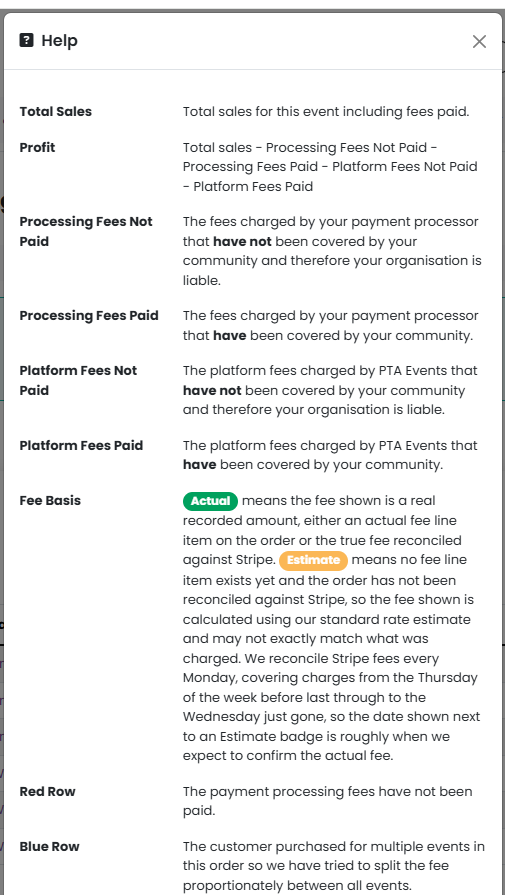
From here you can view all transactions relating to that event, and you can find further information by heading to Manage > Help:
If there have been fees paid against your transactions, and they are all reporting as actual figures you will see this message:

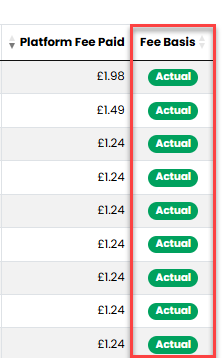
And the Fee Basis column will look like this:
Or if there are estimated fees, you will see this message:

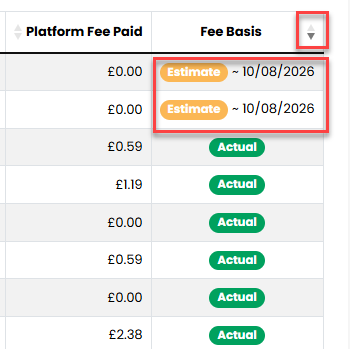
Clicking on the sorting arrows of the Fees Basis column will allow to view an estimated date of when the reconciliation for these transactions will take place:
Was this article helpful?
That’s Great!
Thank you for your feedback
Sorry! We couldn't be helpful
Thank you for your feedback
Feedback sent
We appreciate your effort and will try to fix the article