Closing a Fund
Close a restricted fund once its purpose has been fulfilled and the money spent. It keeps all of its history but stops being offered for new transactions.
- Go to Finances > Funds
- Choose Edit on the fund
- Tick This fund is closed and click the Save button to confirm
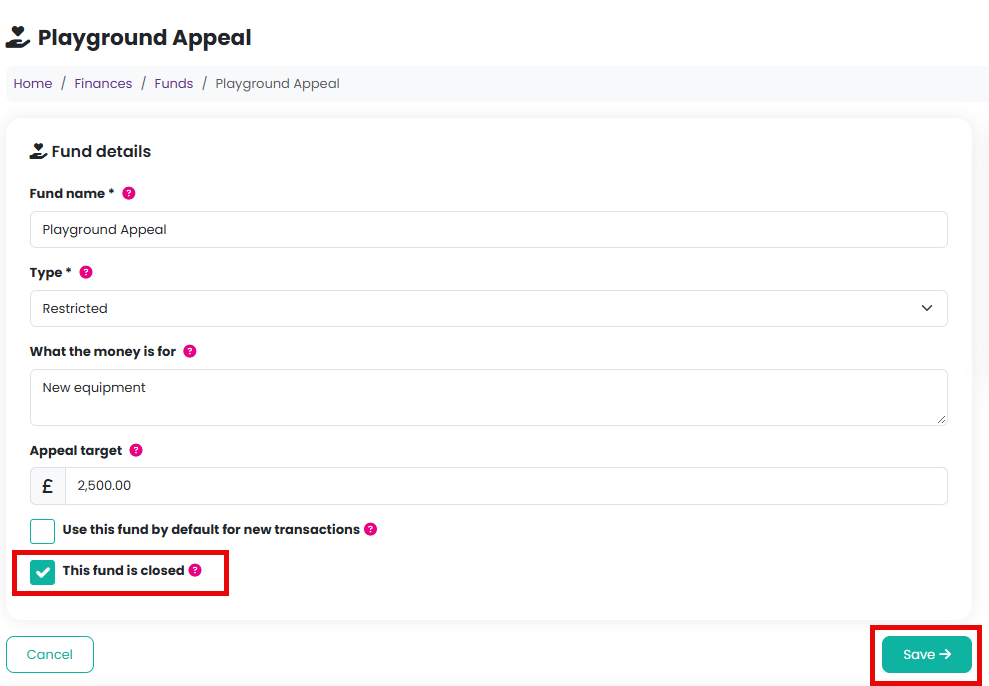
Untick it to reopen the fund.
Deleting a fund
A fund can only be deleted while nothing has been recorded against it. Choose Delete from the fund's Manage menu and confirm. A fund that has been used cannot be deleted; close it instead.
Your default fund cannot be deleted either. Make another unrestricted fund the default first.
Related reading
Was this article helpful?
That’s Great!
Thank you for your feedback
Sorry! We couldn't be helpful
Thank you for your feedback
Feedback sent
We appreciate your effort and will try to fix the article