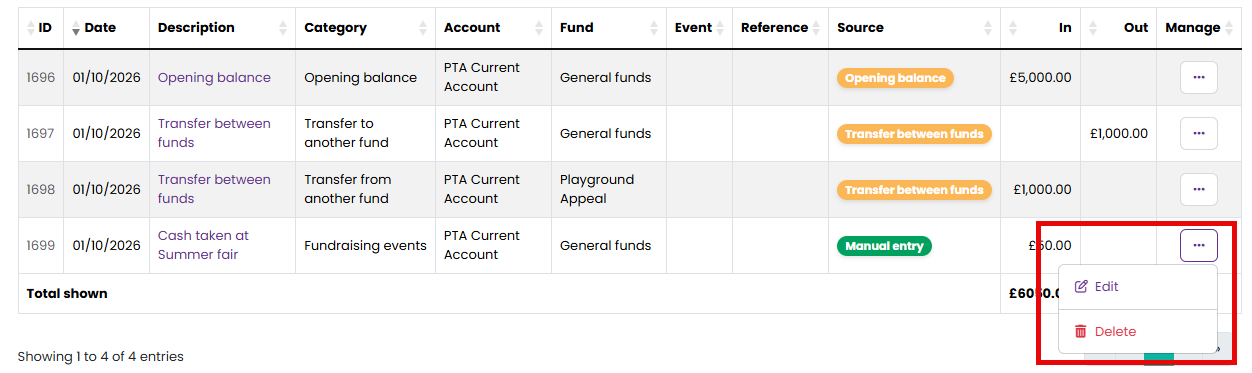
Go to Finances > Transactions, find the transaction and choose Edit or Delete from its menu.
What can I change?
On a transaction you typed yourself, everything.
On a transaction recorded automatically, the date, amount and account are fixed, because they came from something real: a Stripe payout, a paid expense claim or a bank statement line. You can still change how it is categorised, which fund it belongs to, and which event it is linked to. That is usually what needs correcting.
Any transaction you can edit can also be turned into several, with Split this transaction on the edit page, apart from opening balances, moves between accounts or funds, paid expense claims, refunds and transactions that paid a funding request. The lines keep the bank match and the receipts of the original. See "How do I split a transaction I have already recorded?".
An opening balance is edited on the account itself, under Finances > Bank Accounts. From the transaction you can only move it to a different fund.
A move between accounts or between funds is a pair of transactions locked together so they always cancel out. You can change the description, reference and linked event on either half, but not the date, amount or category. A move between accounts keeps its fund as well.
Adding or removing a receipt
The quickest way is to attach the receipt as you record the transaction, under Receipt or invoice on the Add Transaction or Record this form. For a transaction that already exists, choose Receipts from its Manage menu, or scroll to the Receipts panel when you are editing it. You can attach a photo or PDF to any transaction, including ones recorded automatically and ones in a closed year, because a receipt is evidence and changes no figure. Several pages can be attached at once with Add another page, up to ten files on a transaction.
To remove one, choose the bin beside it. The file is deleted and cannot be brought back. Receipts cannot be removed from a transaction in a closed financial year; reopen the year first if one really has to go.
What can I delete?
Transactions you typed yourself. Anything recorded automatically cannot be deleted, because the thing behind it still happened: the payout was still paid, the claim was still reimbursed, the bank still moved the money. Recode it instead.
The one exception is a move between accounts or between funds. Deleting either half removes both together, so the two sides keep cancelling out. Record the move again if only the amount or date was wrong.
Why can I not delete this transaction?
- It was recorded automatically. See above. If a paid expense claim is wrong, the claim itself is the record to look at.
- It has been matched to a bank statement line. Undo the match first, under Finances > Reconciliation in the Already matched list. Otherwise the bank line would go on counting as matched to something that no longer existed.
- It is dated inside a closed financial year. Closing finalises the figures. Reopen the year under Finances > Year End if the change really belongs there, then close it again.
Related reading
Was this article helpful?
That’s Great!
Thank you for your feedback
Sorry! We couldn't be helpful
Thank you for your feedback
Feedback sent
We appreciate your effort and will try to fix the article