Your website is new, so Google is not yet aware that it exists. By default, all PTA Events websites are set not to be indexed by Google. This means that even if a Google crawler discovers your site via a link from another website, your pages will be ignored and won’t appear in search results.
This setting is intentional. Around 90% of our PTA communities are closed and designed to be accessed only by parents. Most PTAs share their website directly through school websites, Facebook pages, or school newsletters rather than relying on Google search results.
How can I make my website visible on Google?
If your organisation would like your PTA website to appear in Google search results, you’ll need to register it with Google Search Console (formerly Webmaster Tools).
Step 1: Register with Google Search Console
Visit:
https://www.google.com/webmasters/#?modal_active=none
Step 2: Add your website
Choose “URL prefix”
Enter the full web address (URL) of your PTA Events website

Step 3: Verify ownership using an HTML tag
Google will provide you with an HTML verification tag.
Click “Copy” to copy the full tag, then extract the value from the content attribute. For example:
In this case, the verification code is:W-BWyAI5t_aILls8eq1V13CAzo8jr2pzIVHEyNNXJqw

Step 4: Add the verification code to your PTA Events website
Log in to your PTA Events admin area
Go to Admin > Settings > Search Engines & Analytics
Paste the code into the Google HTML Tag Verification Code field
Save your changes
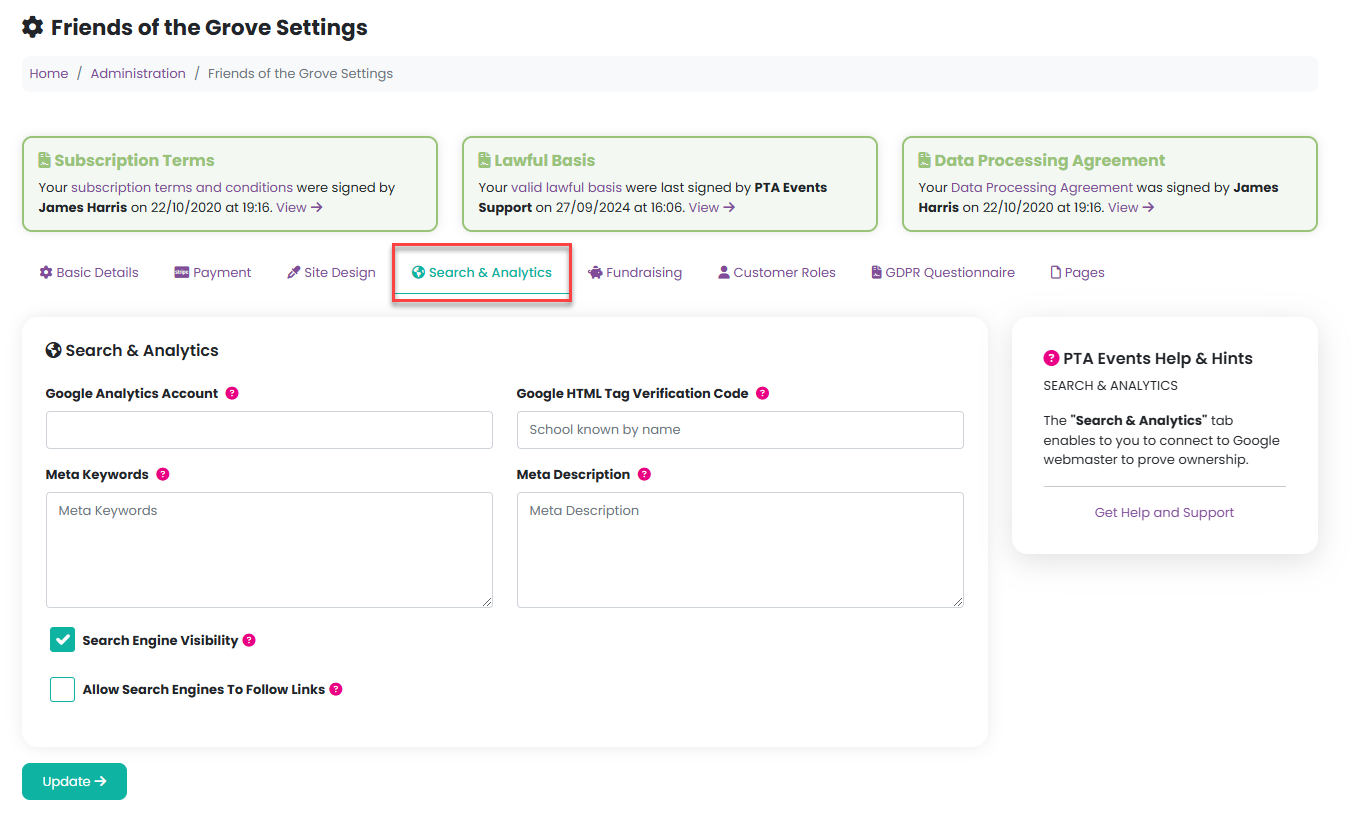
Step 5: Complete verification
Return to Google Search Console and click “Verify” to complete the process.
Once verified, Google will be able to index your website and it may start appearing in search results over time.
Was this article helpful?
That’s Great!
Thank you for your feedback
Sorry! We couldn't be helpful
Thank you for your feedback
Feedback sent
We appreciate your effort and will try to fix the article