If you want to remove the requirement for class list information during checkout, follow the steps below:
Navigate to Admin > Events > Manage > Tickets/Products.
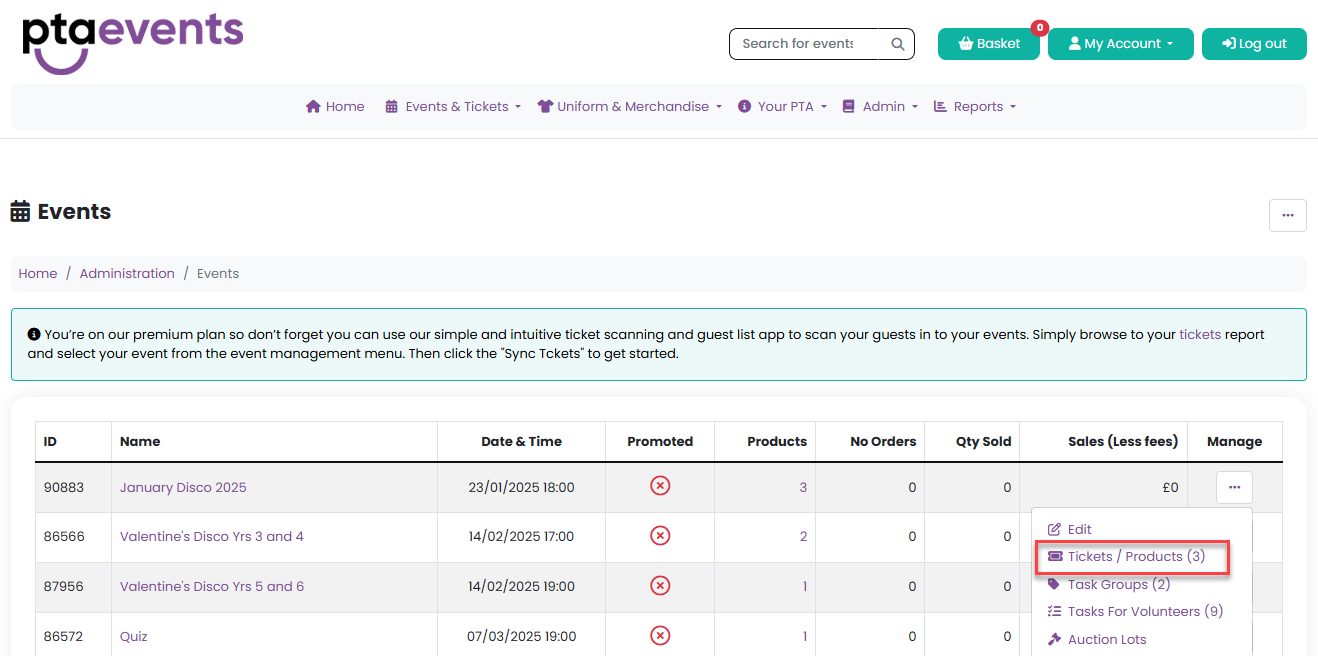
2. Locate the relevant product and click either the SKU or select Edit from the Manage menu.
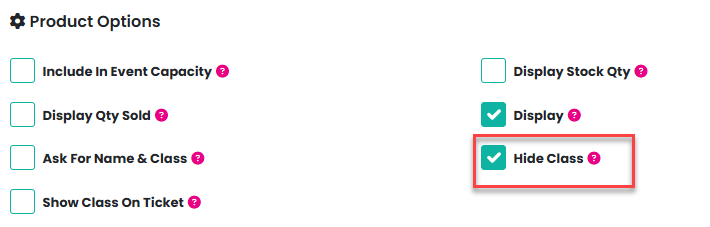
3. In the product settings, check the box labelled “Hide Class.”
4. Click Update Product to save your changes.
Once updated, the class list information will no longer be required at checkout for that product.
Was this article helpful?
That’s Great!
Thank you for your feedback
Sorry! We couldn't be helpful
Thank you for your feedback
Feedback sent
We appreciate your effort and will try to fix the article