Desktop view:
Mobile View:
To send an email to all customers who have made a booking through your website, follow the steps below:
Navigate to Reports > Bookings.
Use the Event dropdown menu to select the relevant event.
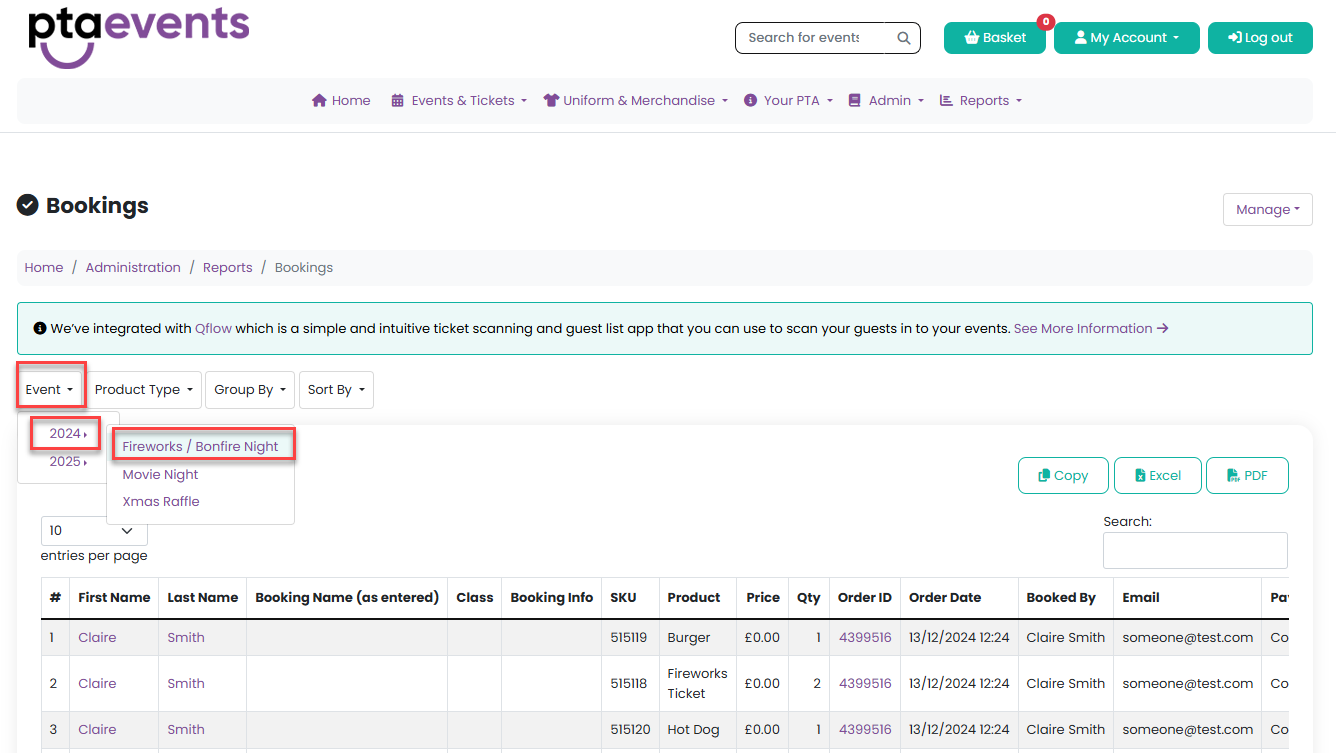
3. Once the event is selected, open the Manage menu and choose Email Bookings.

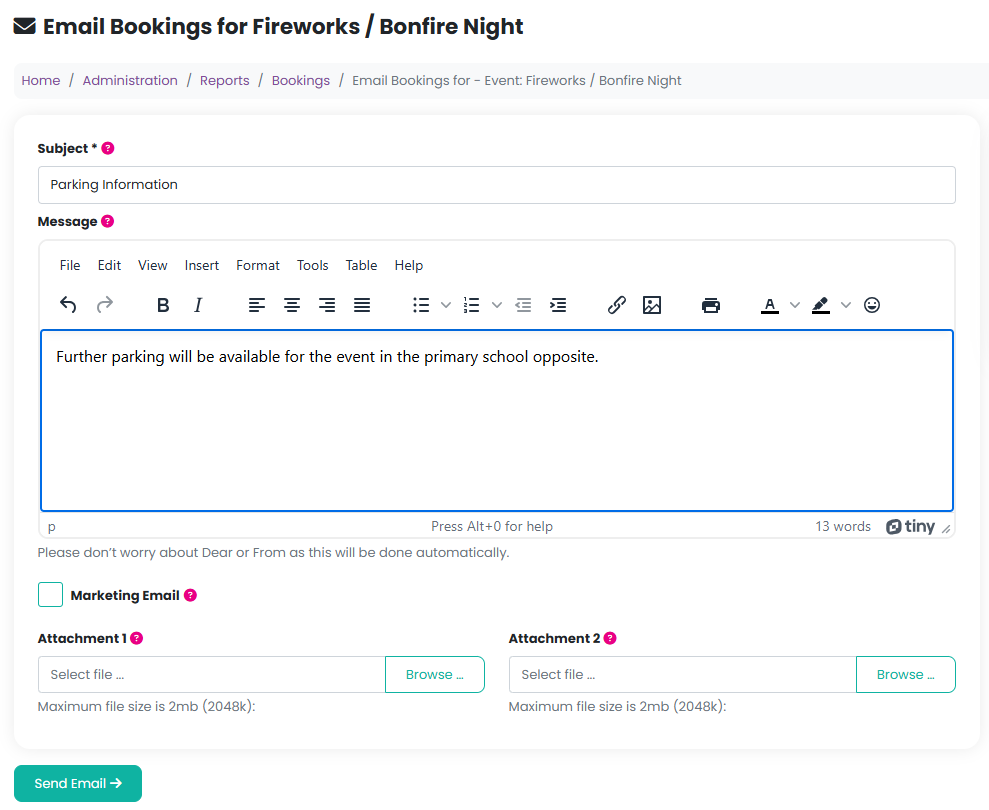
4. A modal window will appear, allowing you to:
Enter an email subject
Write your message
Add up to two attachments
5. If the email is being sent for marketing purposes, ensure you tick the Marketing Email checkbox.
This ensures the message is not sent to customers who have unsubscribed from marketing communications.
Was this article helpful?
That’s Great!
Thank you for your feedback
Sorry! We couldn't be helpful
Thank you for your feedback
Feedback sent
We appreciate your effort and will try to fix the article