You can easily reuse auction lots by copying them from an existing event. This saves time and ensures consistency when setting up new auctions.
To copy an auction lot:
Navigate to Admin > Events.
Select the relevant event.
From the Manage menu, choose Auction Lots.
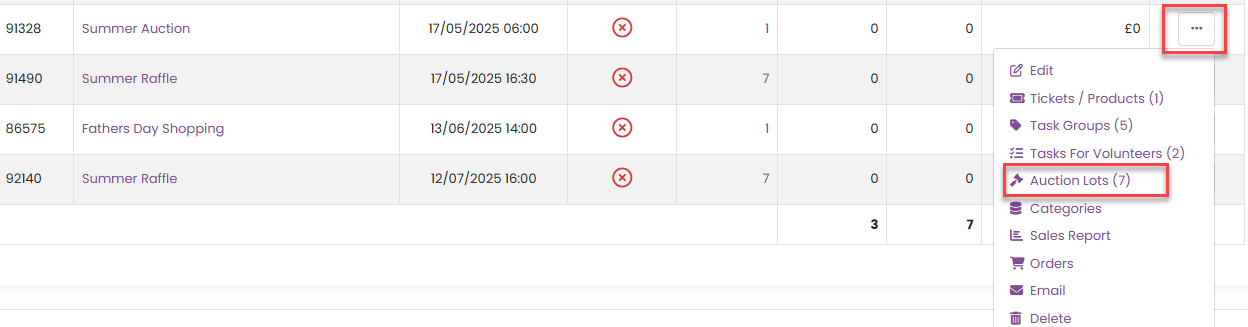
4. Locate the auction lot you want to reuse.
5. From the Manage menu for that auction lot, select Copy.

After copying the lot:
The copied auction lot will appear at the bottom of the list with COPY added to the end of its name.
Click on the auction lot name, or select Edit Auction from the Manage menu.
Update the auction lot name and review all details carefully, including the description and pricing.
Once you’re happy with the changes, click Update Auction to save.
Was this article helpful?
That’s Great!
Thank you for your feedback
Sorry! We couldn't be helpful
Thank you for your feedback
Feedback sent
We appreciate your effort and will try to fix the article