To place a bid, customers must first be logged in to the website.
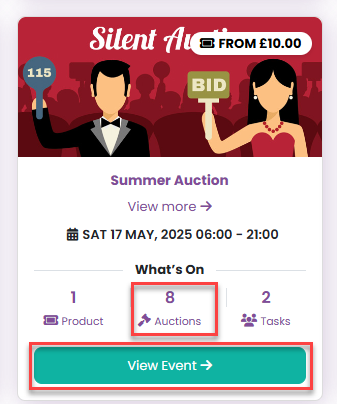
From the Events & Tickets page, they can access an auction by clicking either the number of auction lots or View Event.
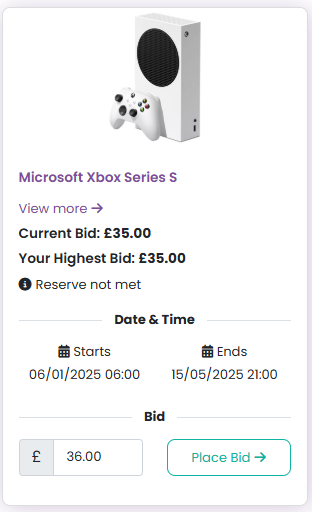
Once inside the event, the bid amount displayed represents the next available bidding increment, which is set when the auction lot is created.
If the customer is happy with this amount, they can simply click Place Bid.
If they would like to bid a higher amount, they can either manually enter a value or use the arrow controls to select their preferred amount.
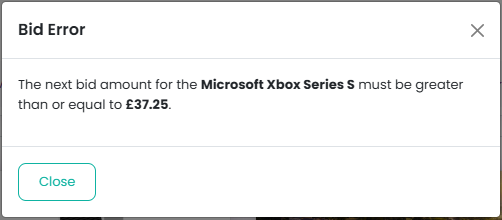
If a customer manually enters a bid that does not align with the permitted increments, an error message will appear prompting them to adjust their bid.
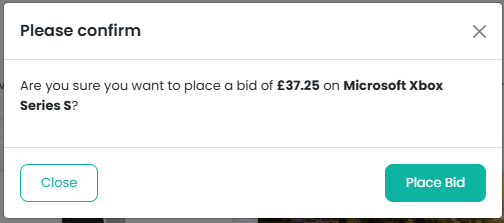
After clicking Place Bid, a confirmation modal will appear asking the customer to confirm their bid.
If the bid is higher than the current highest bid, it will be successfully placed. The customer will then receive an email confirmation acknowledging their bid.

If a customer wishes to remove a bid, whether it was placed accidentally or is no longer required, they can do so from the auction lot page.
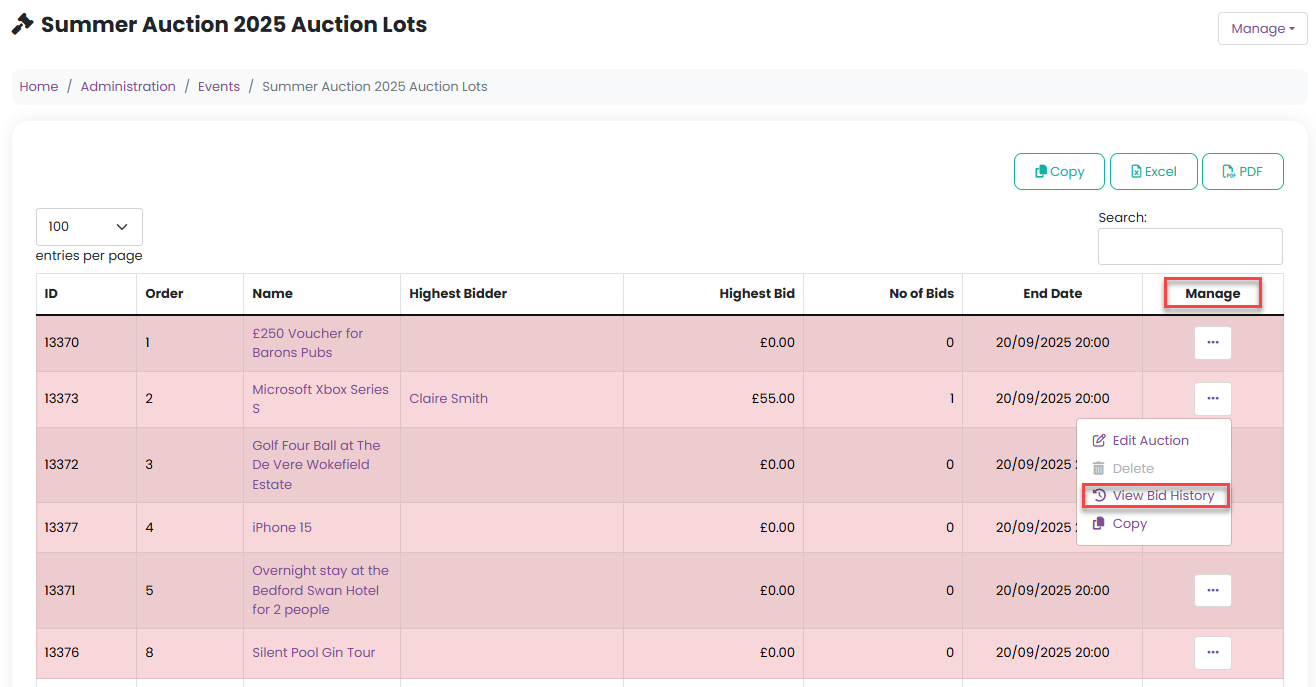
From the Manage menu on the auction lot, select View Bid History.
Next, click the Delete icon next to the relevant bid.
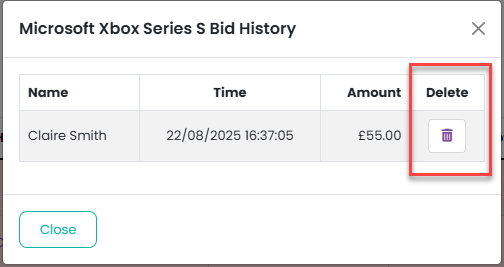
Once the bid is cancelled:
The bidder will receive an email confirmation confirming the cancellation.
The next highest bidder (if applicable) will be notified by email that their bid is now the highest.
Was this article helpful?
That’s Great!
Thank you for your feedback
Sorry! We couldn't be helpful
Thank you for your feedback
Feedback sent
We appreciate your effort and will try to fix the article