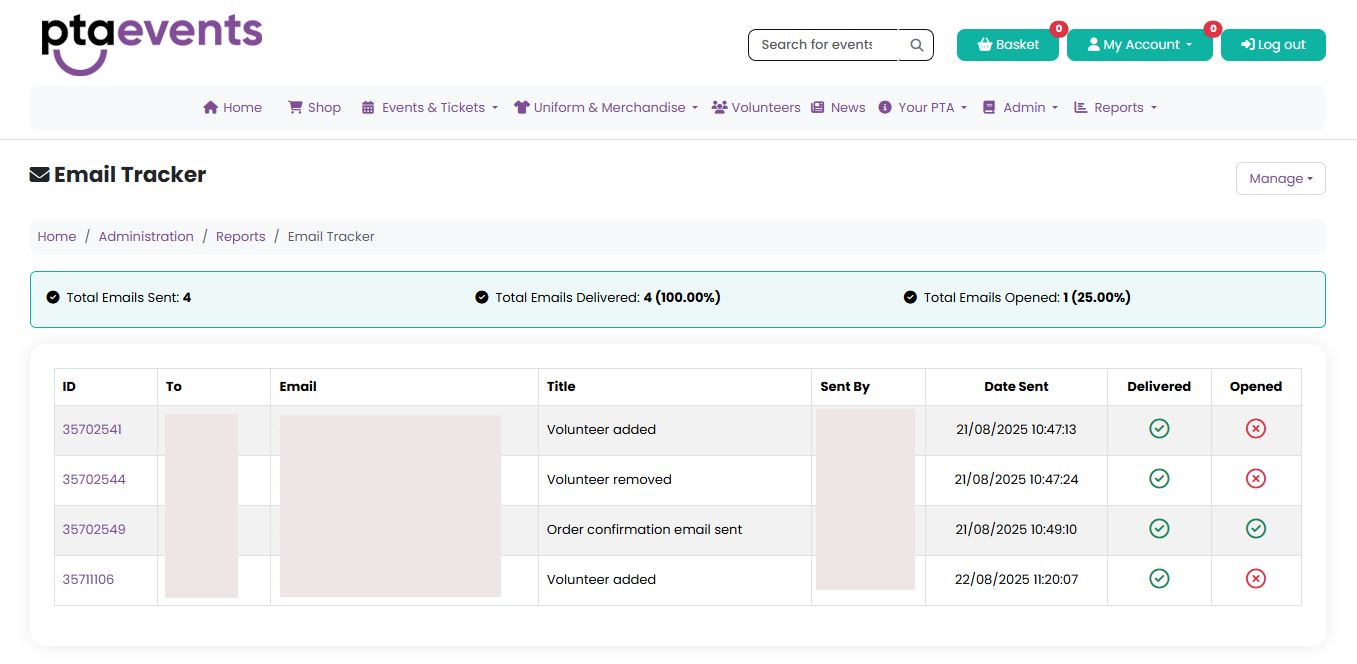
You can view all emails that have been sent and track whether they were delivered and/or opened by navigating to Reports > Email Tracker.
Searching for Emails
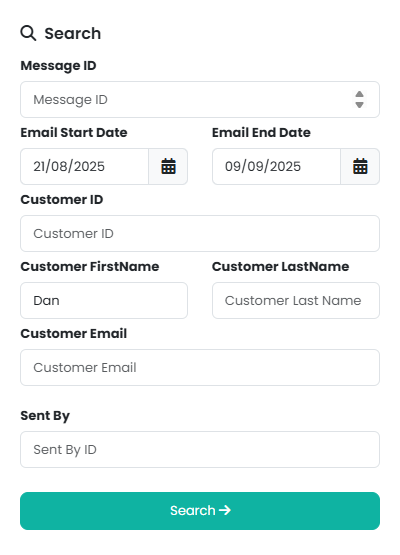
Use the Search function within the Manage menu to locate specific emails. You can search by:
Message ID
Date sent
Customer ID
Customer first or last name
Customer email address
Sender (who the email was sent by)
Viewing Email Activity
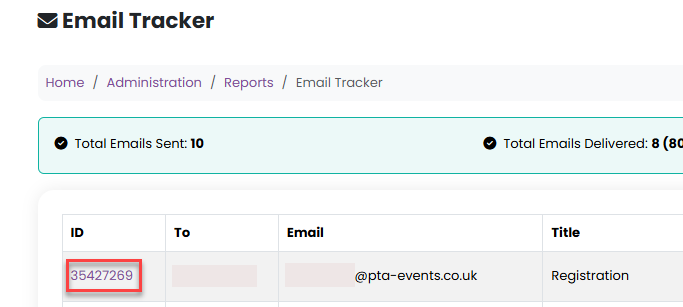
Clicking on the Message ID displays the email’s activity history, including whether it has been viewed and how many times it has been opened.
- Clicking on the To name shows all emails that have been sent to that specific customer.
Delivery Issues
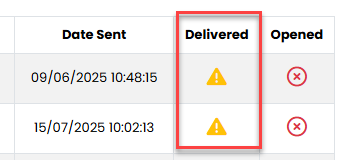
A warning triangle in the Delivered column indicates a delivery issue. If this appears, the customer’s email address should be verified before attempting to resend the email.
Customer Email Status and Suppression Lists
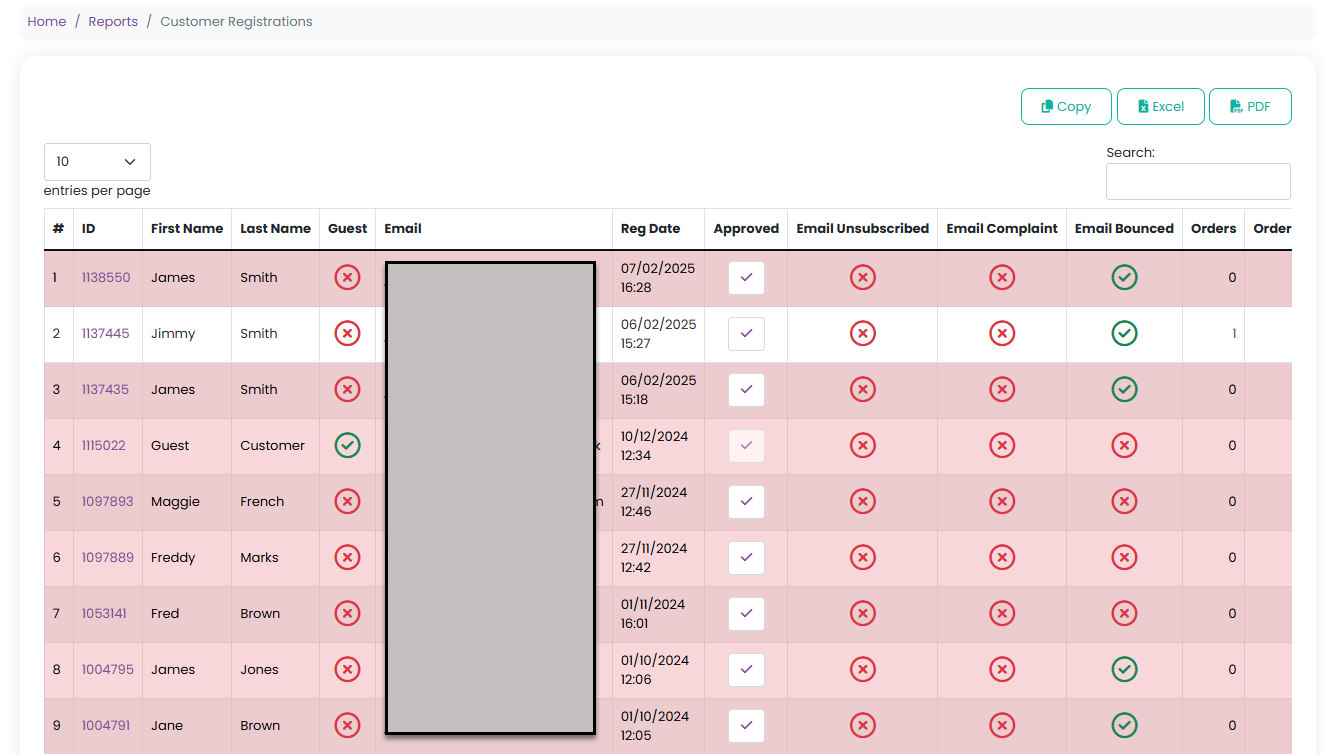
To check a customer’s email status, navigate to the Customer Report and search for the relevant customer.
This report will indicate whether the customer:
Has Unsubscribed from mailing lists
Has Complained (reported the email as spam)
Has Bounced (the email address is invalid or the mailbox does not exist)
Managing Customer Email Preferences
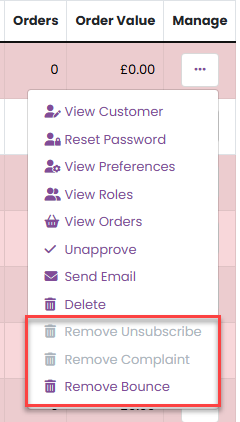
From the Manage menu for the relevant customer, you can choose to remove them from one or more of these lists, where appropriate. The available options will be displayed based on the customer’s current status.
Important Notice
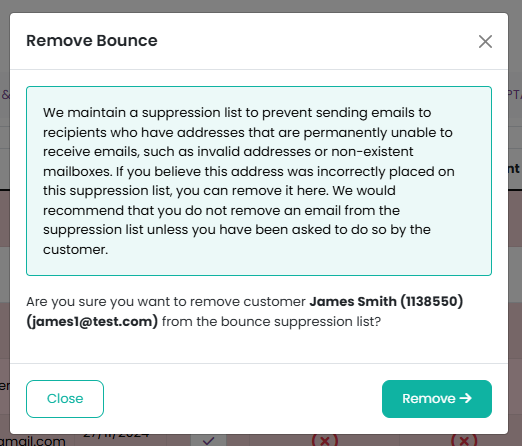
When attempting to remove an email address from a suppression list, a modal window will appear advising that the address should not be removed unless you have received a direct request from the customer to do so.
Was this article helpful?
That’s Great!
Thank you for your feedback
Sorry! We couldn't be helpful
Thank you for your feedback
Feedback sent
We appreciate your effort and will try to fix the article