Yes, it is possible to add questions.
First select Products from the Manage menu of the relevant product group:

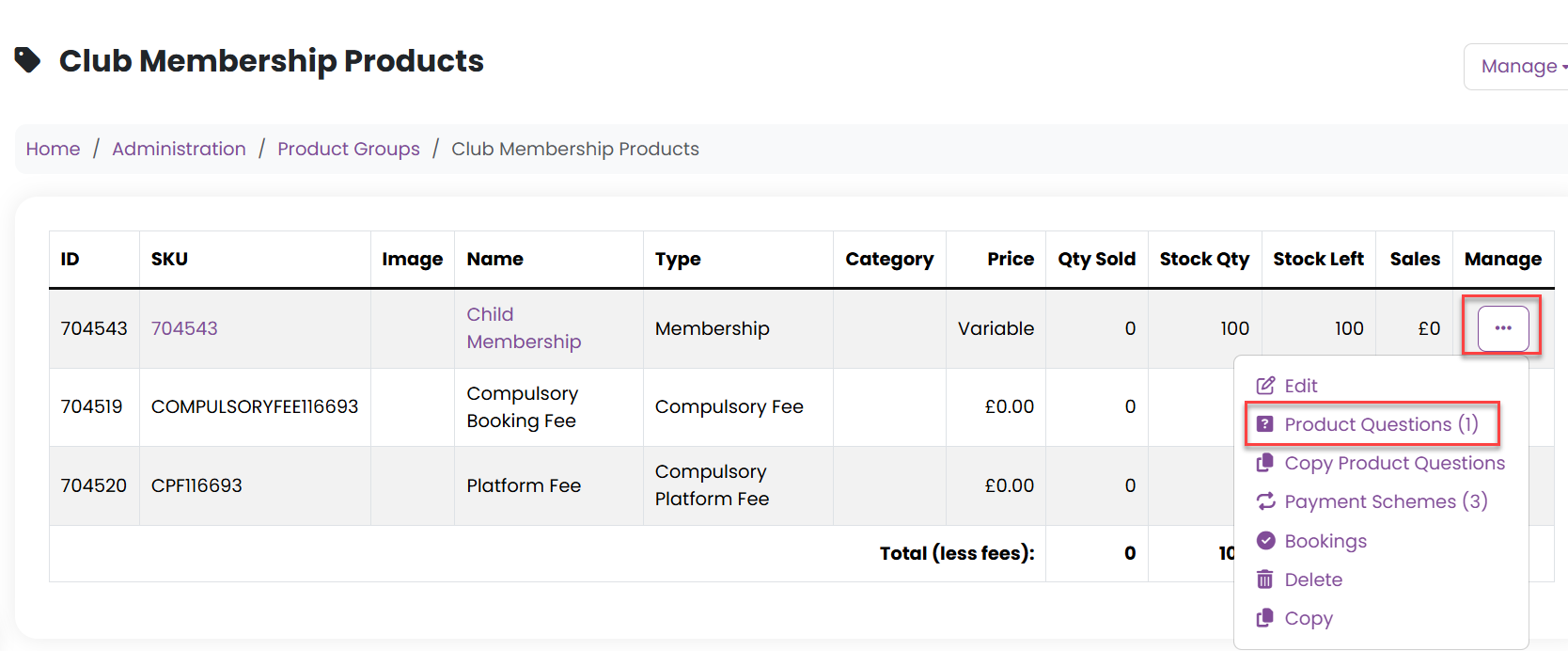
Then select Product Questions from the Manage menu of the relevant product:
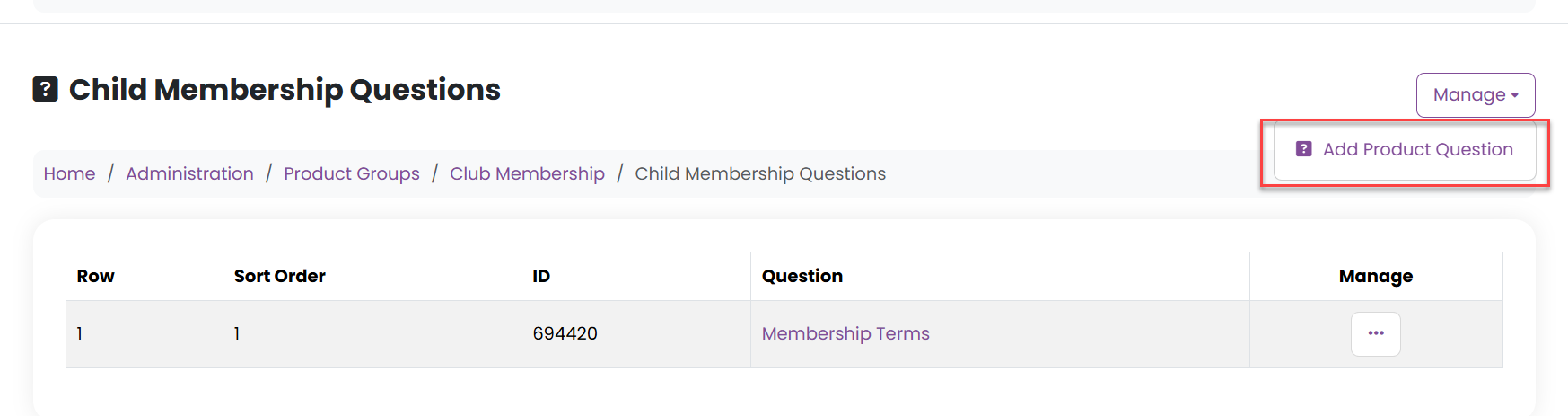
Then select Add Product Question from the Manage menu:
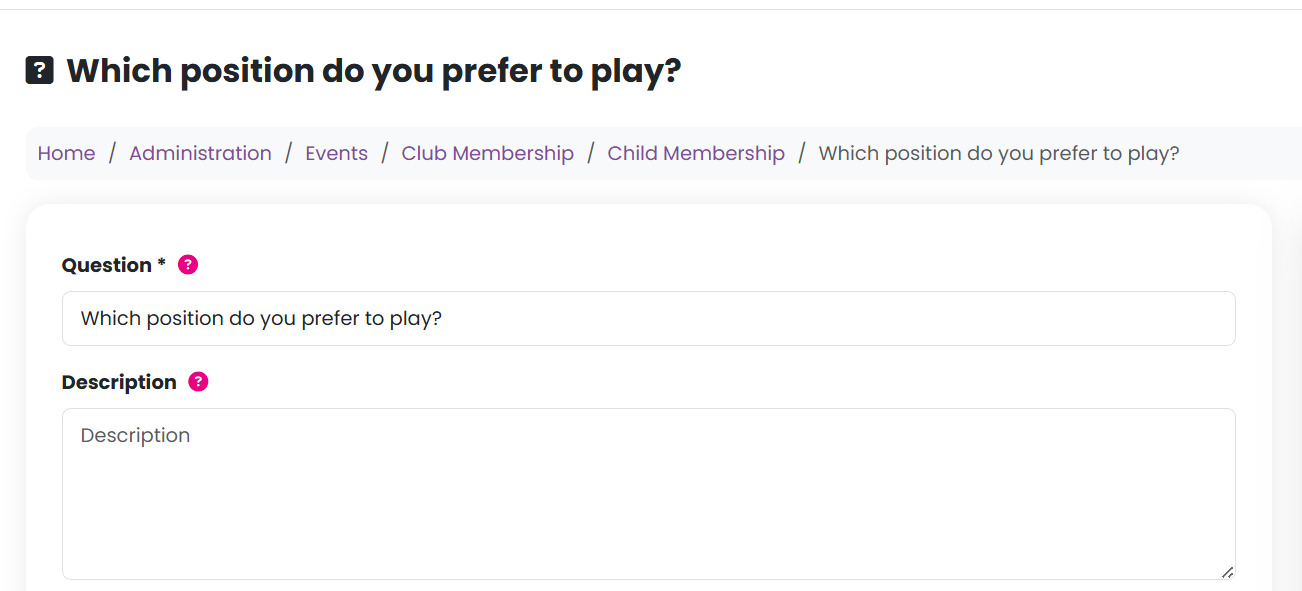
Then complete the information as required:
| Question | The question you want to ask. |
| Description | Optional guidance to help customers answer the question. |
| Image | An optional image related to the question (maximum file size: 500 KB). |
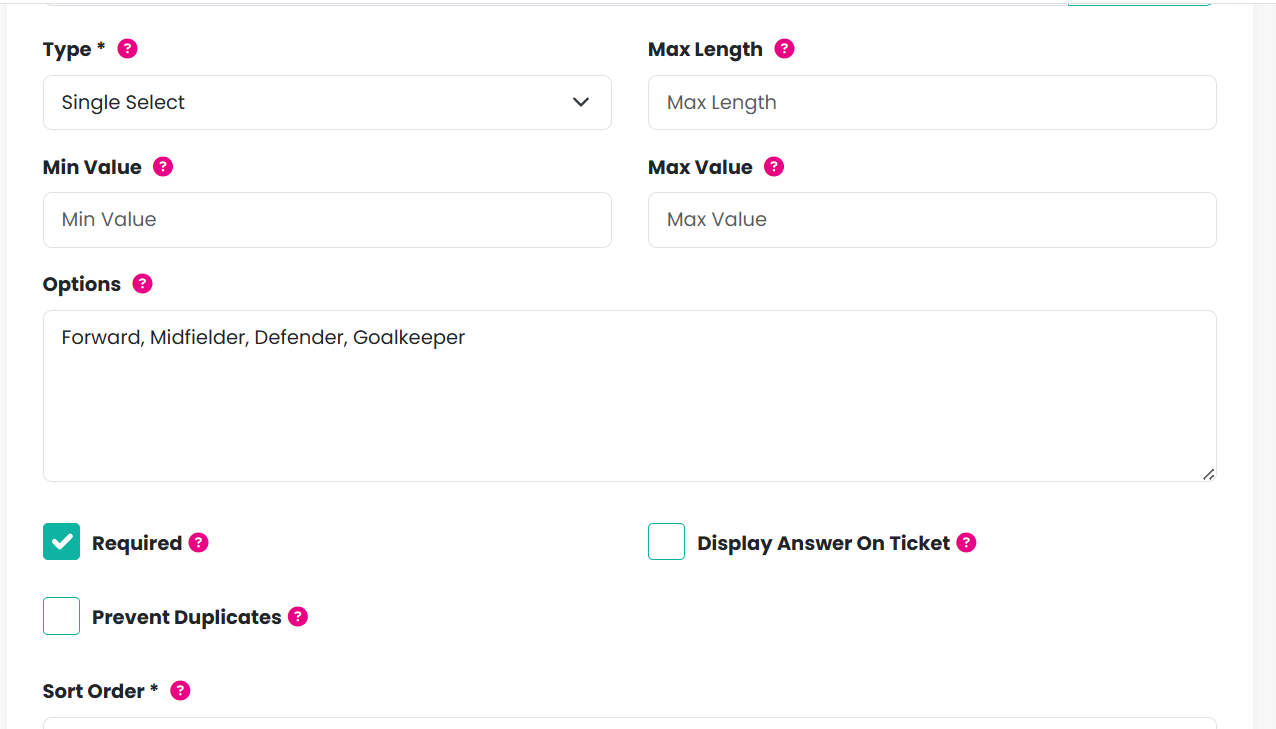
| Type | Choose how the question should be answered:
|
| Max length | For text questions, limits the number of characters allowed (e.g. 6 characters). |
| Min value | For number questions, sets a minimum value (e.g. 6 to prevent attendees under age 6). |
| Max value | For number questions, sets a maximum value (e.g. 14 to restrict ages above 14). |
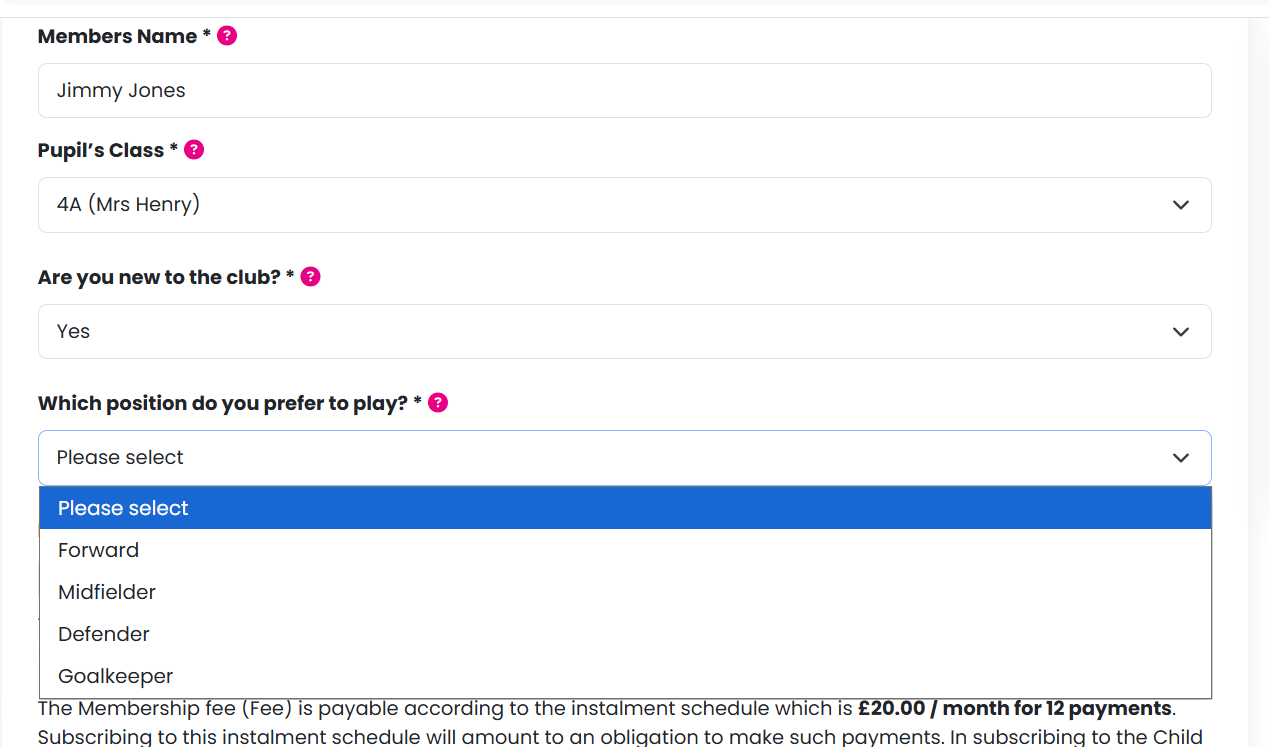
| Options | A comma-separated list of options for single or multi-select questions (e.g. Forward, Midfielder, Defender, Goal Keeper). For file uploads, enter allowed file types (e.g. PNG, JPEG, JPG, GIF). |
| Required | Make the question mandatory. |
| Display answer on ticket | Choose whether the answer should appear on the ticket. |
| Prevent duplicates | Prevent the same answer from being entered more than once (useful for seat numbers or unique choices). |
| Sort order | Control the order in which questions are displayed. |

When a customer adds the product to their basket, they must answer all required product questions before they can proceed to checkout:
Was this article helpful?
That’s Great!
Thank you for your feedback
Sorry! We couldn't be helpful
Thank you for your feedback
Feedback sent
We appreciate your effort and will try to fix the article