In a traditional online shop that sells individual products, it makes sense to ask questions once per order. However, the PTA Events platform is built around events, not standalone products. For this reason, it is more logical to capture information per event rather than per order.
Capturing information only once per order is suitable only when you do not need details about each individual item being purchased.
How Event Questions Work
To collect information at an event level, you’ll need to add an Event Questions product to your event.
If you also need to capture additional details at an order or product level, you can continue to add product questions as you normally would.
Adding an Event Questions Product
Go to Admin > Events.
Select the relevant event.
From the Manage menu, choose Tickets/Products.
From the Manage menu, select Add Product.
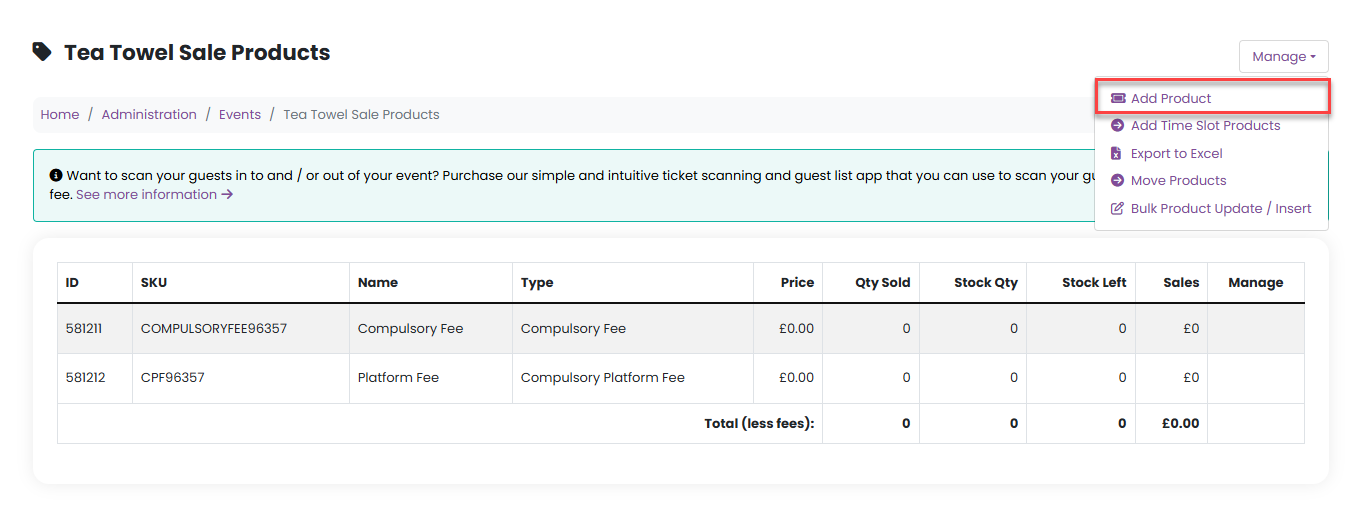
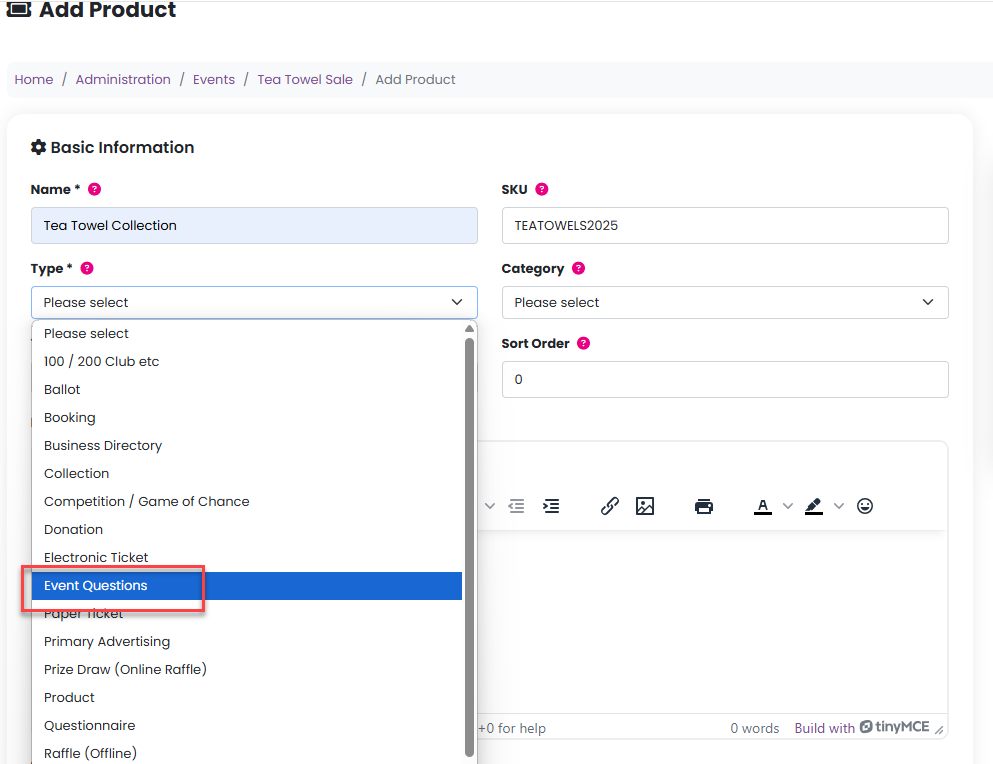
5. Enter:
A product name
A SKU (if you don’t enter one, we’ll generate it automatically)
6. Set the product Type to Event Questions.
How Event Questions Are Asked
Unlike standard product questions, event questions are asked only once during checkout, as long as the customer purchases at least one item from that event.
Important notes about Event Questions products:
They are not visible in the shop
They are added to the basket automatically behind the scenes
The price should be set to £0
Stock quantity should be set high enough to avoid restrictions
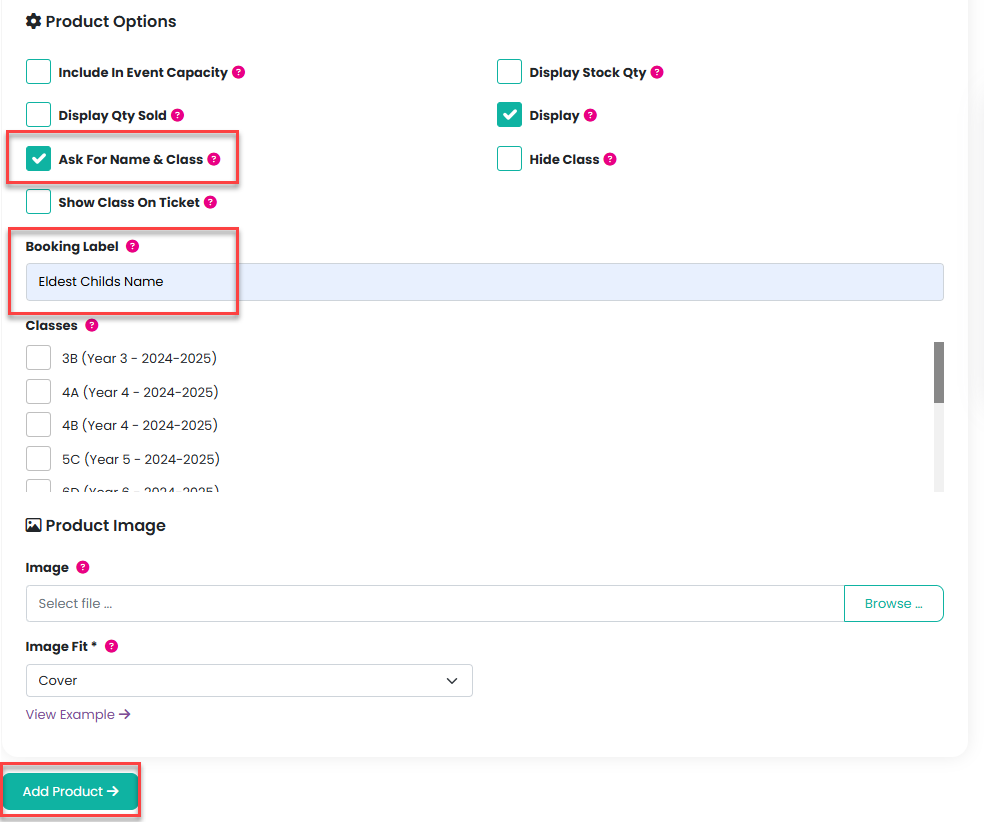
In the product settings, only Ask For Name & Class should be enabled
Using Event Questions Without Custom Questions
You can use an Event Questions product even if you don’t need to ask any specific questions.
For example, you might be selling non-personalised tea towels but only need to know the name of the eldest child in the school who should take the order home. In this case:
Leave the questions empty
Update the Booking Label to something appropriate, such as “Eldest child’s name”
Multiple Event Question Sets
You can create different Event Questions products for different events or product groups. This allows you to capture exactly the information you need for each event, without asking customers unnecessary or repeated questions.
Please click here for further information on how to add product questions.
Was this article helpful?
That’s Great!
Thank you for your feedback
Sorry! We couldn't be helpful
Thank you for your feedback
Feedback sent
We appreciate your effort and will try to fix the article