The Overview page, at the top of the Finances menu, is the one-page picture of where your organisation's money is.
Getting started
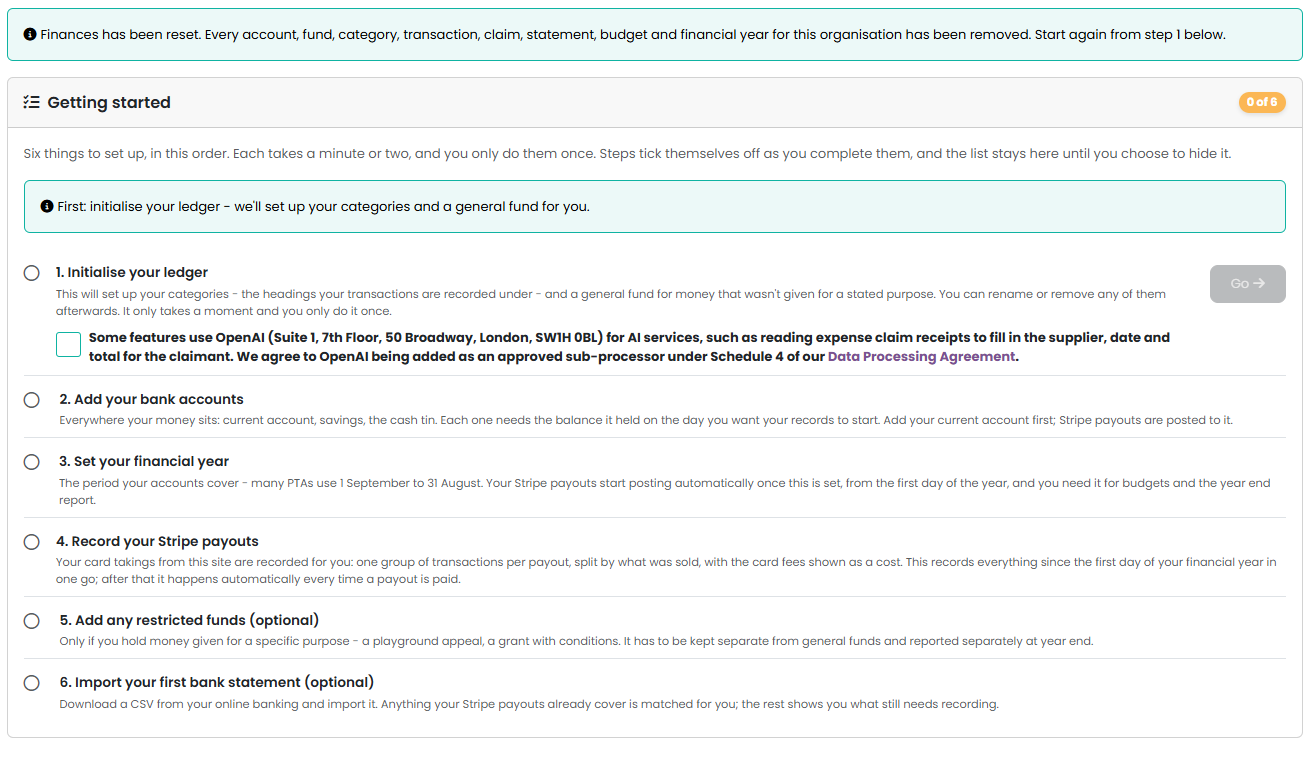
The page shows a Getting started checklist of six steps in order: initialise your ledger, add a bank account, set a financial year, record your Stripe payouts, add any restricted funds, and import your first bank statement. Each has a Go button while it is still to do and a tick once it is done; the last three can be skipped if they do not apply.
A skipped step shows a Skipped badge and keeps its Go button in case you change your mind. The checklist stays on the page once all six are done or skipped; choose Hide this list when you no longer want it, and Show Getting Started in the Manage menu brings it back.
The other Finances pages are not available until step 1, Initialise your ledger, has been done.
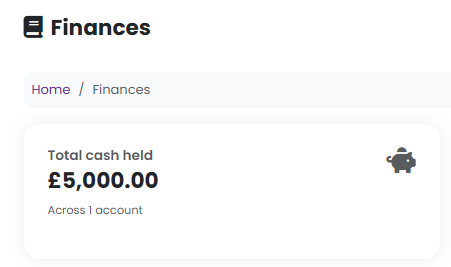
Total cash held
Everything across all your accounts, with the balance of each account listed underneath. Each balance is the account's opening balance plus the net of everything recorded against it since.
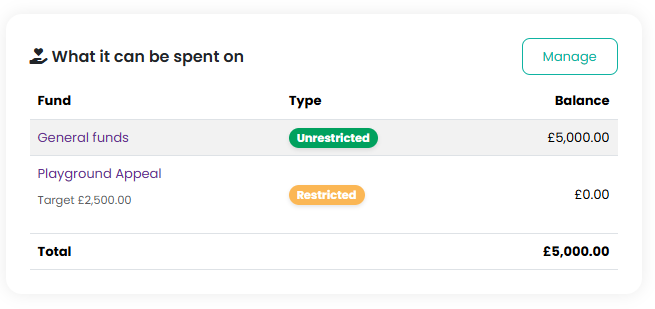
Fund balances
The same money, but by what it may be spent on rather than where it sits. Restricted and endowment funds are called out separately, because your independent examiner will ask about them. If a fund has an appeal target you will see progress towards it.
Received and paid out, last 12 months
Money in and money out over the last year, with the net figure.

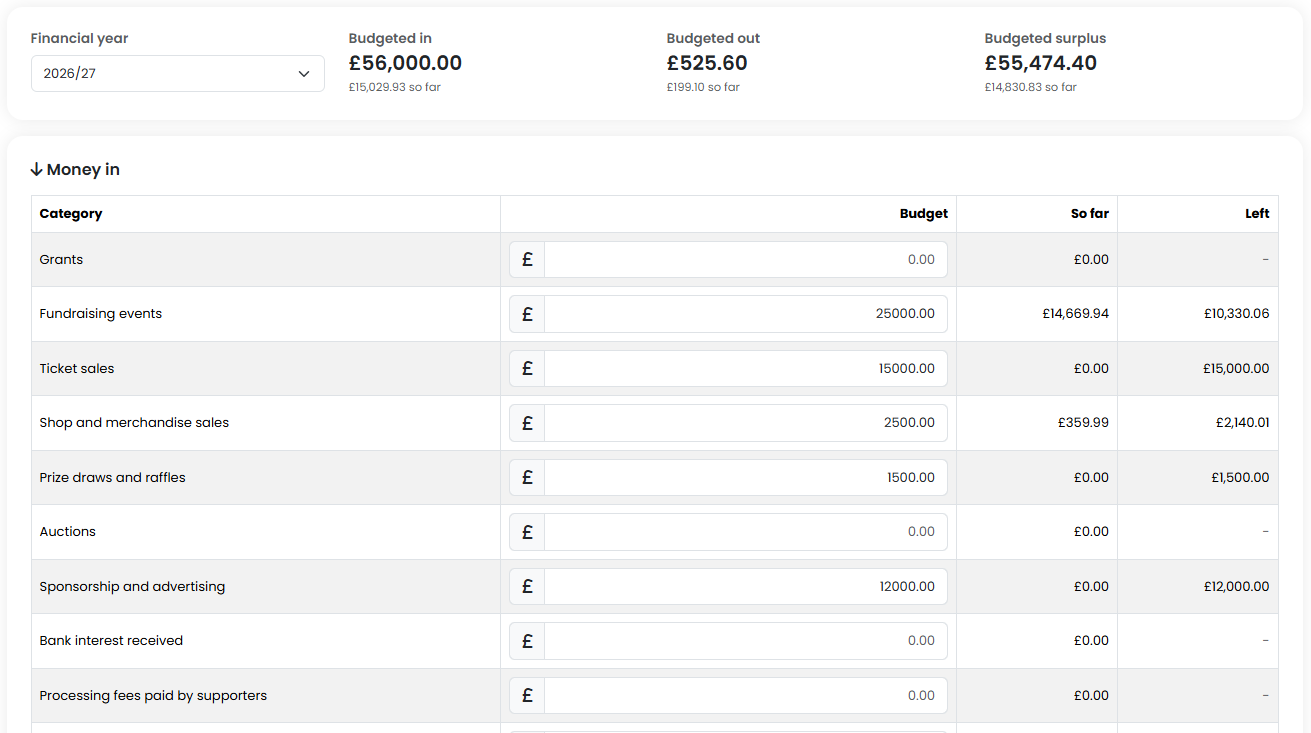
Budget for the current year
How the year is going against what your committee planned, for the financial year that is currently open. Only categories with a budget set appear here. Choose a category to see the transactions behind it.
Warnings you might see
- A restricted or endowment fund is overdrawn. Another fund's money is currently paying for it. This is normal during the year, for example when the spending happens in March and the grant arrives in May, but it needs putting right before you close your year end, usually by moving money from general funds to cover it.
- Your account balances and fund balances do not agree. The total of your accounts should equal the total of your funds, because they are two views of the same money. If they differ, a fund opening balance is usually missing or does not add up to the opening balances on your accounts.
- You haven't set up a financial year yet. You can record without one, but you cannot produce year-end accounts until you have.
The Manage menu
The Manage menu on the Overview page links to every Finances page: Transactions, Expense Claims and Reconciliation for day-to-day work; Bank Accounts, Funds, Categories and Budgets for setup; Year End and Receipts & Payments for the year end.
Related reading
Was this article helpful?
That’s Great!
Thank you for your feedback
Sorry! We couldn't be helpful
Thank you for your feedback
Feedback sent
We appreciate your effort and will try to fix the article