Desktop View:
Mobile View:
To delete a customer, follow the steps below:
Navigate to Reports > Customers.
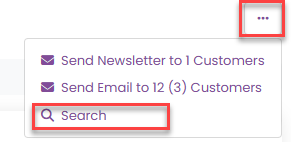
Use the search form to locate the customer you wish to delete.
By default, customers who have registered most recently are displayed first, so you may need to adjust the search criteria.
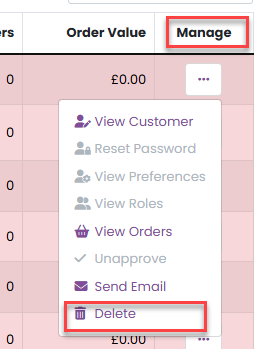
3. Once you’ve found the correct customer, open the Manage menu and select Delete.
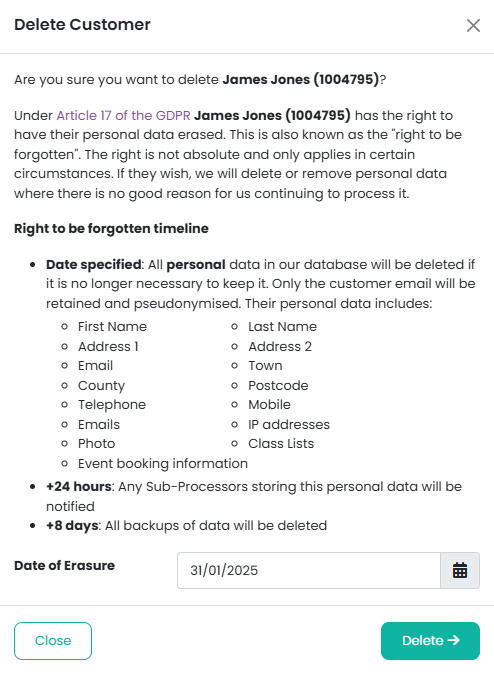
4. Enter the date on which you want the customer’s details to be deleted, using the format dd/mm/yyyy.
5. Click the Delete button to confirm.
⚠️ Important: Deleting a customer is permanent and cannot be undone. Please ensure the details are correct before proceeding.
Was this article helpful?
That’s Great!
Thank you for your feedback
Sorry! We couldn't be helpful
Thank you for your feedback
Feedback sent
We appreciate your effort and will try to fix the article