To view detailed booking information, navigate to Reports > Bookings. This will open the Bookings Report, where you can access all relevant booking data.
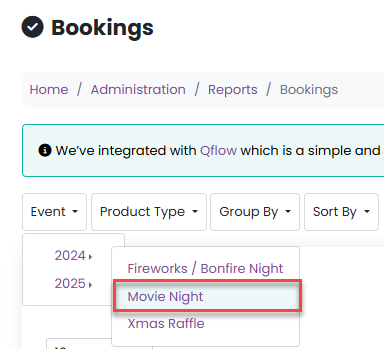
Use the Event dropdown menu to select the appropriate year, then choose the specific event you want to review.
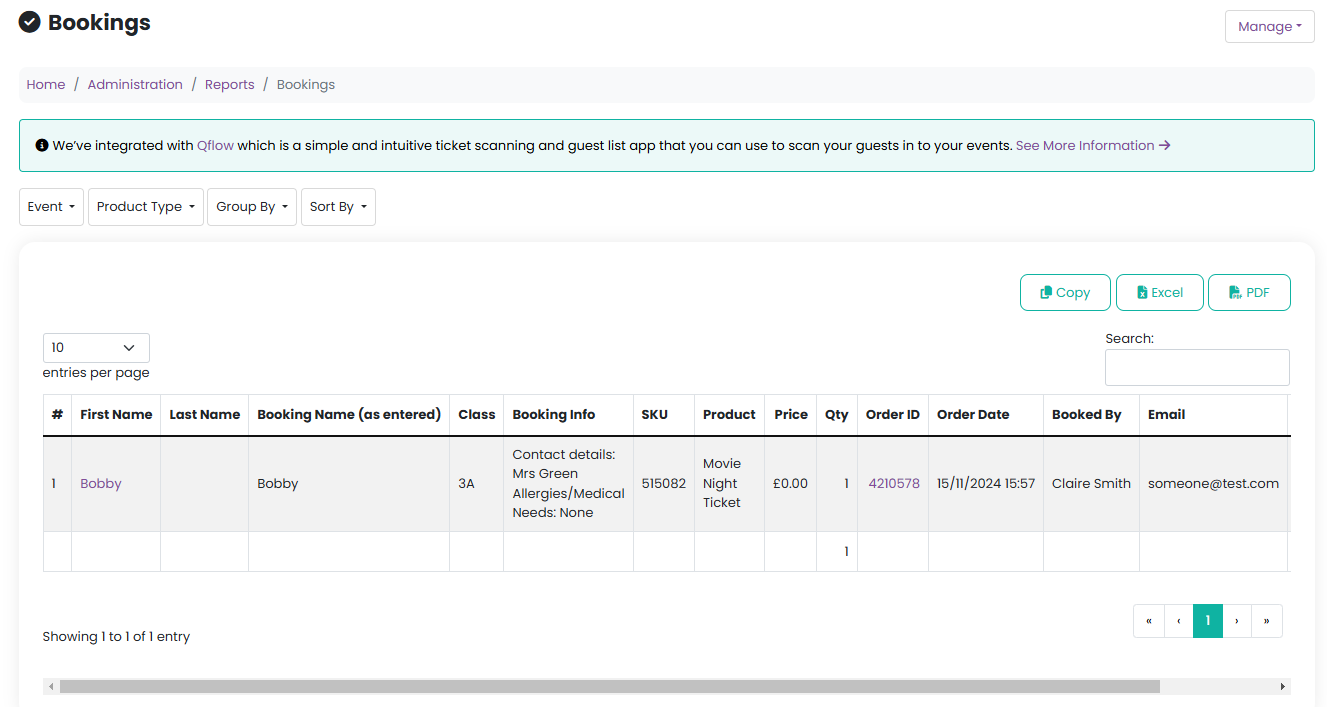
Once your event is selected, you can customise how the data is displayed. The report can be:
Sorted by product type
Grouped by class name, product name, product order, or booking name
Sorted by booking name, either first name or last name

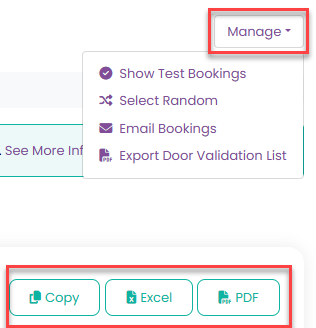
After organising the report to your preference, you can manage the data using the Manage menu. From here, you can:
Copy the list
Export the report to Excel or PDF
Send emails directly to the listed bookings
Export a door validation list
Was this article helpful?
That’s Great!
Thank you for your feedback
Sorry! We couldn't be helpful
Thank you for your feedback
Feedback sent
We appreciate your effort and will try to fix the article