This usually happens because you haven’t specified which tickets or products should be included in the event’s overall capacity.
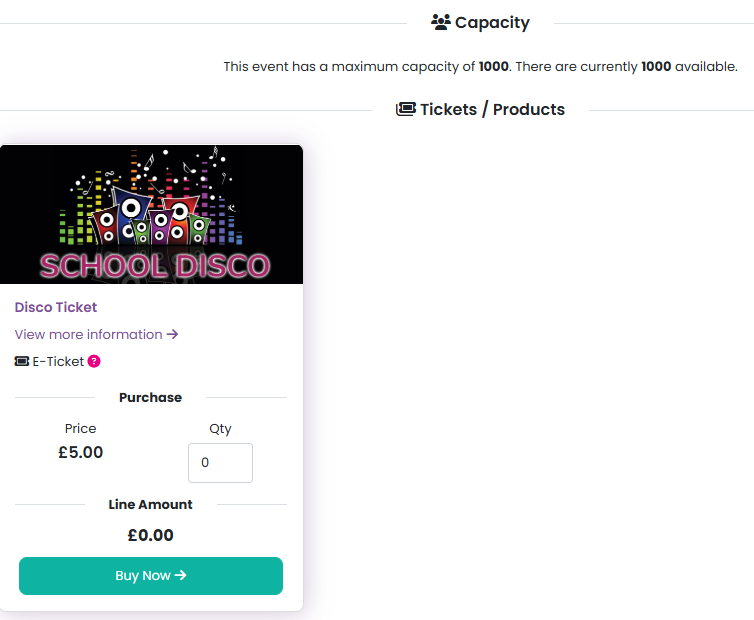
To resolve this:
Go to Tickets / Products in your event management menu.
Either click on the relevant product name or select Edit product from the product management options.
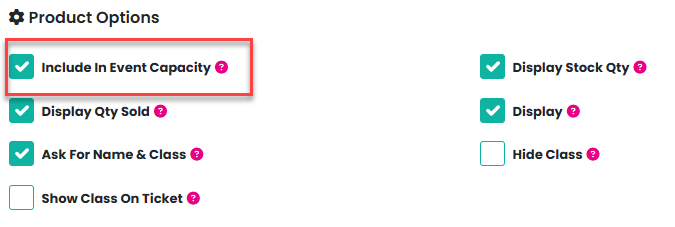
In the product settings, make sure Include In Event Capacity is checked.
Click Update Product to save your changes.
If you only have one ticket or product available for sale, you don’t need to set an event capacity. In this case, capacity is automatically controlled by the stock quantity you’ve defined for that ticket or product.
Was this article helpful?
That’s Great!
Thank you for your feedback
Sorry! We couldn't be helpful
Thank you for your feedback
Feedback sent
We appreciate your effort and will try to fix the article