Before you can add Early Bird tickets, you’ll need to ensure that your event has been created.
Step 1: Create Your Event
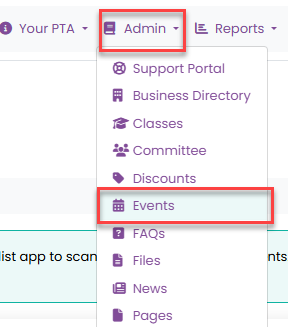
To add an event, navigate to Admin > Events, then click Add Event.
Complete the event details and save your changes.
Click here for further information on adding an event from template.
Step 2: Add Tickets or Products
Once your event has been created, you can add tickets or products for sale.
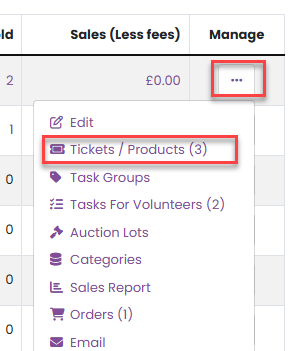
From the Event Management menu, select Tickets / Products.
Step 3: Create a New Ticket or Product
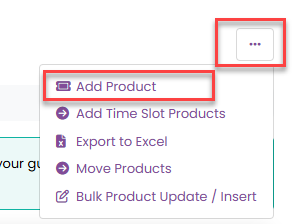
To add a new ticket or product, click Add Product from the product management menu.
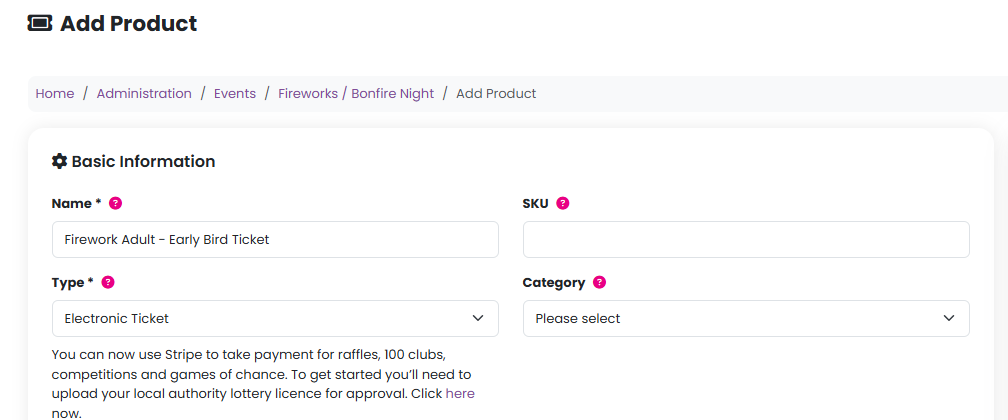
You’ll then be prompted to complete all relevant information for the ticket or product you wish to sell.
Step 4: Set Up Early Bird Tickets
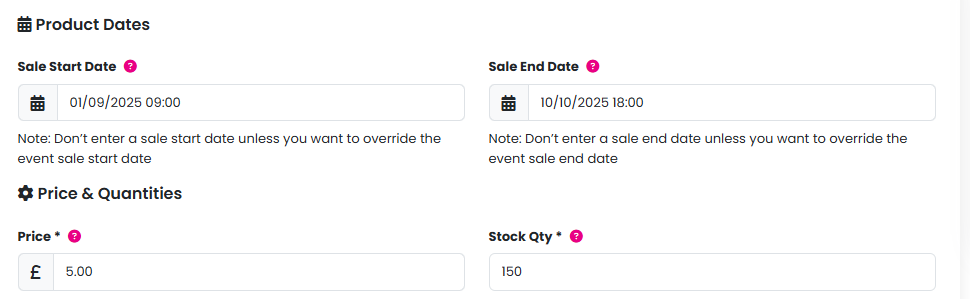
Enter the sale start date and time, sale end date and time, and price for your Early Bird tickets.
Important: The sale dates and times set at the product level will override the event-level sale dates. This means the Early Bird tickets will only be available for purchase during the specific dates and times you enter here.
Step 5: Add Standard Tickets
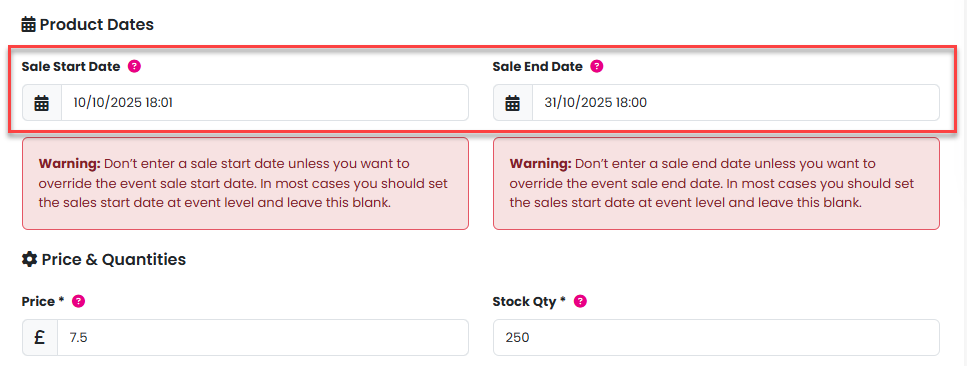
Repeat the same process to create your standard-priced tickets, entering the appropriate pricing and sale dates.
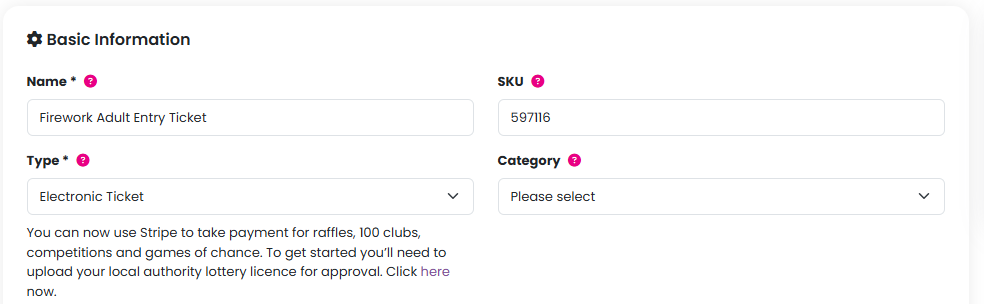
As with Early Bird tickets, standard tickets will only be available for sale between the start and end dates and times specified at the product level.
To confirm everything is as you would like it, you can preview your event before it goes on sale. Please click here for further information.
Was this article helpful?
That’s Great!
Thank you for your feedback
Sorry! We couldn't be helpful
Thank you for your feedback
Feedback sent
We appreciate your effort and will try to fix the article