Individual fundraising allows participants to register for your fundraiser or sponsored event and automatically generates a unique fundraising link and QR code for them to share with family and friends.
This feature also enables you to track top fundraisers by:
- Individual participants
- Class or year group (where applicable)
Enabling Individual Fundraising
You can enable Individual Fundraising in two ways:
Option 1: Enable During Event Setup
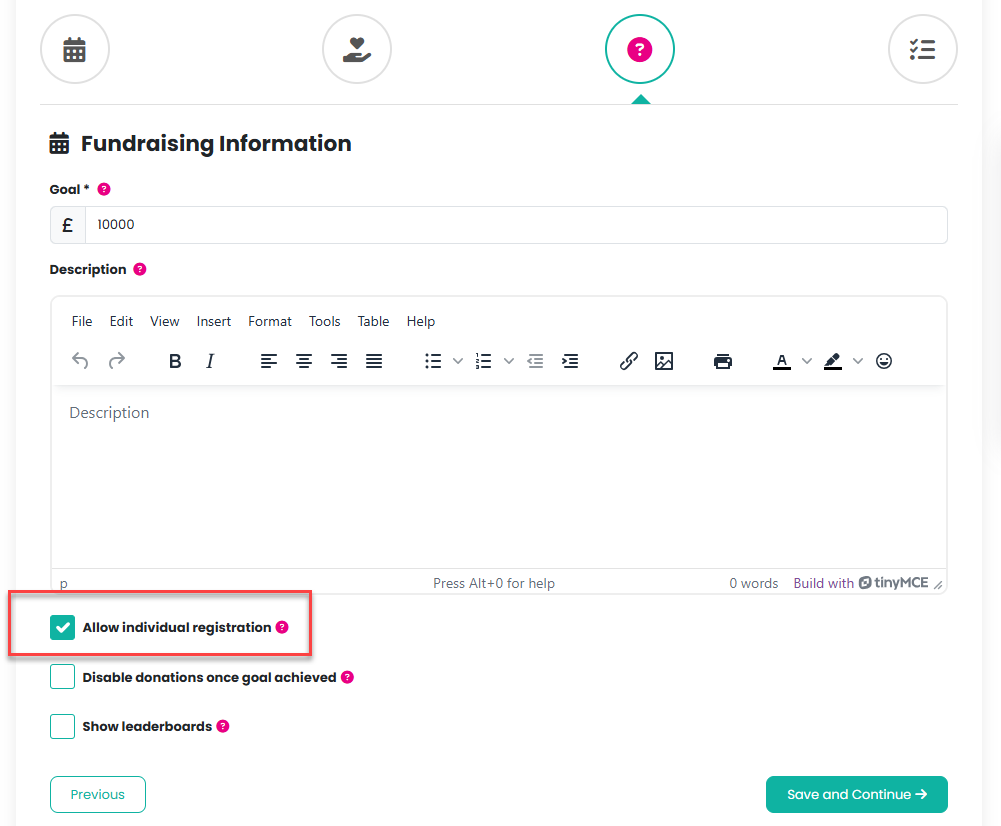
Add a Fundraiser/Sponsored Event - on Platform by following the event template wizard and checking the Allow Individual Registration checkbox, on the Fundraising Information page:
Please click here for further information on how to add a Fundraiser/Sponsored event.
Option 2: Add Individual Registration as a Product
You can also add registrations manually from the event management area.
- From the event management menu of the relevant event, select Tickets/Products

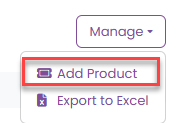
2. Select Manage > Add Product
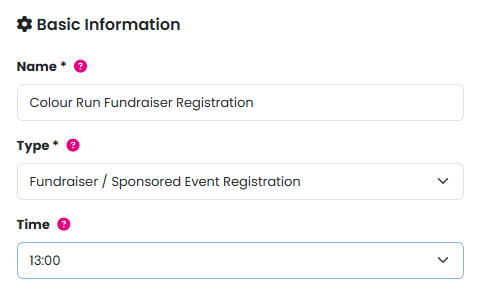
3. Enter a product name
4. Select the product type:
Fundraising/Sponsored Event Registration
(This will be the only available option)
5. Optionally, enter a time to appear on the ticket
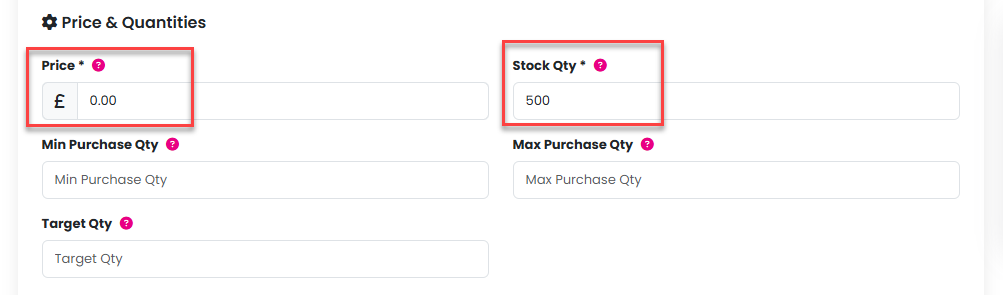
6. Enter a price in the Price field
7. Add a high Stock Quantity to ensure registrations do not sell out:
8. Click the Add Product button
What Your Customers Will See
Once enabled, customers visiting your event page will see the option to add Fundraiser Registrations to their basket.
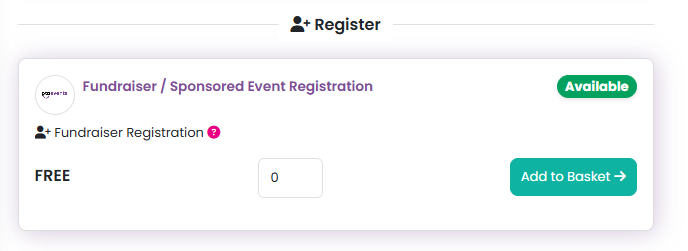
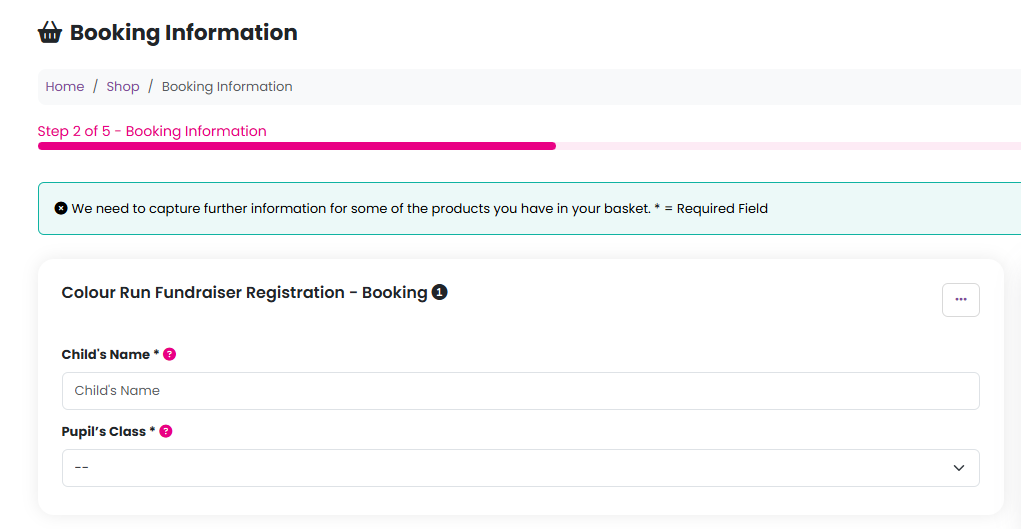
During checkout, customers will be asked to provide:
- Participant name
- Class/group information (if enabled)
Please note: Classes or groups must already be added to your website in order to use this feature.
For more information on adding classes/groups, please click here.
Fundraiser Links & QR Codes
After checkout is completed, the customer will receive an email containing:
- Their unique fundraising link
- A personalised QR code
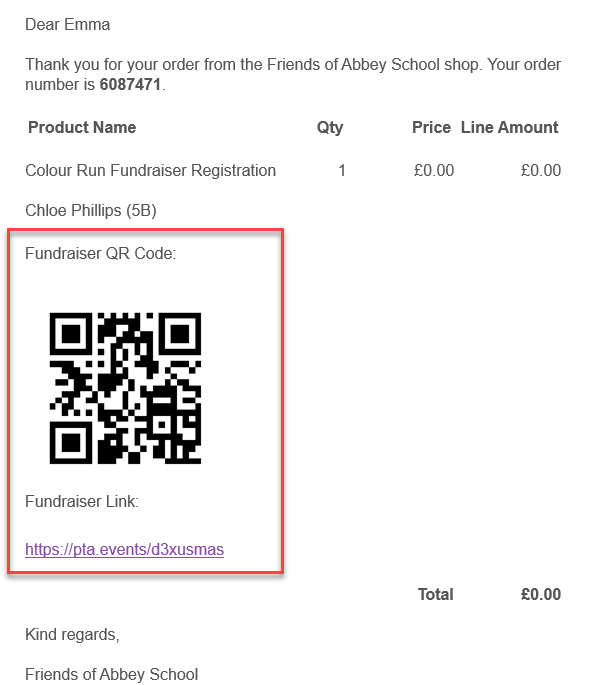
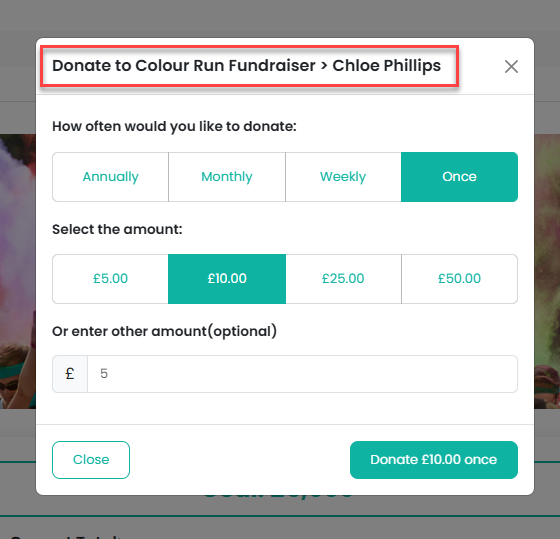
Participants can then share these with family and friends to collect donations online quickly and easily.
Tracking Donations & Leaderboards
All donations made through individual fundraising links are automatically tracked within the event.
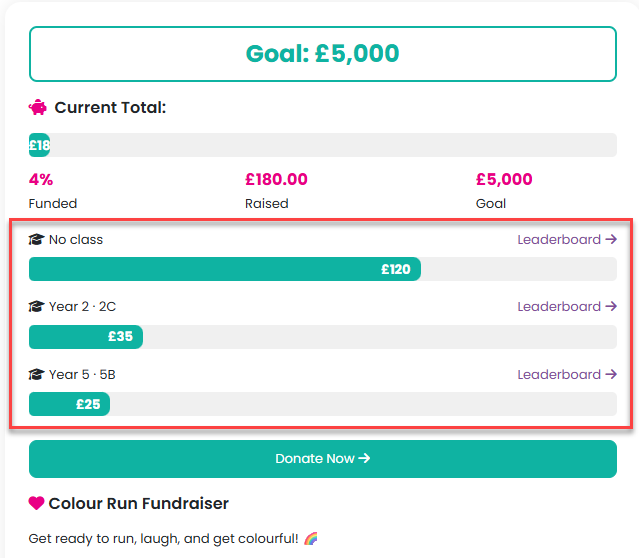
If leaderboards are enabled, you can view fundraising totals:
- By class/group
- By individual participant within each class/group
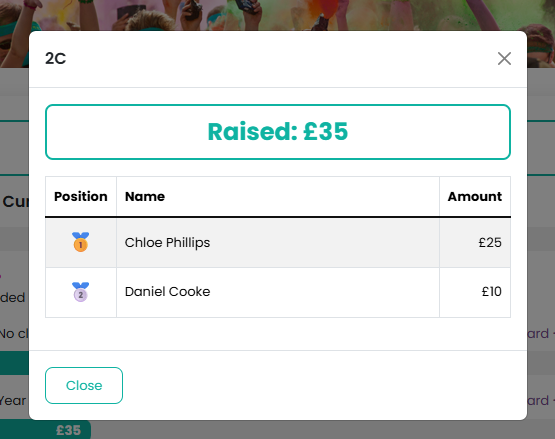
This makes it easy to encourage friendly competition and recognise top fundraisers throughout your event.
Please click here for further information on how leaderboards work.
Was this article helpful?
That’s Great!
Thank you for your feedback
Sorry! We couldn't be helpful
Thank you for your feedback
Feedback sent
We appreciate your effort and will try to fix the article