Having leaderboards showing on a fundraiser or sponsored event means you and your community can see how classes/groups are progressing, which builds a friendly competitive element into fundraising.
This is designed to encourage more giving by reaching out to more donors if one class/group can see they are close to another. It can turn the fundraiser into a game with rankings, milestones and maybe even prizes for the class/group who raise the most, which in turn makes it more engaging and motivating.
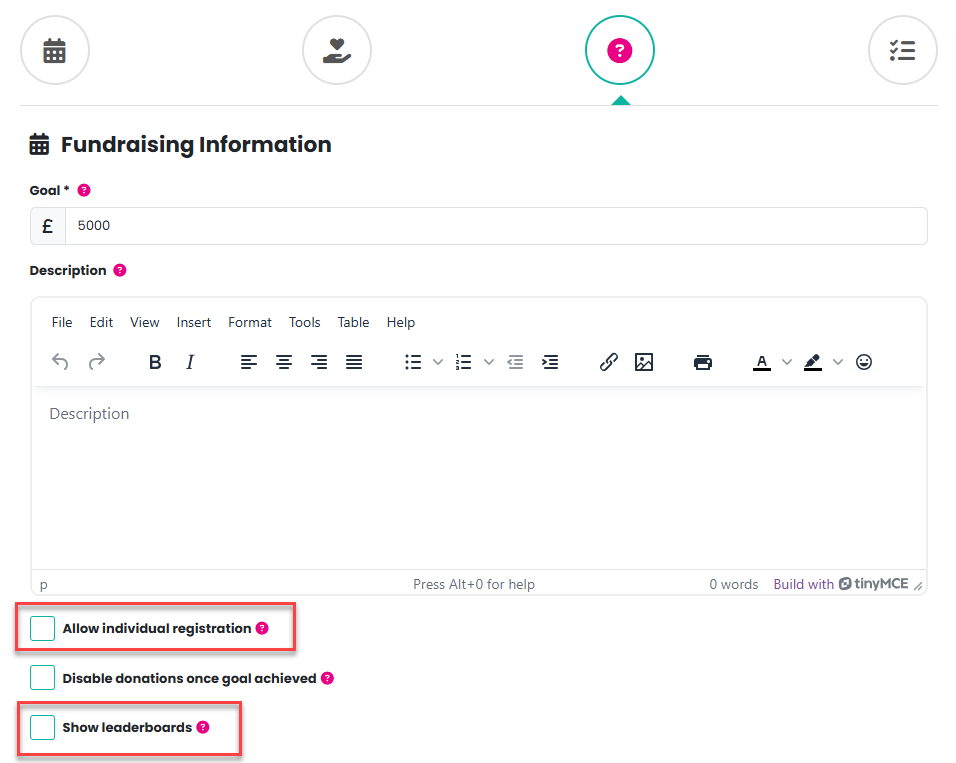
To add a leaderboard, simply create your fundraiser or sponsored event from template (click here for further information) and check both the Allow individual registration (click here for further information) and the Show leaderboards checkboxes in the Fundraising Information step:
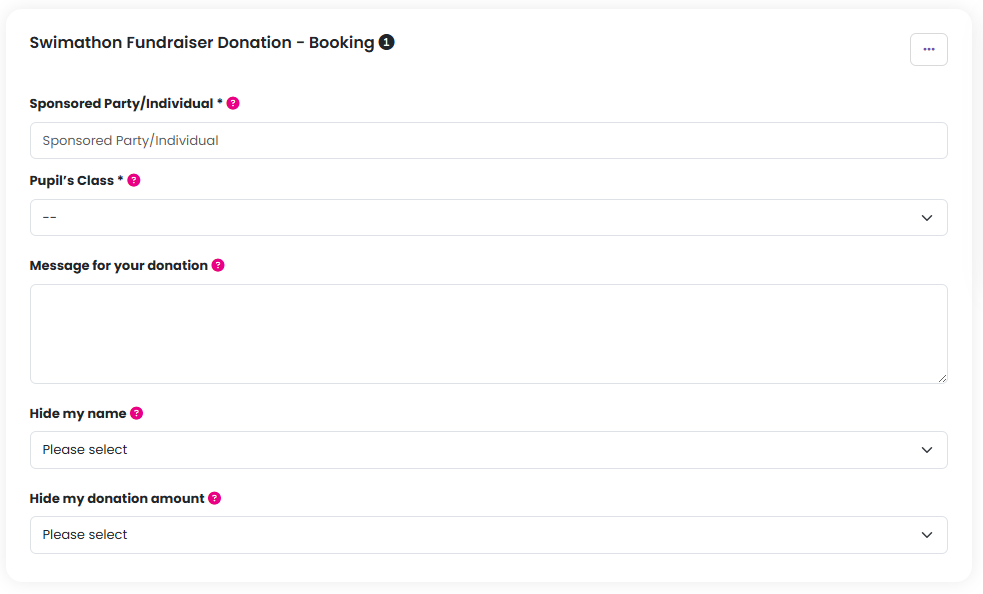
During the checkout process the donor can advise which class they are sponsoring if name and class are asked for during checkout:
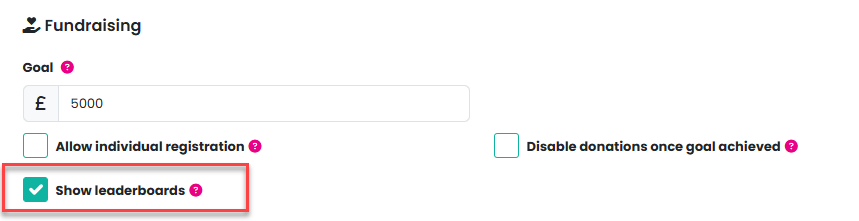
If you decide you would like to enable/disable this feature after your Fundraiser has been created simply head to the event set up page and check/uncheck the Show Leaderboards checkbox there:
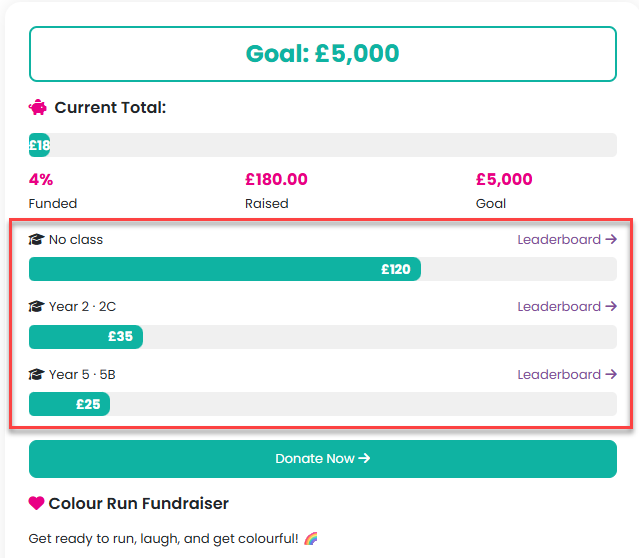
Leaderboards will be visible to your community on the event page:
Was this article helpful?
That’s Great!
Thank you for your feedback
Sorry! We couldn't be helpful
Thank you for your feedback
Feedback sent
We appreciate your effort and will try to fix the article