Yes, you can use your PTA Events, Clubs Hub, or Charity Hub website to collect donations.
To do this, you’ll first need to create an event, and then add a Donation product to that event.
Please click here for further information on how to set up an event.
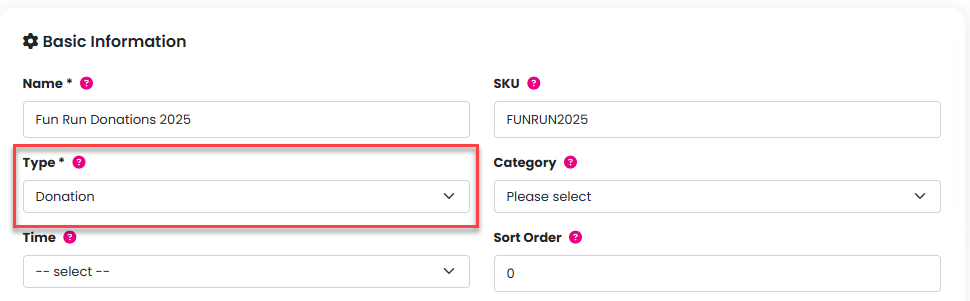
Setting up a Donation product
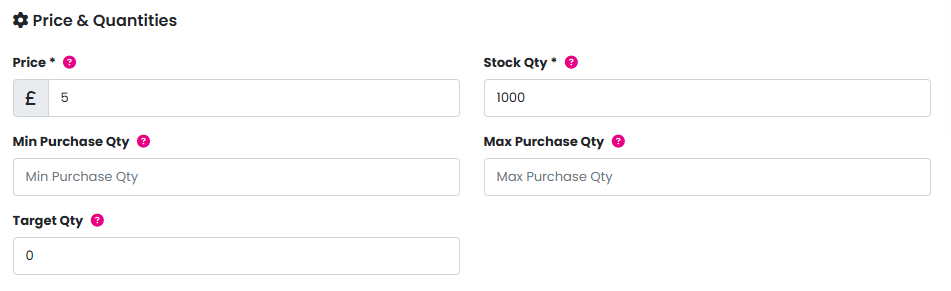
The price you enter for the Donation product will act as a suggested amount. Customers can change this amount during checkout.
- You’ll need to set a high stock quantity to ensure donations are not limited.
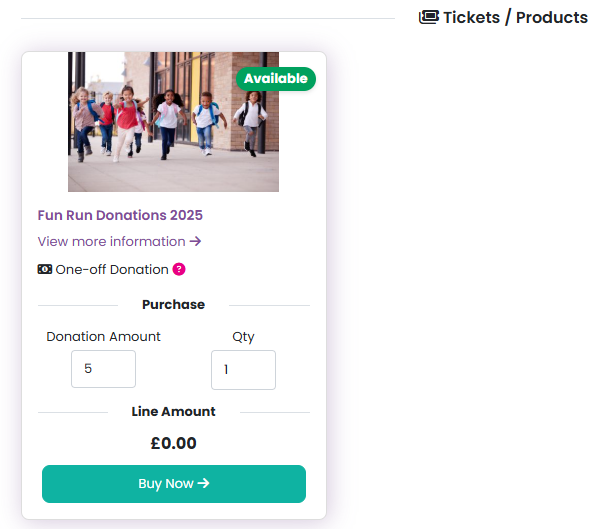
When checking out, customers must:
Change the quantity to 1 to confirm they want to add the donation to their basket.
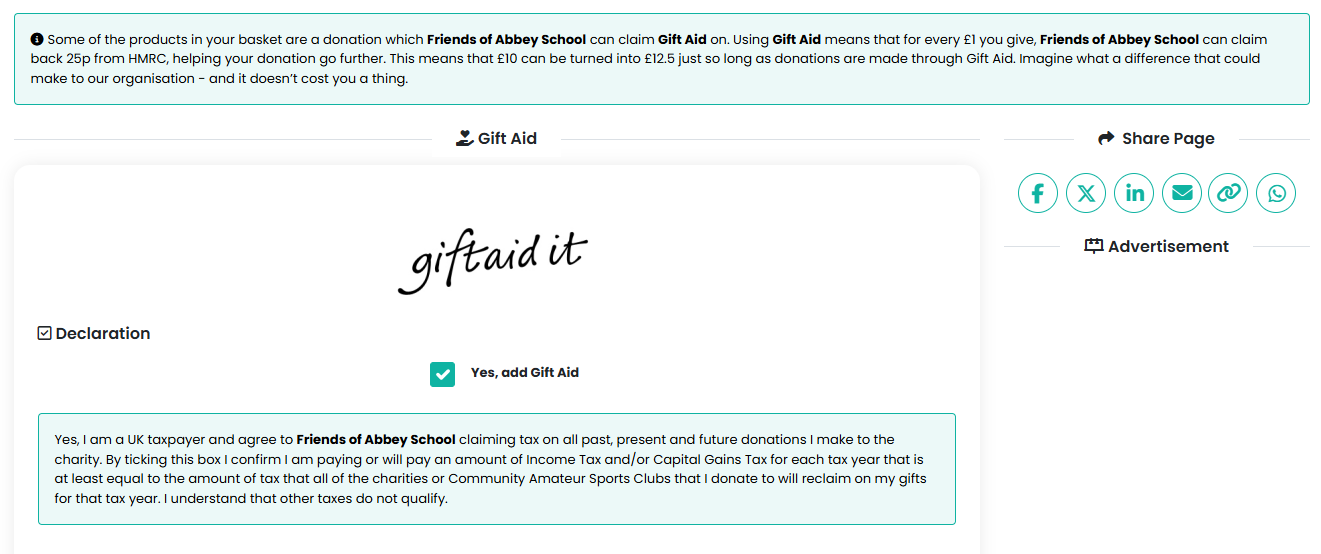
Gift Aid
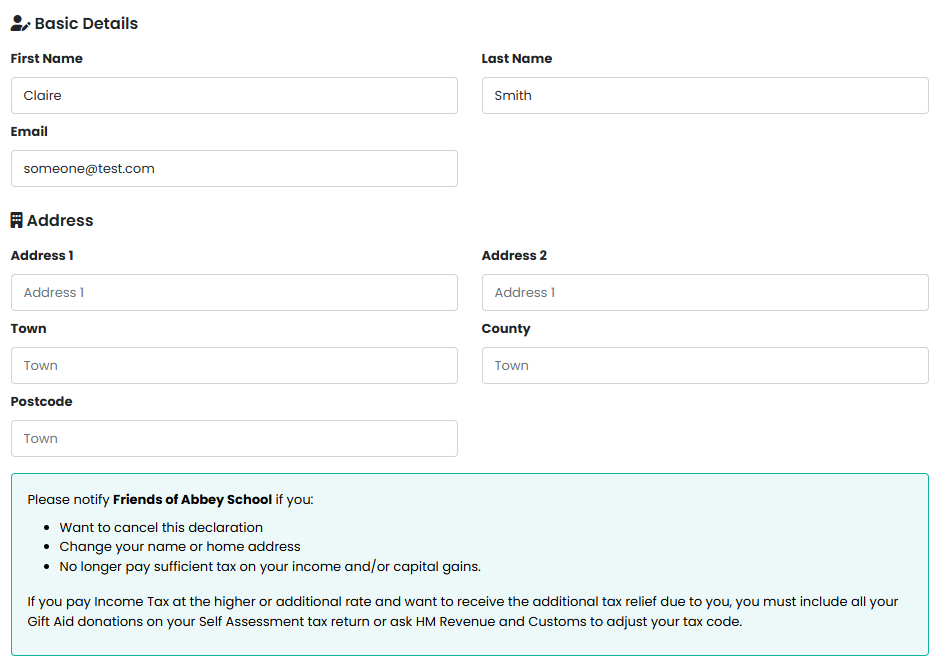
During the checkout process, customers will be asked to complete a Gift Aid declaration form.
You can view which customers have agreed to Gift Aid in the Treasurer by Event report.
Event fees
If your event has a Compulsory or Voluntary fee set, this will be added to the basket before checkout. This is because our payment processors charge this fee regardless of whether the payment is for a ticket, donation, or another product type.
Variable priced products
There is also a Variable priced product option. This allows customers to choose their own amount; however, it does not trigger the Gift Aid declaration process.
Click here for further information on how to accept global one-off and recurring donations on your website.
Further information
For more details on donations and Gift Aid for charity events, please refer to HMRC’s official guidelines (link).
https://www.gov.uk/gift-aid-what-donations-charities-and-cascs-can-claim-on#charity-events
Was this article helpful?
That’s Great!
Thank you for your feedback
Sorry! We couldn't be helpful
Thank you for your feedback
Feedback sent
We appreciate your effort and will try to fix the article