If you have received an email from Stripe similar to the message below:
We’re writing to remind you that we are either unable to access the website listed on your Stripe account, or the business and ownership details on your website do not match the information on your Stripe account.
This usually means that Stripe is unable to review your website because it is not publicly accessible, or the details shown on your site do not align with the information held on your Stripe account.
To resolve this, please ensure that your website is accessible for Stripe to review:
Log in to your website admin area
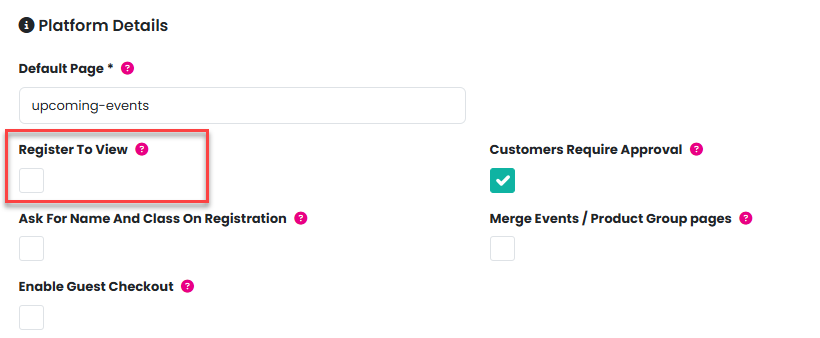
Navigate to Admin > Settings
Uncheck Register to view to make the site publicly accessible
Once this has been done, Stripe should be able to access and review your website successfully.
Was this article helpful?
That’s Great!
Thank you for your feedback
Sorry! We couldn't be helpful
Thank you for your feedback
Feedback sent
We appreciate your effort and will try to fix the article