There are two common reasons why booking information may not be appearing.
1. Check the event dates
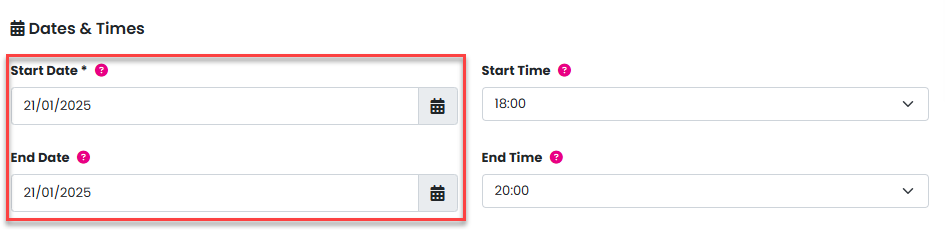
The first thing to verify is the event date. If the event has been postponed for any reason, the dates may have been changed, which can affect booking visibility.
To check or update the event dates, go to Admin > Events > Manage > Edit for the relevant event, and scroll down to Dates & Times.
2. Check the purge data date
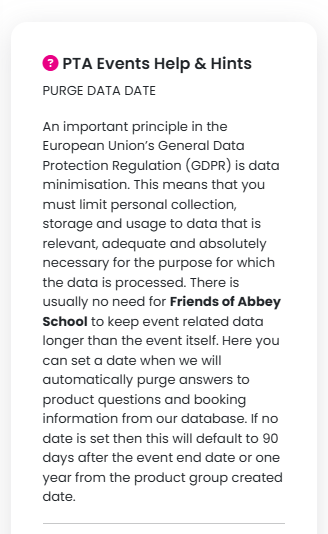
Next, review the Purge Data Date. This is automatically set to 90 days after the event end date, but it may have been manually amended or may have already passed.
In line with GDPR requirements, once the purge date is reached, all booking information is permanently deleted — regardless of the event date.
This means that parents may still be able to purchase tickets and complete product questions (such as child’s name, class, or allergy information), but if the purge date has passed, this information will be deleted immediately and will not be visible.
To check the purge data date, go to Admin > Events > Manage > Edit for the relevant event, and scroll down to Dates & Times.

Was this article helpful?
That’s Great!
Thank you for your feedback
Sorry! We couldn't be helpful
Thank you for your feedback
Feedback sent
We appreciate your effort and will try to fix the article