Desktop View:
Mobile View:
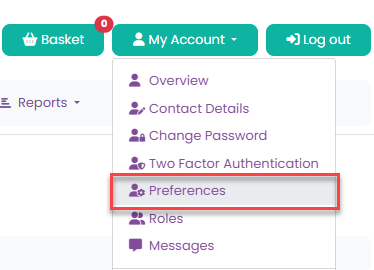
When you leave the organisation, you can exercise your right to erasure through your account settings. To do this, go to My Account > Preferences and select Exercise your right to erasure.
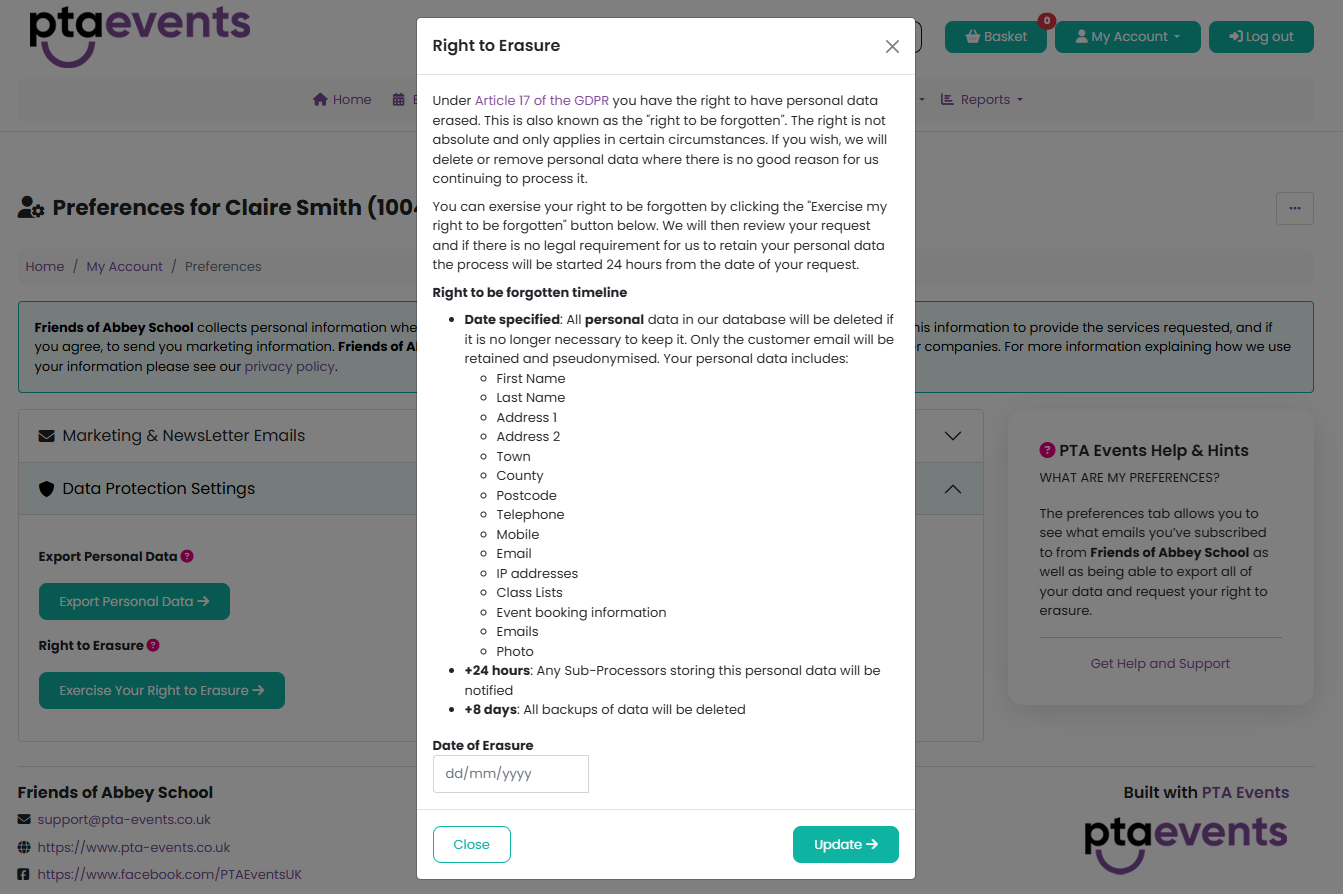
Please note that this process is irreversible. To confirm the deletion, you must enter the date on which you want all of your personal information to be permanently removed. The date must be entered in the format dd/mm/yyyy.
Entering a future date allows you to schedule automatic deletion of your personal data. For example, if all of your children will leave the school community in July 2025, you can enter that date and your data will be removed once the date has passed.
After entering the date, click the Update button to confirm.
Please click here for further information on how to hand over your role.
Was this article helpful?
That’s Great!
Thank you for your feedback
Sorry! We couldn't be helpful
Thank you for your feedback
Feedback sent
We appreciate your effort and will try to fix the article