E-tickets and vouchers are automatically sent to customers in their order confirmation email once an order has been successfully paid for and completed. They can also be accessed at any time by logging into My Account > Orders.
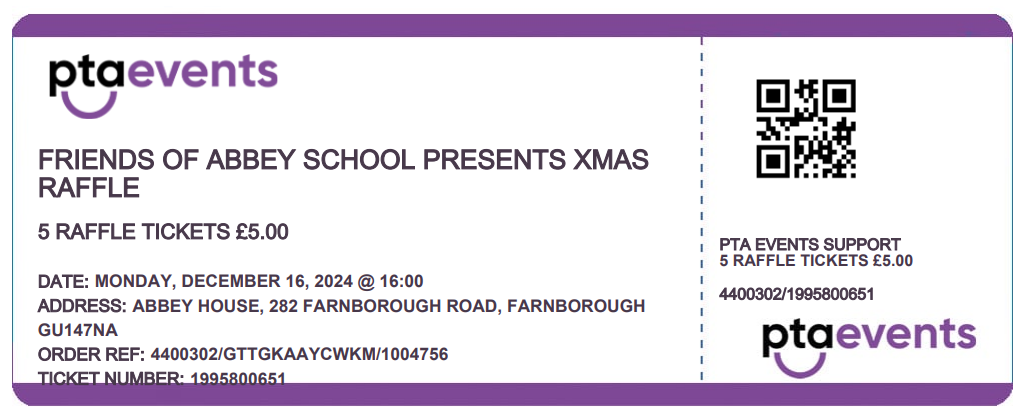
Each ticket includes a QR code, which is a visual representation of a unique 10-digit ticket number.
How E-Tickets and Vouchers Are Created
E-tickets and vouchers are generated automatically when you select Electronic Ticket or Voucher as the product type while setting up your tickets or products. This option can be found in the Product Management menu under Edit.
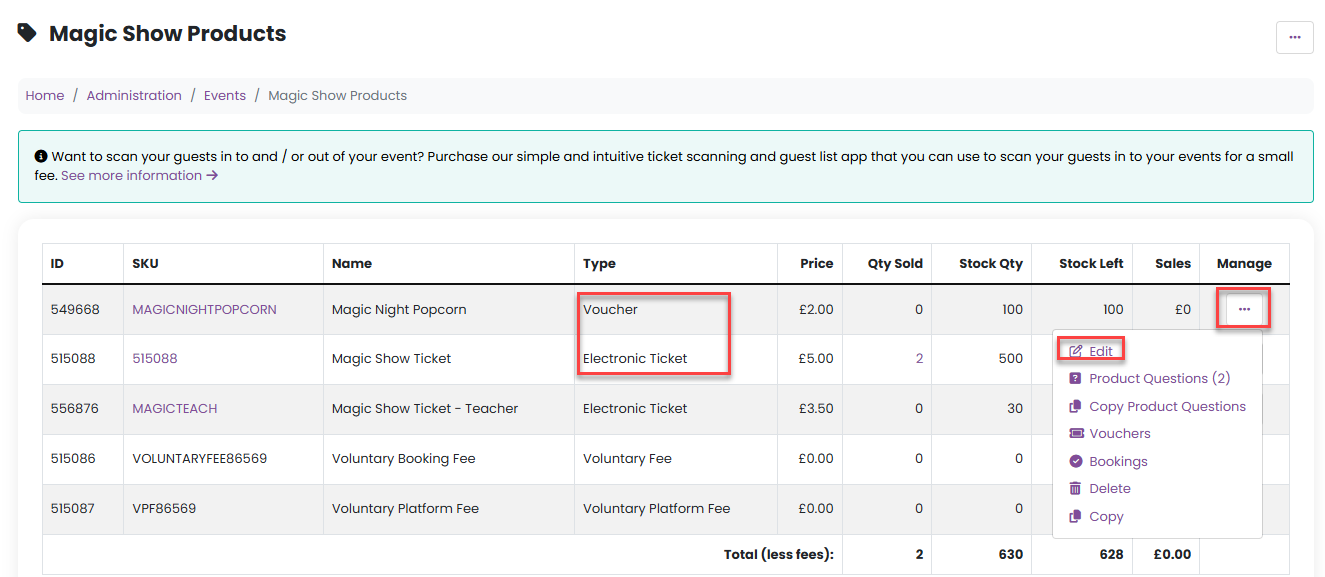
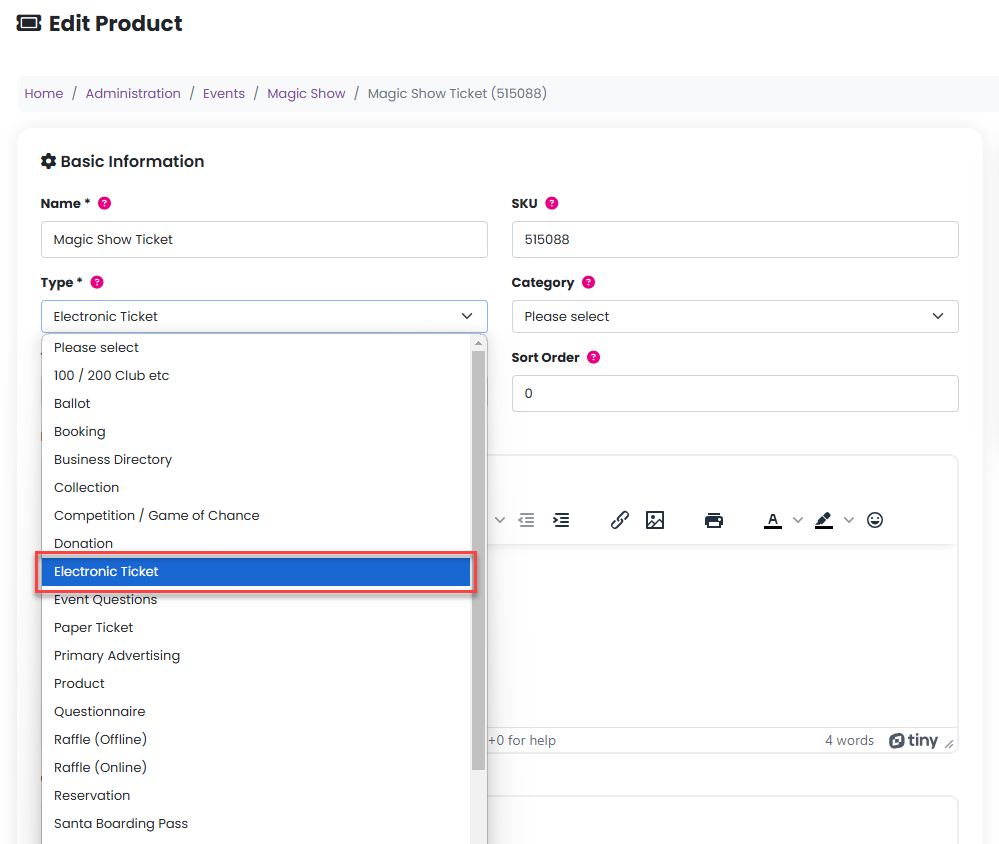
Ticket Delivery and Access
Once an order is completed:
Tickets are attached to the order confirmation email sent to the customer
Tickets can also be downloaded from My Account > Orders
Information Included on E-Tickets
Each e-ticket contains the following details:
Organisation and event name
Product name and price
Event date
Event address
Order reference
Ticket number (unique 10-digit number)
QR code on the ticket stub, representing the unique ticket number
Attendee name and class (if applicable)
Product questions and answers (if applicable)
Tickets, Vouchers, or Grotto Boarding Passes can be synced to Qflow for scanning at events. Please click here for further information on how to purchase and sync to Qflow. Qflow is included with the Premium plan.
Was this article helpful?
That’s Great!
Thank you for your feedback
Sorry! We couldn't be helpful
Thank you for your feedback
Feedback sent
We appreciate your effort and will try to fix the article