Follow the steps below to complete the signing of your terms and conditions.
1. Log in to Your Account
Log in to your account and navigate to your dashboard. Here, you will see all sets of terms and conditions that require your signature.

2. Sign the Subscription Terms
Click the “Sign” button next to Subscription Terms.
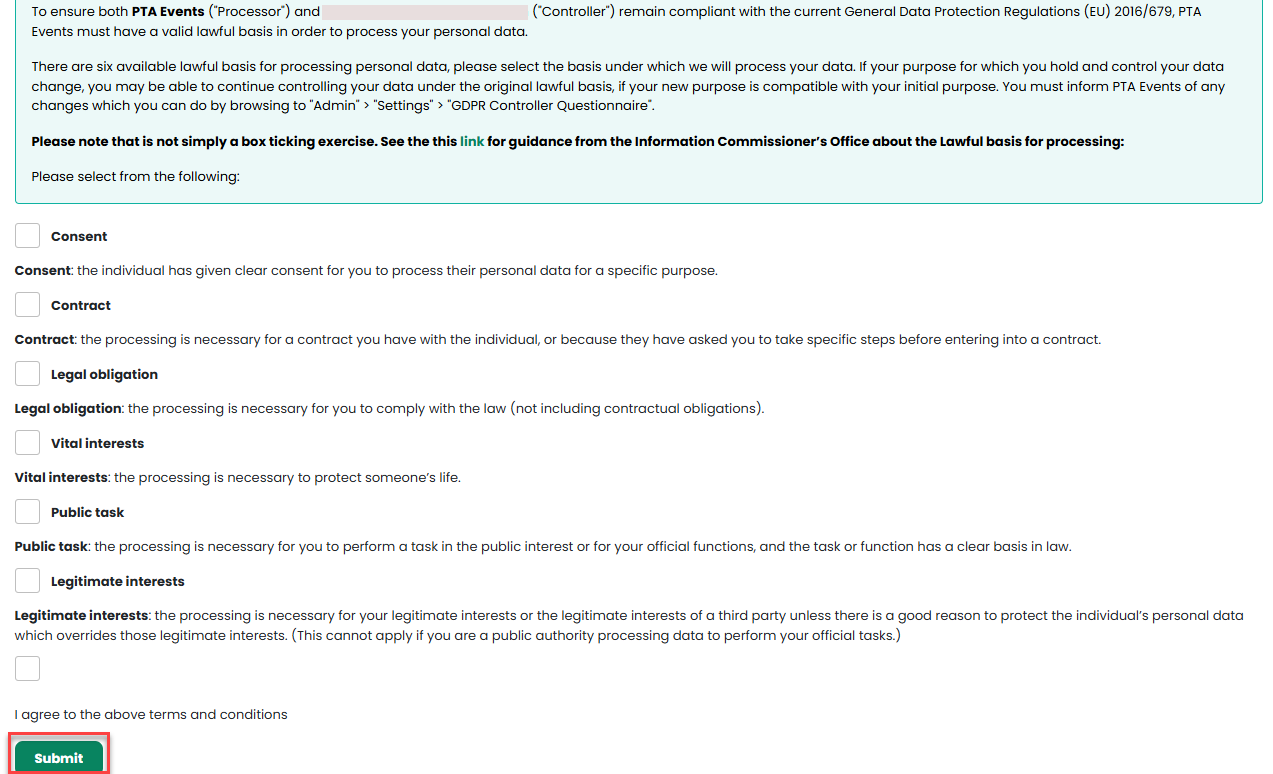
Carefully review the terms and conditions. Once you are happy to proceed, select the lawful basis (or bases) that apply to your organisation’s processing of personal data under GDPR, then click “Submit”.
This action will automatically update your Lawful Basis status to Signed.
3. Sign the Data Processing Agreement (DPA)
After your Subscription Terms have been signed, you will be prompted to sign the Data Processing Agreement (DPA).
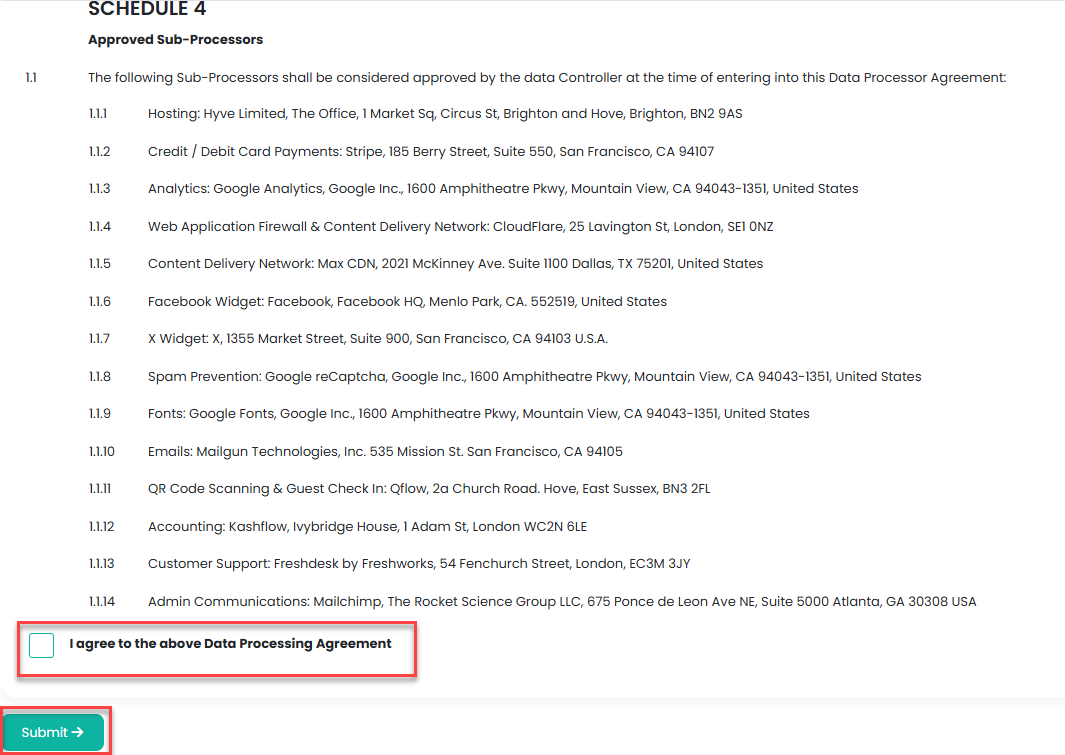
The DPA is a contract between PTA Events Limited and your organisation. It ensures that both parties clearly understand their responsibilities and liabilities when handling personal data.
Click the “Sign” button to review the agreement. Once you have read and agreed to the terms, click “Submit” to complete the process.
4. Set Up Stripe
Once all terms and conditions have been signed, you’re ready to set up Stripe and start taking payments. Click here to find out how.
Was this article helpful?
That’s Great!
Thank you for your feedback
Sorry! We couldn't be helpful
Thank you for your feedback
Feedback sent
We appreciate your effort and will try to fix the article