To help you group customers in order to contact them together, we have introduced customer tags.
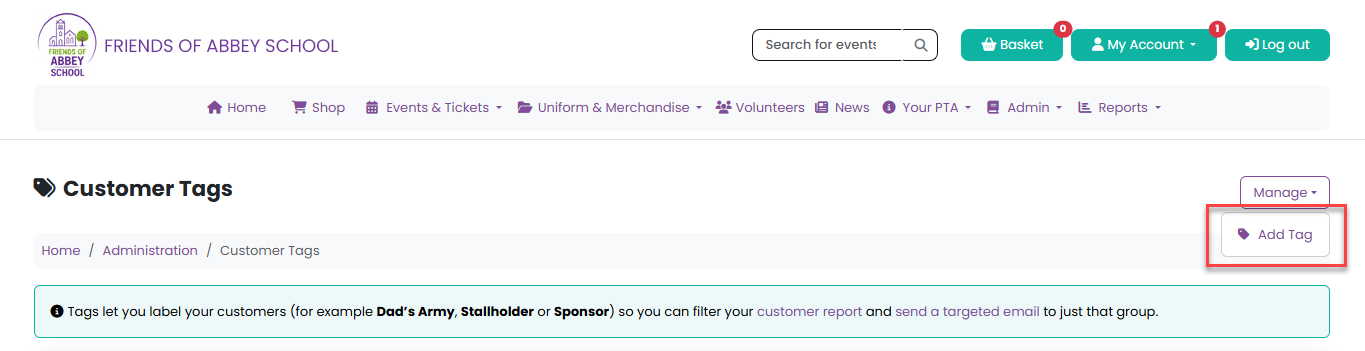
To create tags, head to Admin > Customer Tags and select Add Tag from the Manage menu:
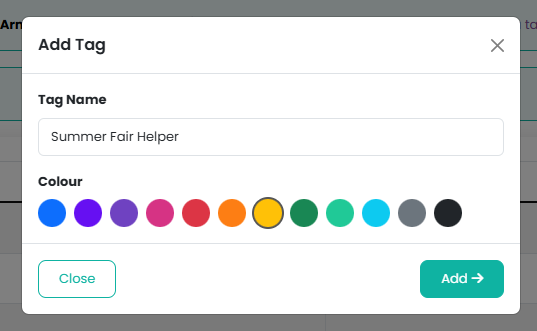
Then, give the tag a name, select a colour, and click on the Add button:
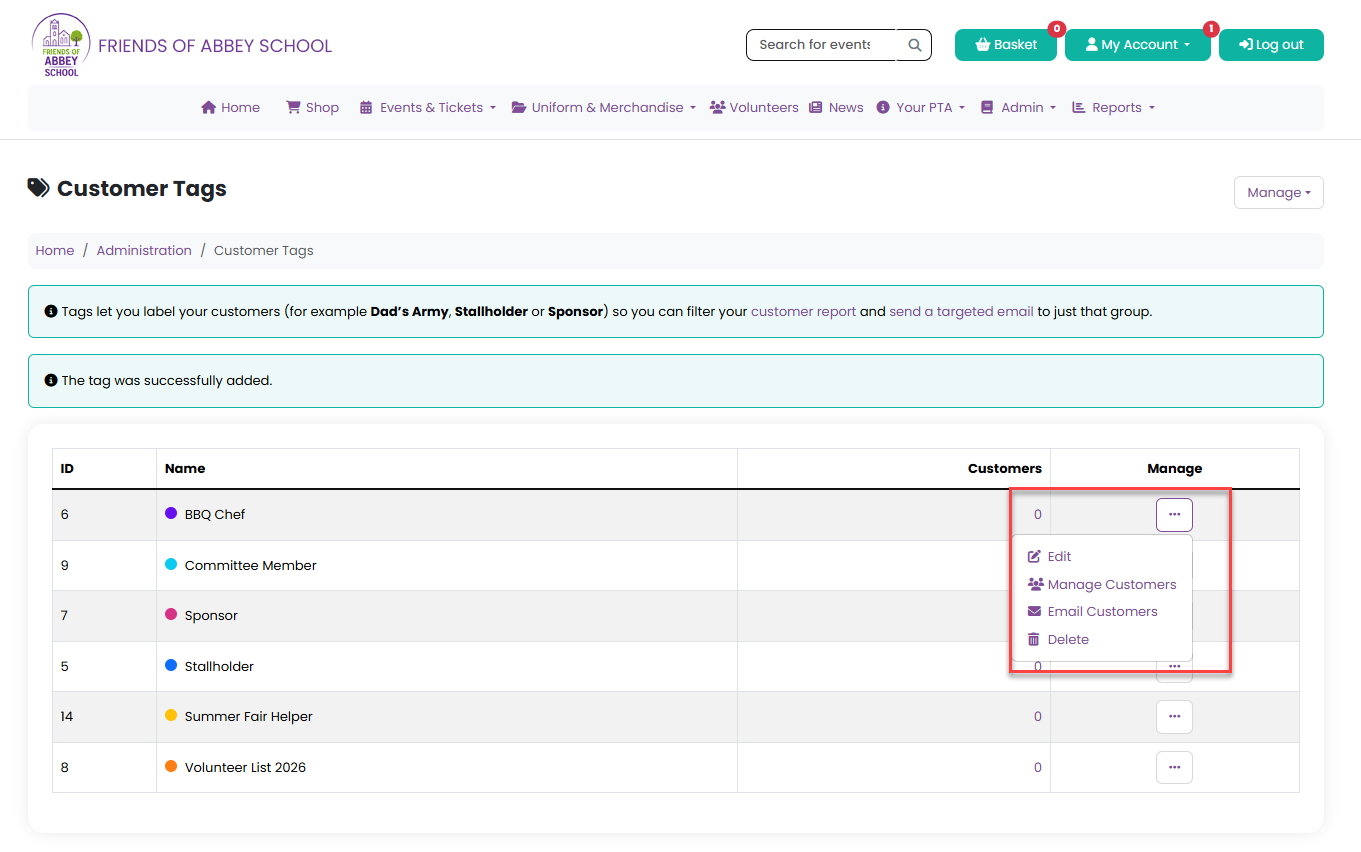
You will see all completed tags on the Customer Tags page and the name and colour palette can be edited and the tag deleted, and you can manage and email customers via the Manage menu:
By selecting Manage Customers you can quickly allocate customers to this tag:
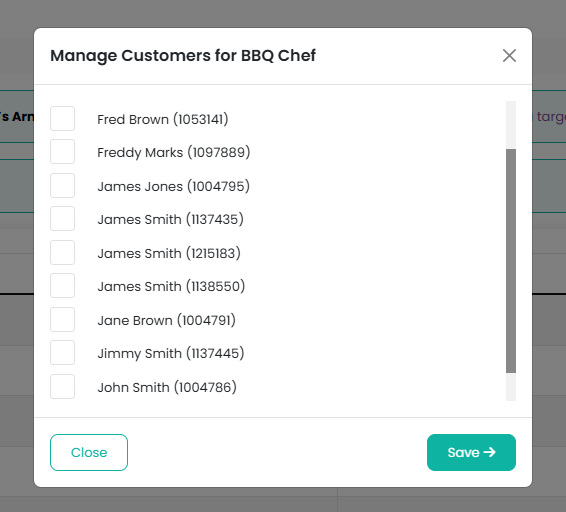
All customers registered on your website will appear in this list.
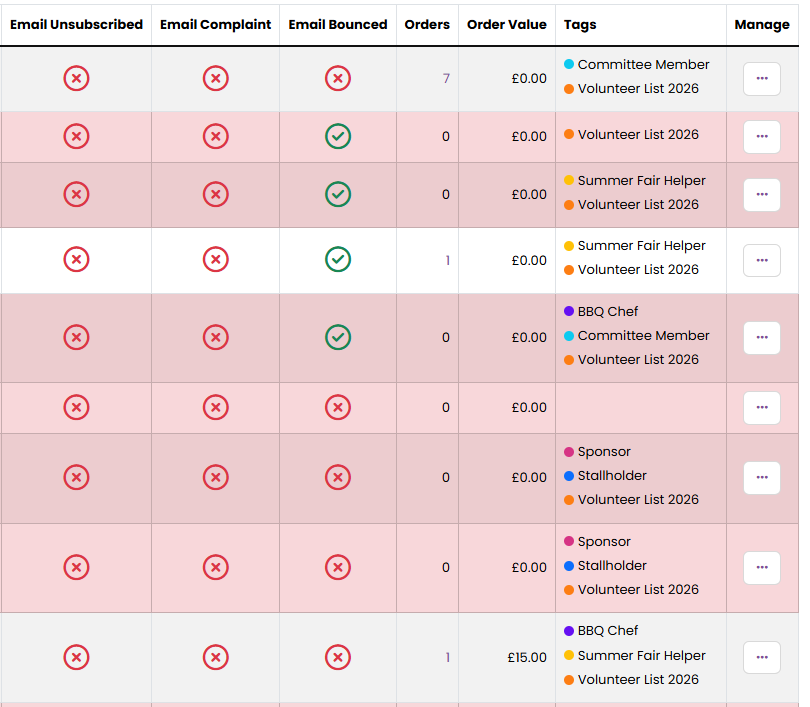
You can also see tags assigned in your Customers report:
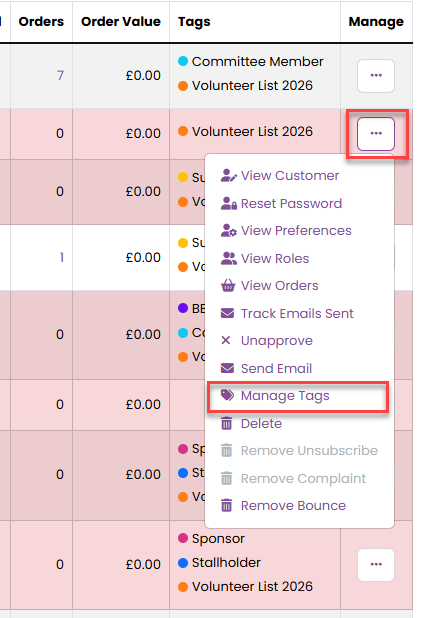
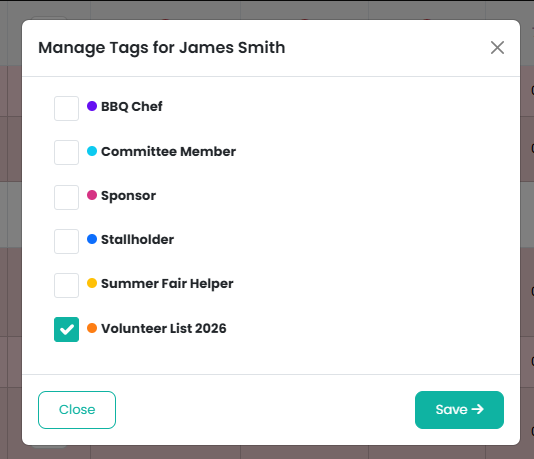
You can manage tags for a specific customer by selecting Manage Tags from your customer management menu:
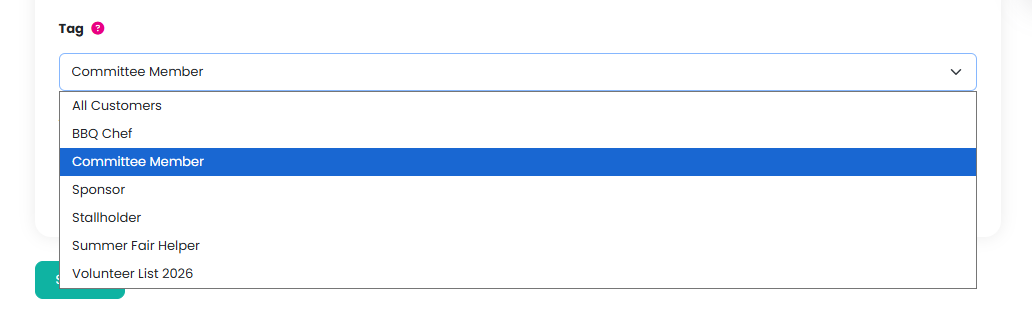
If you would like to search for all customers with the same tag, select Search from the Manage menu of the Customers report and then select the required tag from the Tag dropdown list and click on the Search button:
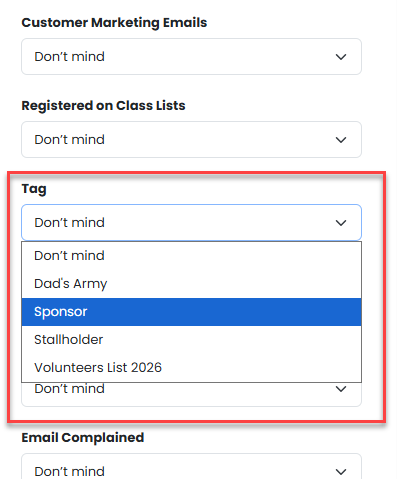
If you would like to email all customers with the same tag select Send Email from the Manage menu, and then select the required tag from the Tag dropdown list:
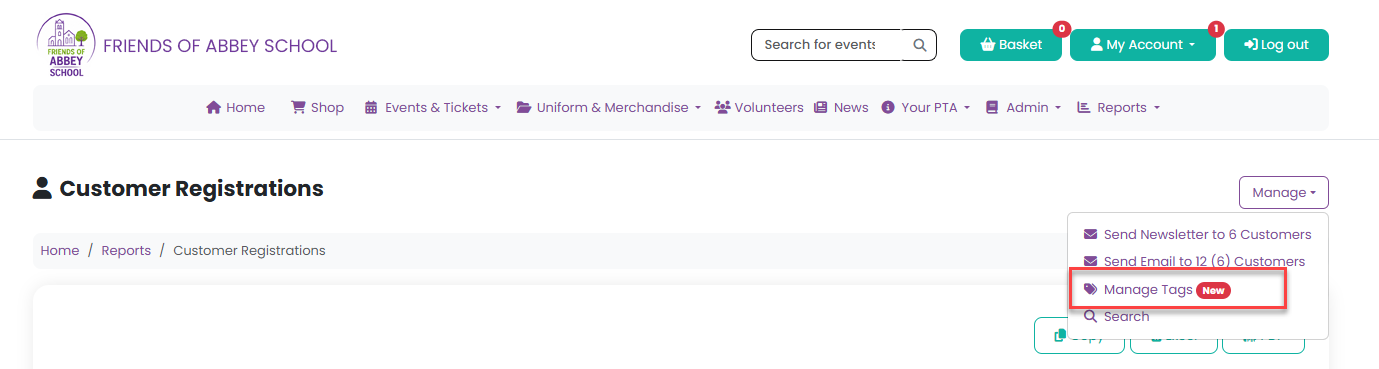
You can also access your tag management view from the Customers report Manage menu by selecting Manage Tags:
Was this article helpful?
That’s Great!
Thank you for your feedback
Sorry! We couldn't be helpful
Thank you for your feedback
Feedback sent
We appreciate your effort and will try to fix the article