If you would like to remove the amount of visible data on tables then click on the Column Visibility button and uncheck any columns you no longer wish to view.
You can manage column visibility where the Column Visibility button is displayed.
For example, for tickets and products for an event head to Admin > Events and select Tickets/Products from the Manage menu for any event and uncheck any unrequired columns, noting that this will then apply to all events, even those archived:
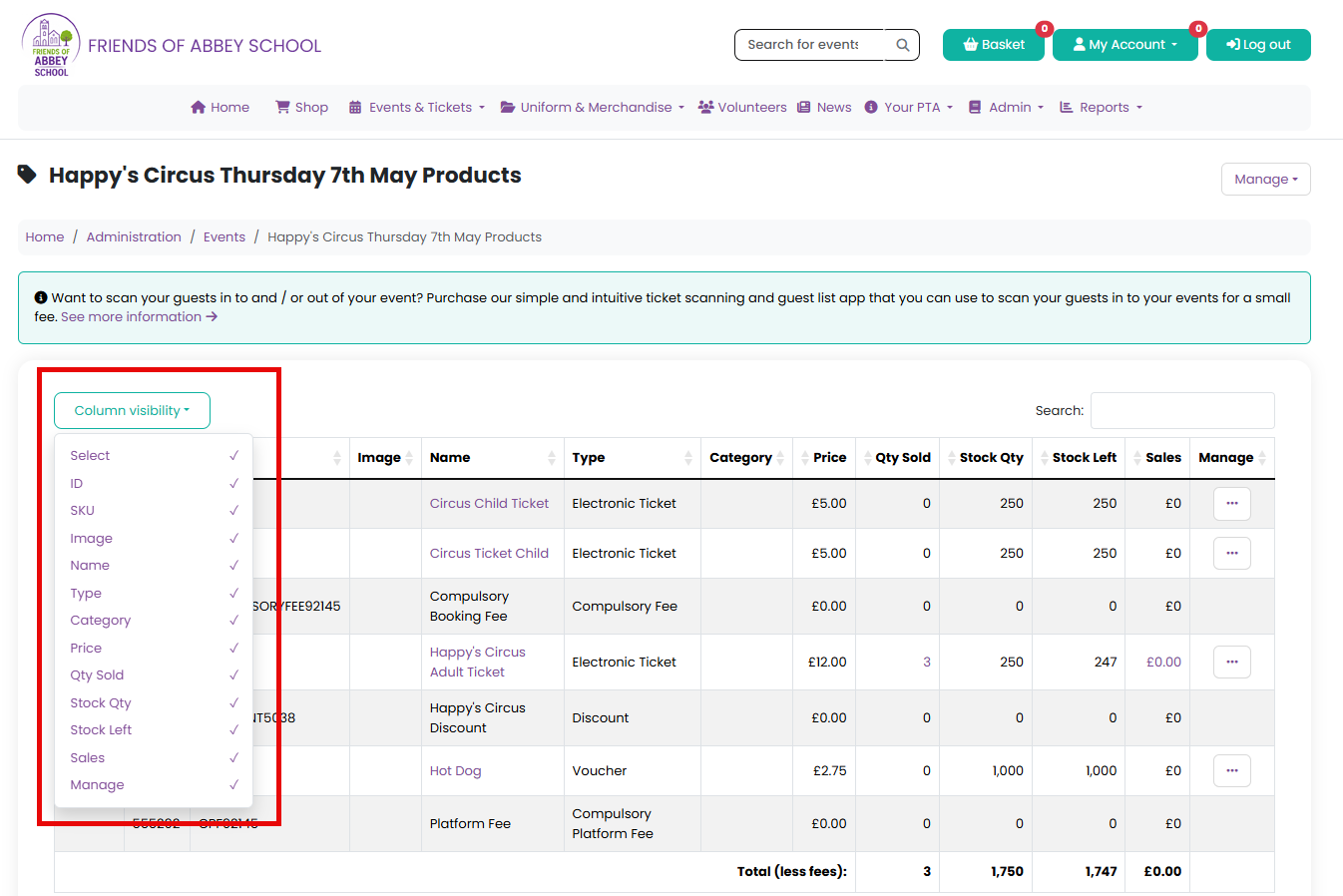
If you hide a column, it saves the state of it in your browser's local storage, so if you refresh and go back, it is still hidden, but you can show it again by clicking the Column Visibility button and selecting the column to show.
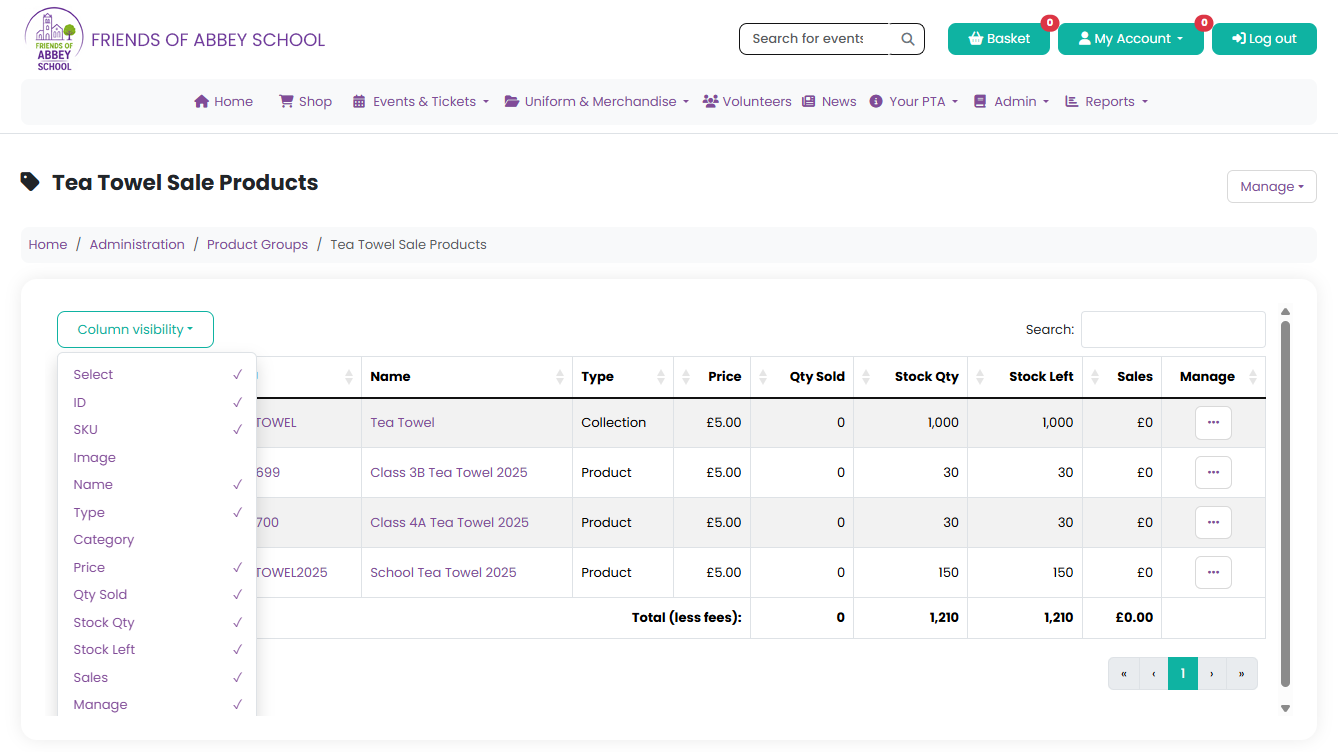
For products in a product group, browse to Admin > Products Groups and select Products from the Manage menu, where the same applies:
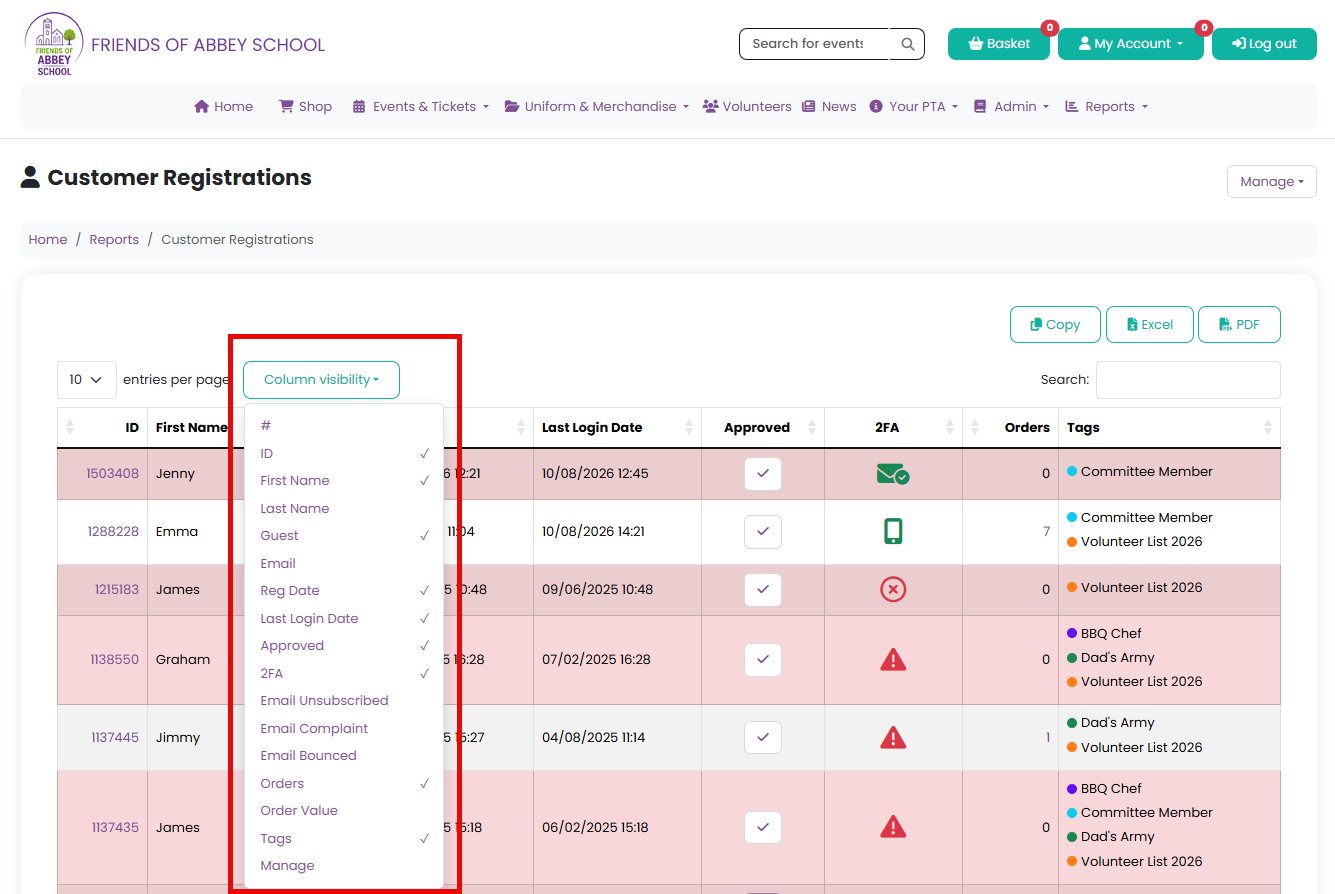
The same options apply with the Customers report, where you can remove any columns:
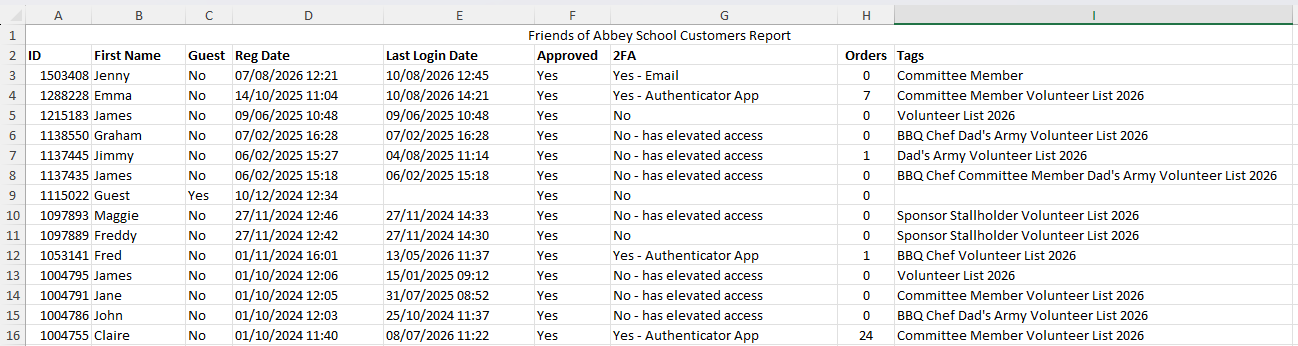
And then export to Excel or copy the data where it will respect this, and only export the visible columns:
Was this article helpful?
That’s Great!
Thank you for your feedback
Sorry! We couldn't be helpful
Thank you for your feedback
Feedback sent
We appreciate your effort and will try to fix the article