Accordion Editors is an optional layout for the Add/Edit Event and Add/Edit Product forms. Instead of one long page, each section collapses into its own panel that you open only when you need it, which makes long forms quicker to scan and easier to fill in.
Turning it on
- Go to Admin and select Settings.
- Click the Site Design tab.
- Tick Use Accordion Editors.
- Click Update to save.
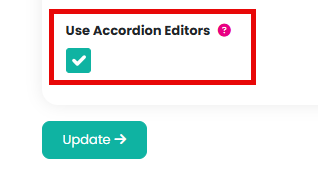
The next time you open Add Event, Edit Event, Add Product or Edit Product, the form will use the new panel layout.
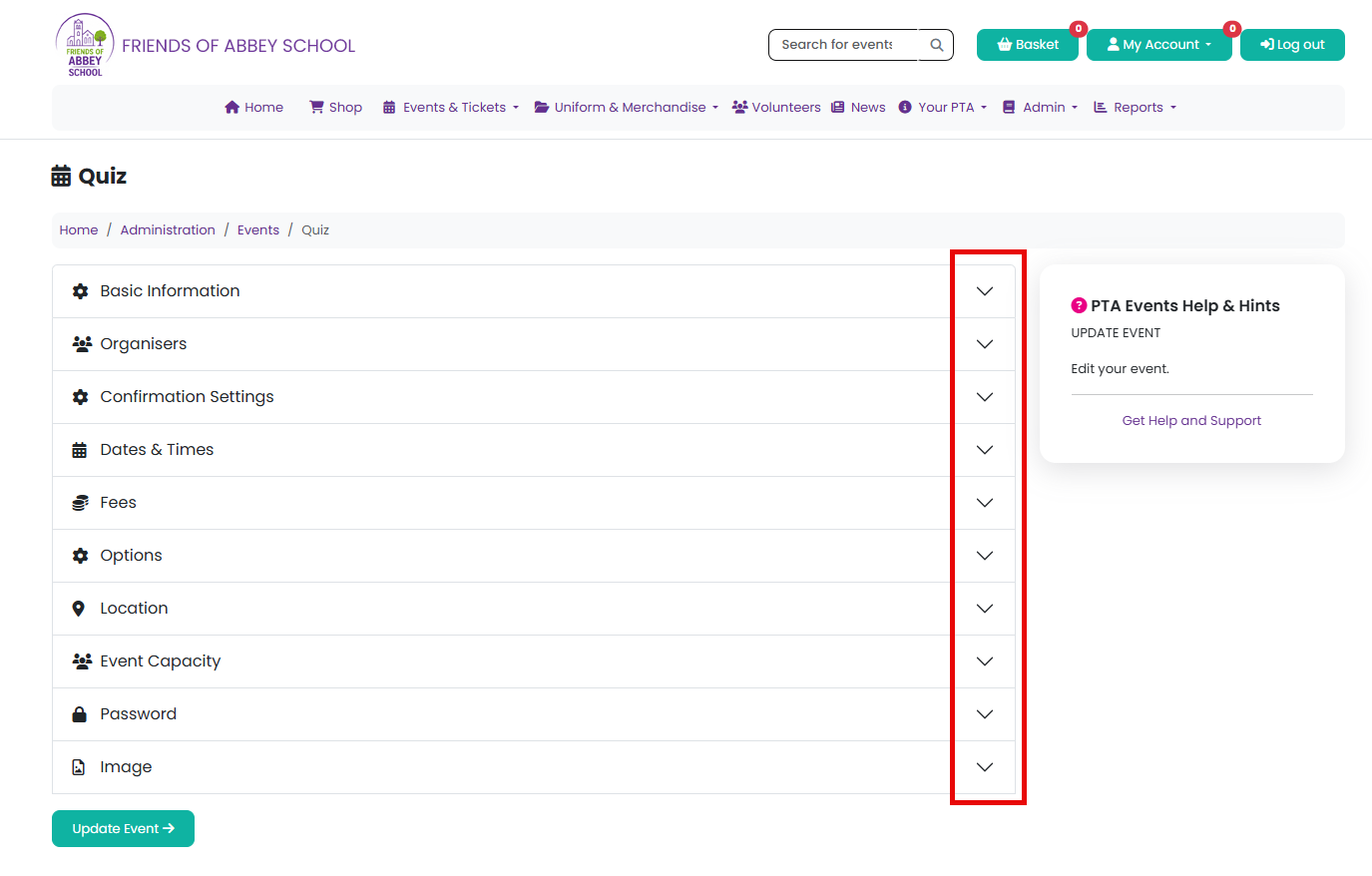
What changes
- Each section (for example Basic Information, Dates & Times or Fees) has its own heading you can click to expand or collapse.
- Basic Information is open by default when the page loads. Every other section starts collapsed, so you see a short, tidy list of headings rather than the whole form at once.
- Opening a new section closes the one you had open, so only one is expanded at a time.
- If you submit the form and a required field in a collapsed section is missing, that section opens automatically and the page scrolls to it, so you don't need to search for the error yourself.
Turning it off
Untick Use Accordion Editors on the same Site Design tab and click Update to go back to the standard form layout at any time.
Related articles
Was this article helpful?
That’s Great!
Thank you for your feedback
Sorry! We couldn't be helpful
Thank you for your feedback
Feedback sent
We appreciate your effort and will try to fix the article