You can hide specific tickets or products from your main event page by setting their sales dates in the past. When sales dates are added to a product, they override the event’s overall sales dates. This means the product will only be available during the dates you specify.
How to do this:
From the Event Management menu, select Tickets/Products for the relevant event.
Then, in the Product Management menu, click Edit on the ticket or product you want to hide.
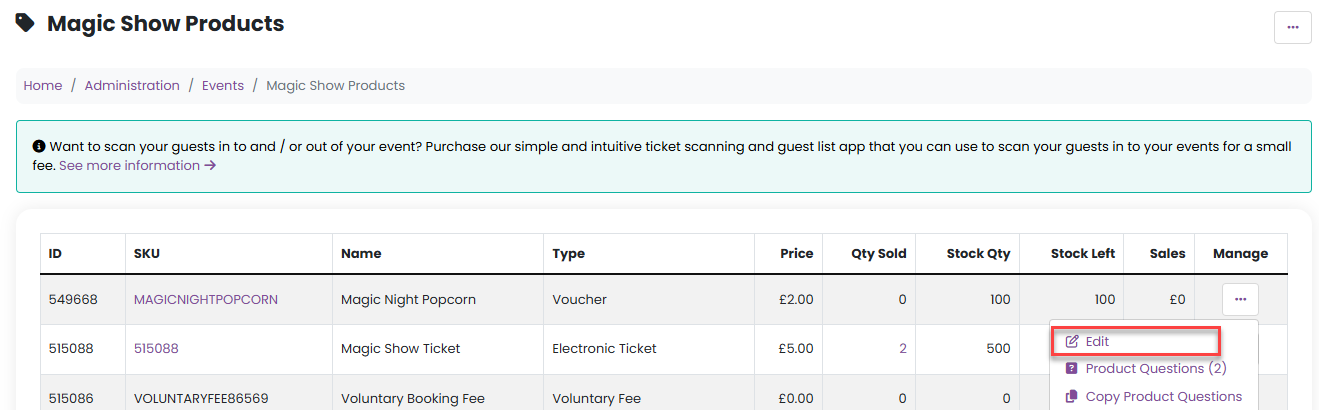
3. Enter sales start and end dates that are in the past.
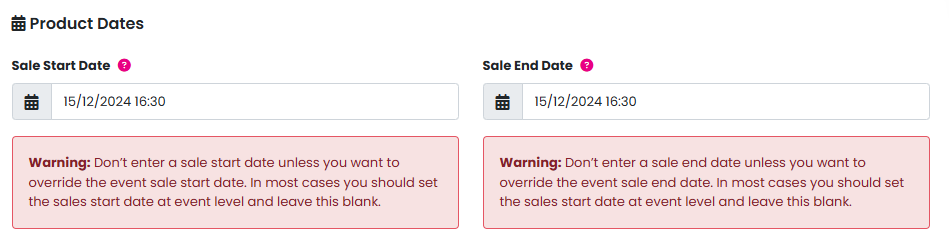
Because these dates have already passed, the ticket or product will not appear on your public event page.
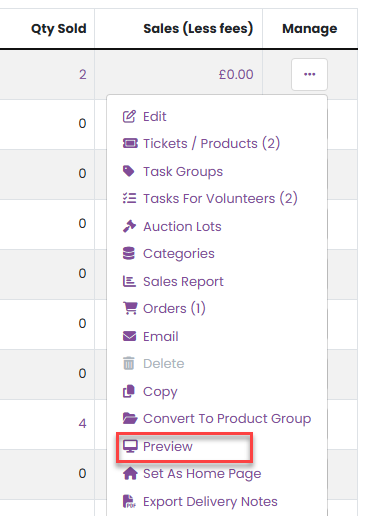
However, the product will still be visible and purchasable via the Preview page. To access this, click Preview from the Event Management menu.
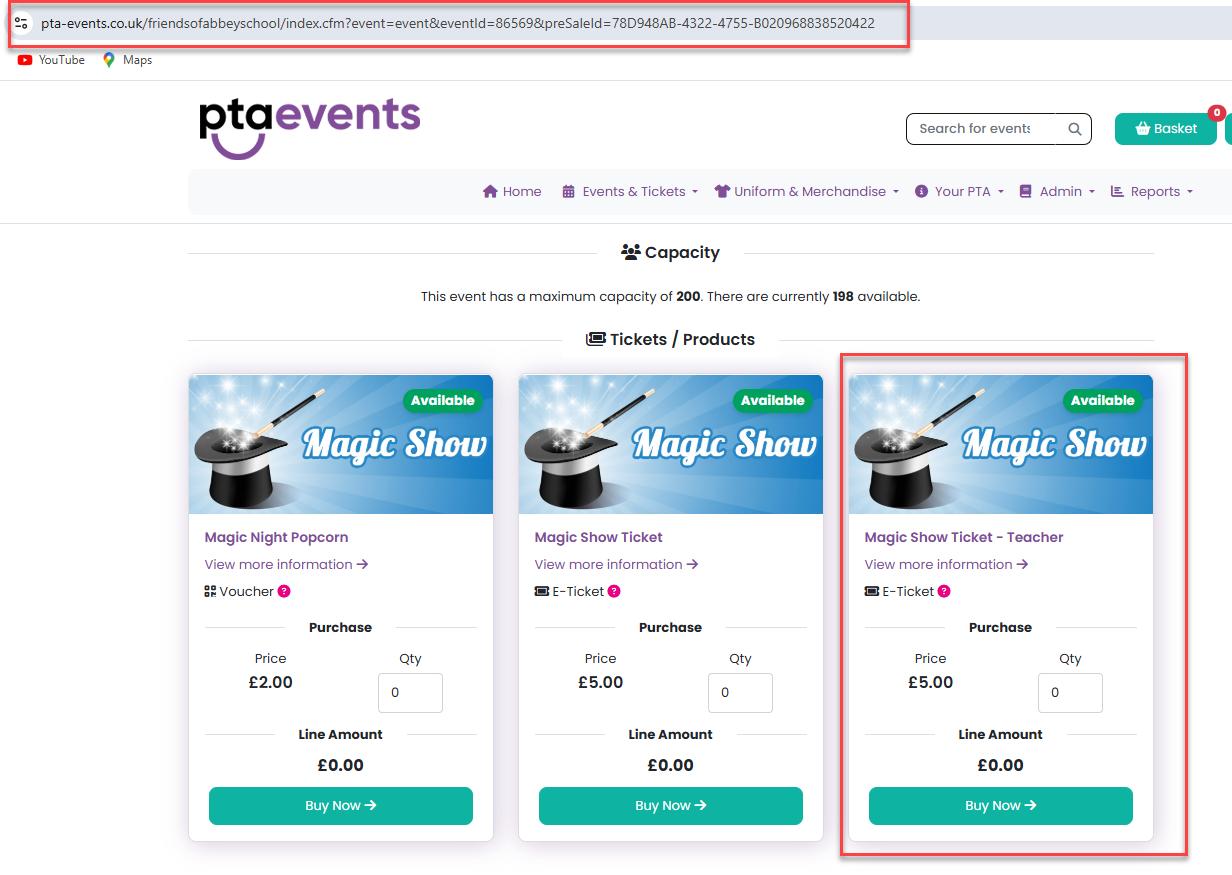
You can then share the preview link directly with customers, allowing them to purchase the hidden tickets or products without making them visible to the general public.
You can also password protect a product and only share that password to those you would like to purchase that product. Click here for further information.
Was this article helpful?
That’s Great!
Thank you for your feedback
Sorry! We couldn't be helpful
Thank you for your feedback
Feedback sent
We appreciate your effort and will try to fix the article