Desktop View:
Mobile View:
To send an email to one or more specific customers, follow the steps below:
Navigate to Reports > Customers.
Use the search form in the Manage menu to locate the customer you want to contact.
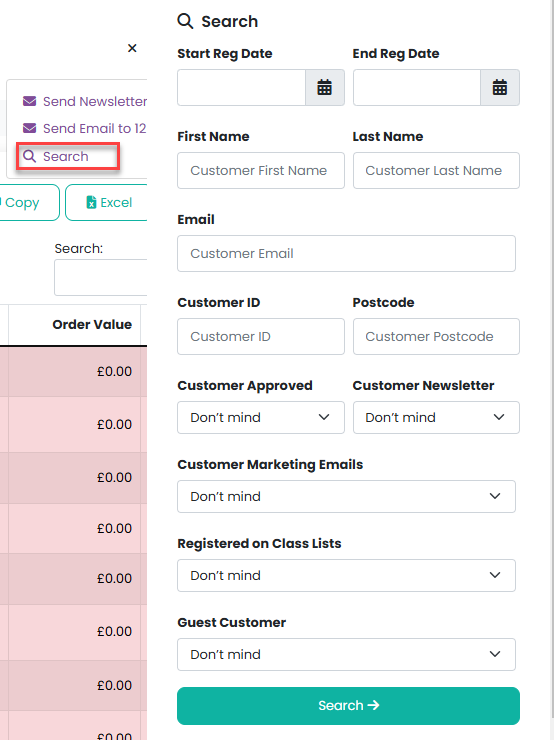
3. Once the customer has been found, select Send Email from the Manage menu.
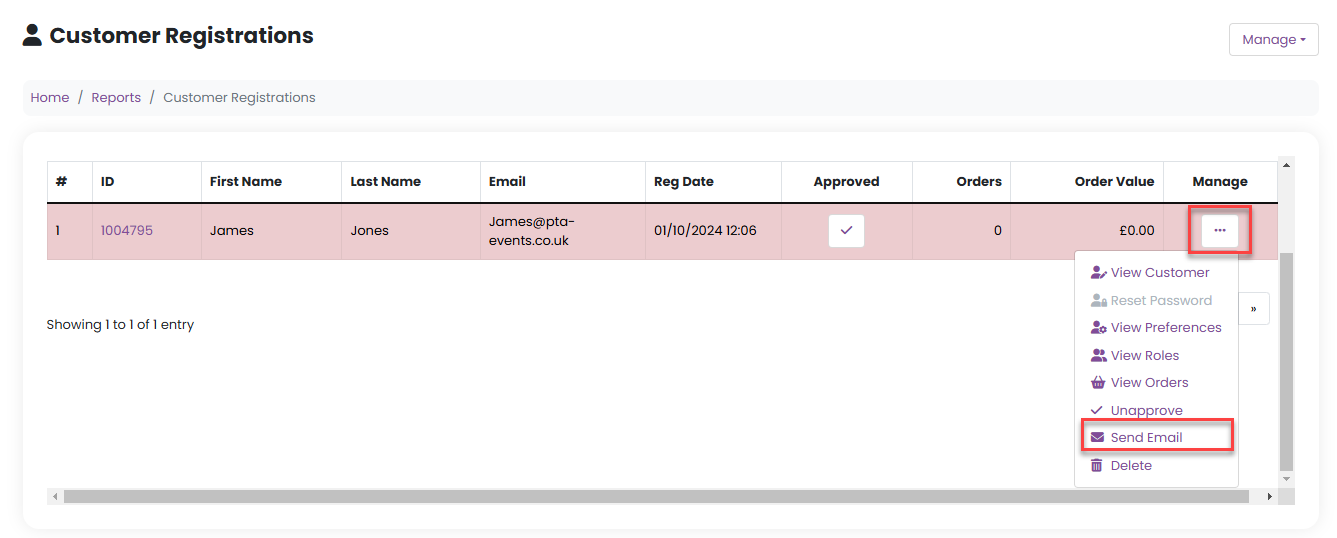
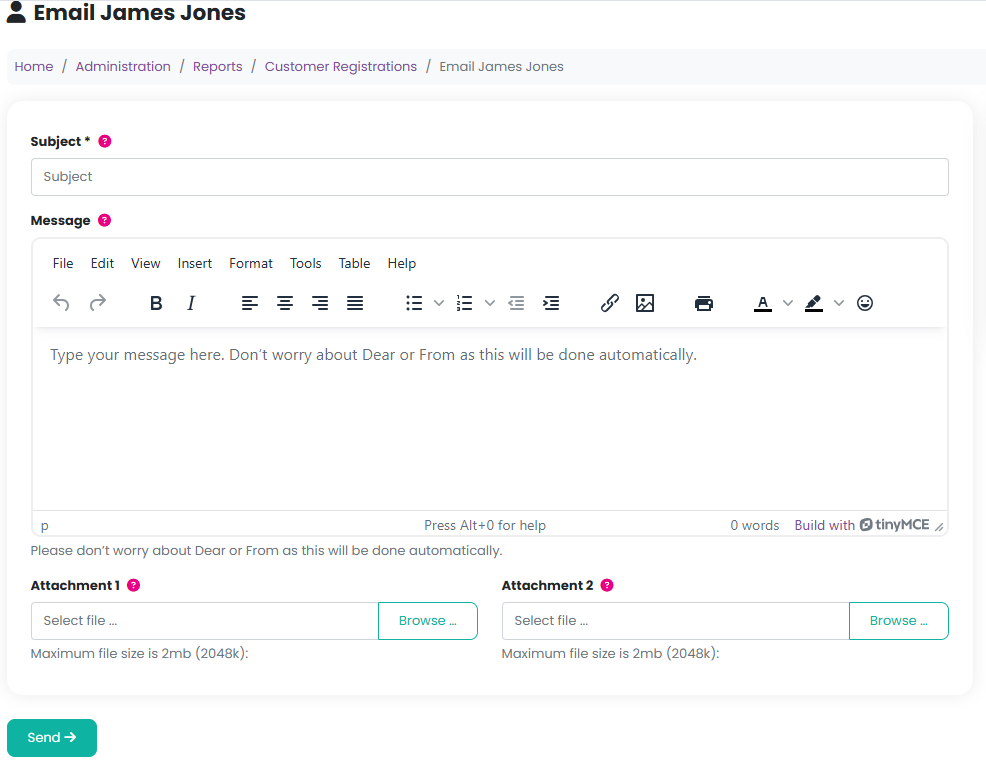
4. Enter a subject in the Subject field and type your message in the Message field.
5. You may attach up to two files, if required.
6. Click Send to deliver the email.
Was this article helpful?
That’s Great!
Thank you for your feedback
Sorry! We couldn't be helpful
Thank you for your feedback
Feedback sent
We appreciate your effort and will try to fix the article